
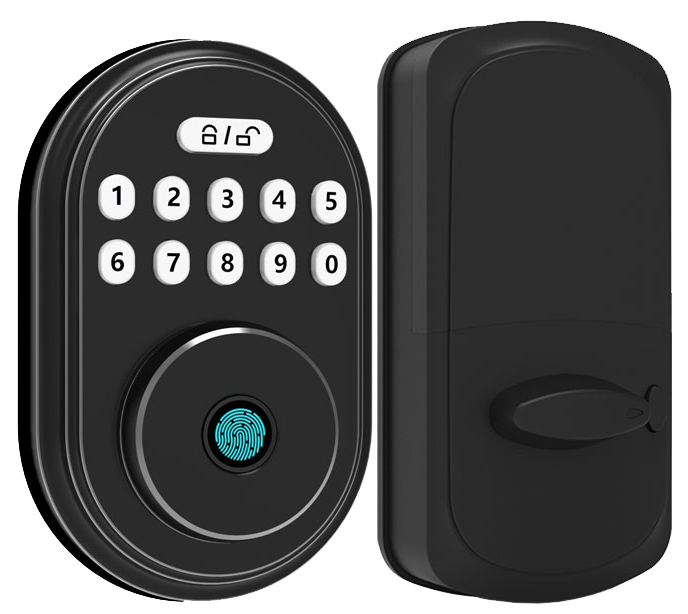
Ever dug under a flowerpot at midnight looking for a spare key? We’ve all been there. But jingling metal keys belong in the past.
With a WiFi smart door lock you tap your phone, press your fingerprint on a biometric fingerprint sensor (a reader that checks your unique fingertip pattern), or punch in a code. No more key rings.
Picture the smooth metal faceplate glowing under your touch. Hmm, you hear a soft click as the lock seals your home tight. Solid. Secure.
So let’s dive into five top WiFi smart door locks that offer rock-solid security and true convenience. You’ll wonder how you ever lived without them.
Comprehensive Overview of WiFi Smart Door Locks
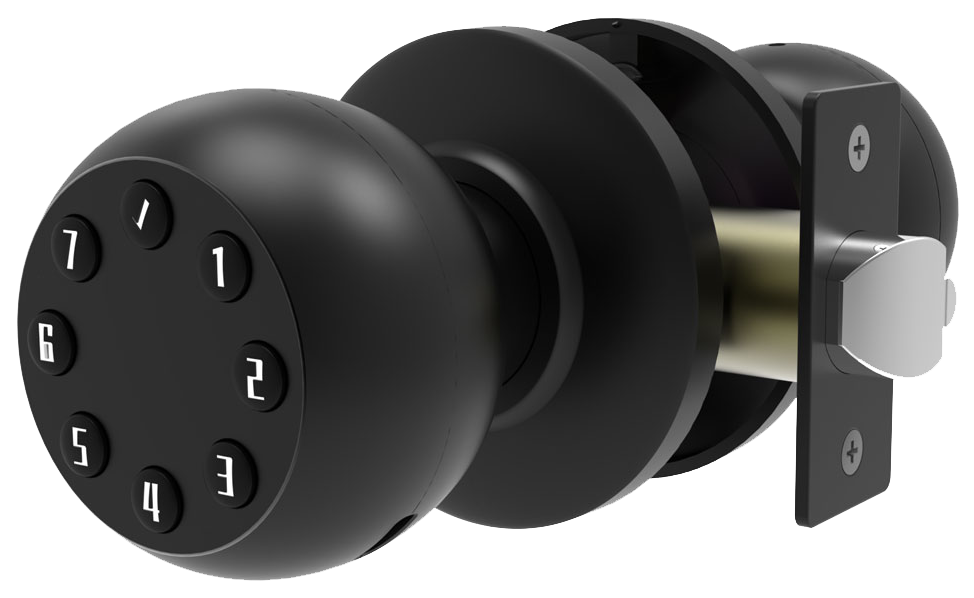
So, you’re still fumbling with keys? Meet WiFi smart door locks. They swap out clunky keys for your phone, a biometric fingerprint sensor (a reader that checks your unique fingertip pattern), or even facial recognition. No more hiding a spare key under the mat or worrying about lockouts.
Picture the smooth metal faceplate lighting up with a soft LED glow when you tap your code or fingerprint. And because these locks connect straight to your home network, you can lock or unlock your door from anywhere, no extra hub needed. The companion app shows live status, sends a gentle tamper alert, and lets you scroll through access logs in seconds. Need to let the dog walker in at 3 p.m.? Just share a one-time code.
Battery life runs about three to six months on four AA cells, shorter than Bluetooth (eight to 12 months) or Thread (up to a year with a border router). Low-battery warnings arrive days before shutdown, so you’ve got time to swap cells. And if you forget, you can power up with a USB-C cable (just like charging your phone) or a 9-volt battery.
| Connection Type | Battery Life |
|---|---|
| WiFi | 3–6 months (4 AA cells) |
| Bluetooth | 8–12 months |
| Thread | Up to 1 year (with border router) |
Here’s why we’re proud of Starlight Smart Locks. They ship with built-in WiFi, end-to-end encryption, and two-factor authentication for app access. We’ve CE-certified them, tested them in sandy deserts and snowy peaks. Multi-method access means you can tap, punch in a code, or use your fingerprint, whatever feels right. Over 10,000 installs worldwide. Solid.
Essential Features of WiFi Smart Door Locks
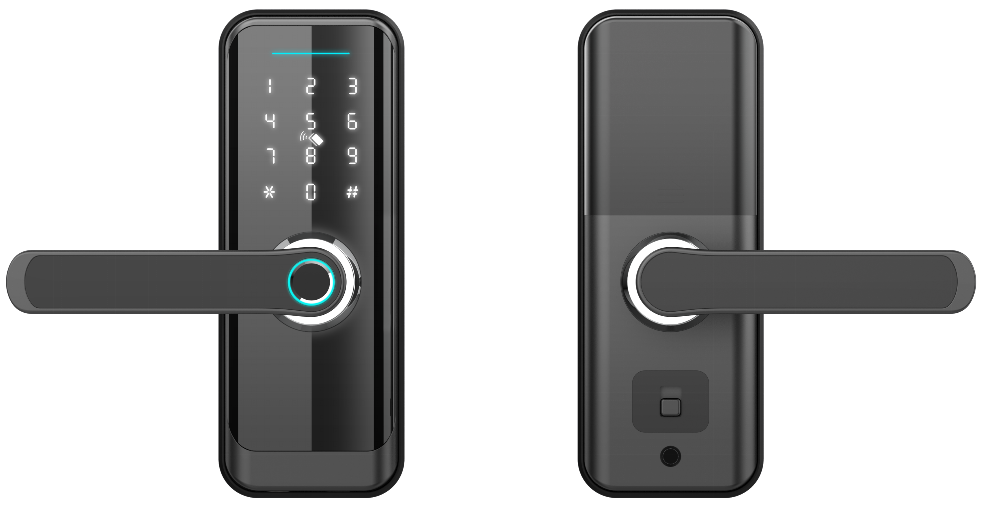
Ever fumbled for keys in the rain? Our WiFi smart lock gives you all the ways to get in, without the hassle.
Key Features
- Multi-mode access: mobile app, biometric fingerprint sensor (a reader that checks your unique fingertip pattern), keypad or physical key, NFC Home Key (tap-to-unlock tag), and geofencing auto-unlock (opens when your phone is nearby).
- Guided setup wizard: step-by-step pairing of lock, app, and network. No SSID or PIN typing. Think of it like syncing your Bluetooth headphones.
- Advanced security protocols: FIPS-certified 256-bit encryption (government-grade data scrambling), secure boot (firmware integrity check), and hardware-backed key storage (chips that hide your cryptographic keys).
- Extreme environment certification: tested from -40°F to 140°F, 95% humidity, plus salt spray and vibration checks. Perfect for mountain cabins or beachfront rentals.
- Battery management: low-battery alerts at 20% life left, smart backup reminders, and an emergency physical-key override.
- Adaptive auto-lock: a door-position sensor either locks instantly or follows an adjustable delay. You decide the timing for heavy or lightweight doors.
Our setup wizard guides you like pairing earbuds, tap, watch a soft LED glow, and you’re ready.
We send these locks into third-party labs for sandstorms, blizzards, and salt-spray tests. They never miss a beat on your desert hideaway or snowy lodge.
Our advanced encryption, secure boot, and hardware-backed storage keep malware out. Hackers don’t stand a chance, they’re bounced before they reach the smooth metal faceplate.
Over 10,000 locks installed worldwide.
We built this so you can focus on what matters, peace of mind.
5 WiFi Smart Door Locks Guarantee Seamless Security
-
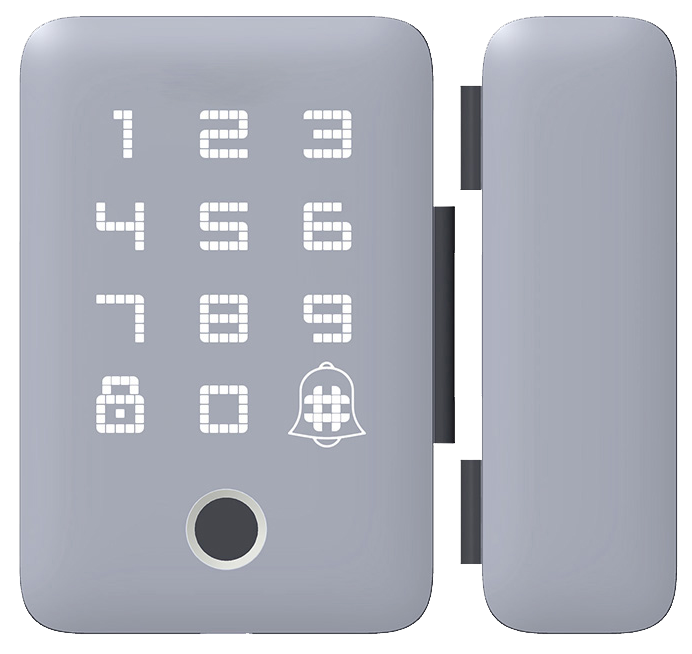
August Wi-Fi Smart Lock ($149–$229) slides right over your existing deadbolt with a smooth metal faceplate and a reassuring click. DoorSense alerts (notifications when your door fully latches) pop up on your phone so you never wonder if it’s closed. Auto-lock kicks in on the schedule or delay you choose. Works with Alexa, Google Assistant, or Apple HomeKit once you add the $69 bridge. Setup takes under 15 minutes, no extra hub or drilling needed.
-
Yale Assure Lock WiFi ($279.99) swaps out your thumb turn for a slim, modern module. You can open it with a biometric fingerprint sensor (a reader that checks your unique fingertip pattern), touchscreen keypad, mobile app, voice commands, or Apple Home Key. Swapping Wi-Fi or Z-Wave modules takes seconds, no screwdriver required. ANSI Grade 1 rating and lab tests in sandstorms, blizzards, and salt spray prove it stands up to tough conditions.
-
Schlage Encode WiFi Deadbolt ($249.99) comes with built-in Wi-Fi so your phone talks directly to the lock, no hub or bridge in sight. It plays nicely with Ring alarm systems and Alexa routines for hands-free control. You get a sturdy keypad and a keyway, no biometric scanners here. Four AA batteries power it for about six months, and you can store up to 100 personalized access codes plus view an audit trail in the app.
-
Kwikset Halo Wi-Fi ($279) offers dual-band Wi-Fi for a more reliable link in crowded networks. It holds 100 entry codes right on the lock and uses SmartKey rekey technology (resets your physical key in seconds). All wireless signals use AES-128 encryption to keep codes and commands safe. It talks to Google Assistant or Alexa without an extra bridge, meets ANSI Grade 2 for home security, and runs about six months on four AA batteries.
-
Eufy WiFi Smart Lock S3 ($400) pairs a crisp 2K video doorbell with a palm-vein reader (a scan of your palm’s vein pattern). A numeric keypad and emergency keyway give you backup entry options. It supports standard Wi-Fi and Matter-over-Wi-Fi for future-proof smart-home links. Its 15,000 mAh removable battery lasts about five months per charge, and a USB-C port lets you jump-start it if power dips. ANSI Grade 1 construction stands up to harsh weather and heavy traffic.
WiFi Smart Door Locks and Smart Home Integration
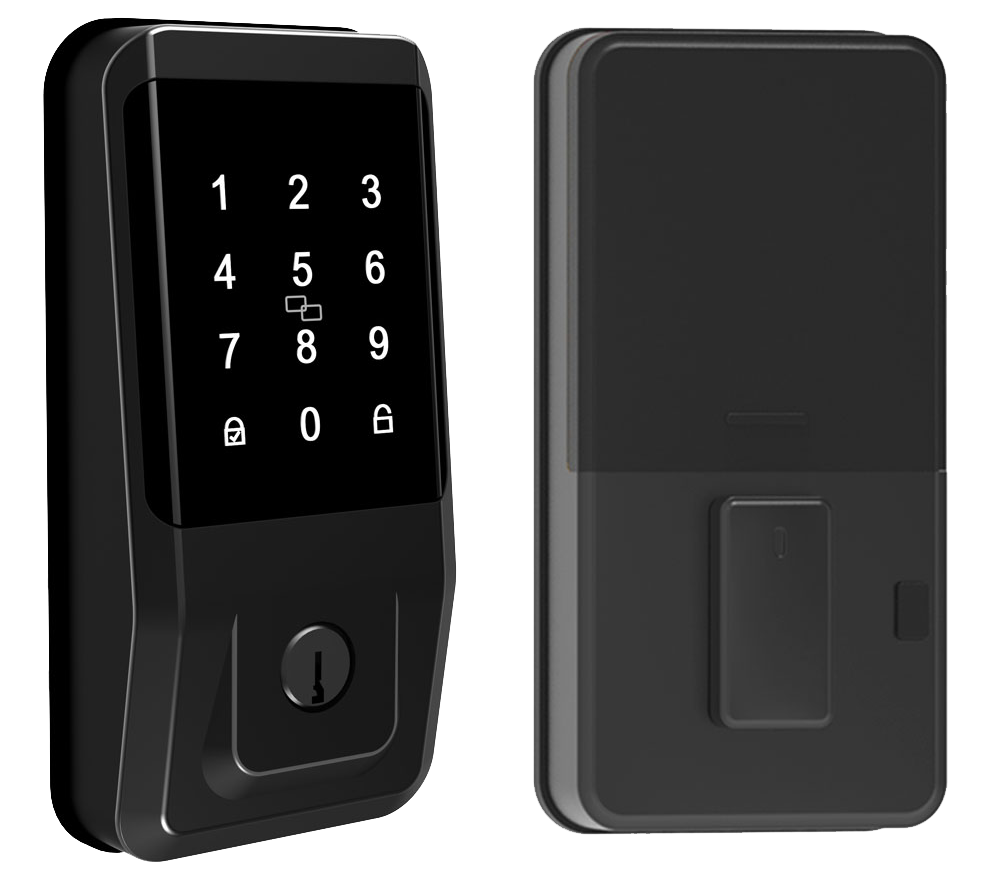
Just say “Alexa, lock the door,” and your smart lock responds with a reassuring click and a soft LED glow. You can even ask Alexa for lock status in the app or have it read out temporary codes. Want a neat trick? It does it all by voice.
Got a Google Home hub in your living room? Our smart lock pairs right away, letting you share PINs (personal identification numbers) with guests and review every unlock event in the Google Home feed (like a digital logbook).
Deep in the Apple world? This lock hooks into HomeKit and shows up on your iPhone’s Home app. You can tap your screen or say “Hey Siri, unlock the front door.” Simple.
Samsung fans, we’ve got you covered too. Our lock slots into SmartThings (Samsung’s home automation service), so you can link door rules to lights or motion sensors, making your lock part of a bigger home orchestra. No conductor needed.
The upcoming Matter standard will tie all these platforms together under one control flow, every app, every voice assistant, one way to lock and unlock.
For power users, we offer IFTTT (If This Then That service) and custom routines. Imagine your door auto-locking at sunset, opening when you roll into the driveway (geofence boundary), or flicking on the porch light the moment you step inside. Over two decades of CE-certified (European safety mark) expertise went into this.
Your door. Your home. One ecosystem.
Seamless.
Installing WiFi Smart Door Locks: DIY and Professional Guide
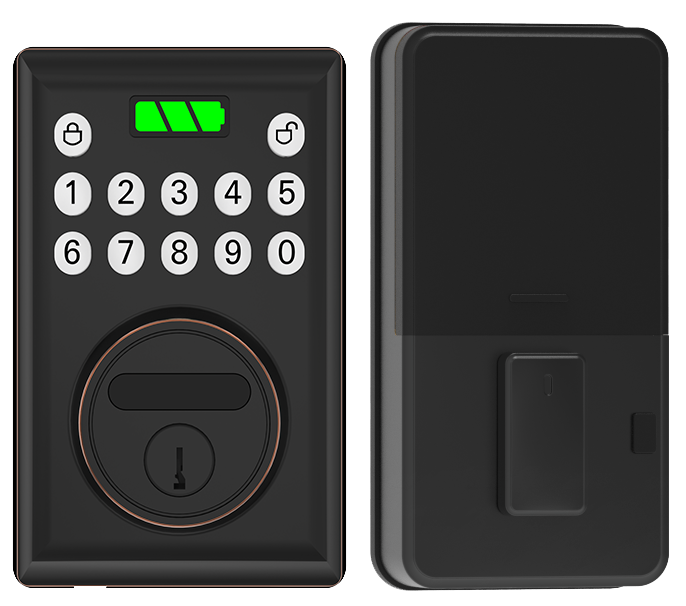
Most retrofit installs take about 30 minutes with a Phillips screwdriver and a tape measure. Retrofit kits fit doors with a standard bore hole (that round opening your old deadbolt sat in). They slip under a smooth metal faceplate, and you’ll hear a reassuring click when you lock up. It’s perfect for renters or anyone who wants a quick security boost.
Here’s how it goes:
- Remove your existing deadbolt thumb turn and the mounting screws.
- Position the new back panel and align the latch (the metal piece that keeps your door closed) with the strike plate (the metal plate on the frame).
- Feed the connecting cable through the door, attach the front module, and snug the screws until they feel firm.
- Use the provided template to set the bolt travel distance (how far the bolt moves in and out) – then test smooth operation.
- Open the companion app and follow the on-screen wizard to join your home WiFi network.
New construction installs swap out both a lever handle and a deadbolt on fresh doors. You’ll need a power drill with a hole saw (a round cutting bit) and a spade bit (for smaller holes), plus a chisel to clean the mortise (the carved wood slot). Grab a level to mark straight lines and a tape measure to confirm door thickness. Think of it like carving a sturdy frame.
On roofed porches or storm doors, longer mounting screws and weatherproof gaskets help keep the lock snug and moisture out. That extra seal stops rattles and rust.
DIY installs are budget-friendly and kind of fun to tackle yourself. Hmm, tricky frames or odd trim can trip you up.
Perfect alignment matters.
A pro install usually wraps up in about an hour, from prepping the door to final alignment checks. Starlight Hardware offers pre-configured modules and video tutorials to guide you. Want to know a secret? A certified installer makes sure even weird door styles lock smoothly from day one.
Security and Reliability in WiFi Smart Door Locks
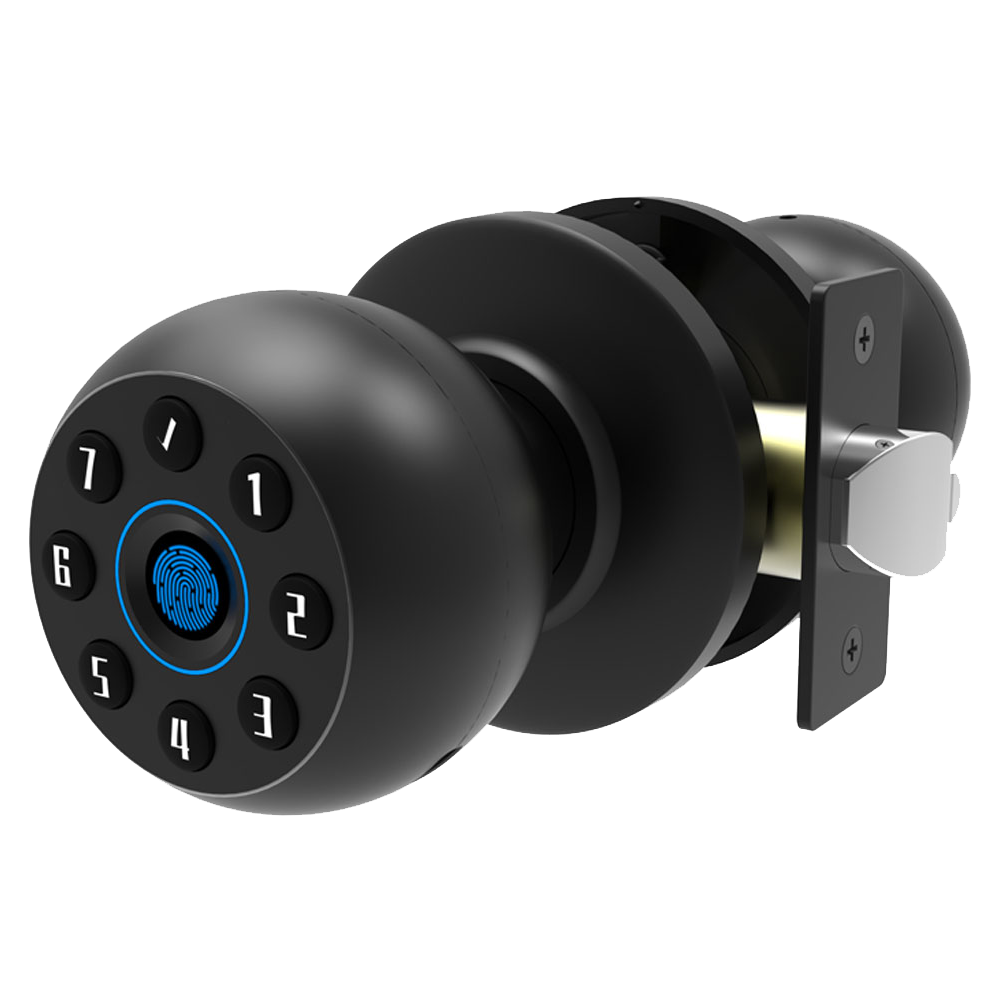
Starlight Smart Locks give you a fresh take on mechanical strength and break-in alerts. Um, we’re not diving into encryption or audit logs here. Instead, we want you to feel the smooth metal faceplate and hear that reassuring click when it locks.
Our locks carry ANSI/BHMA Grade 2 certification. That means they passed torque (twisting force) and impact tests for homes and small businesses. Hmm, we even ran 800,000 bolt-cycle trials to make sure they stay smooth and reliable. Exactly what you need.
Independent labs tested our built-in intrusion sensors, which have UL 639 approval (burglary sensor standard). They trip an alert at just 10 pounds of pressure. Picture a sudden tug, like a cup nudging off a table, and your phone pings in under a second. Back to our sensors, they stay sharp.
Real-world durability trials tackle harsh conditions head-on:
- 15,000 lock–unlock cycles from -20°F to 140°F
- 72-hour salt-spray chamber to fight corrosion
- Dust-blast tests that mimic desert winds
Built tough.
Buying Guide: Pricing and Warranty for WiFi Smart Door Locks
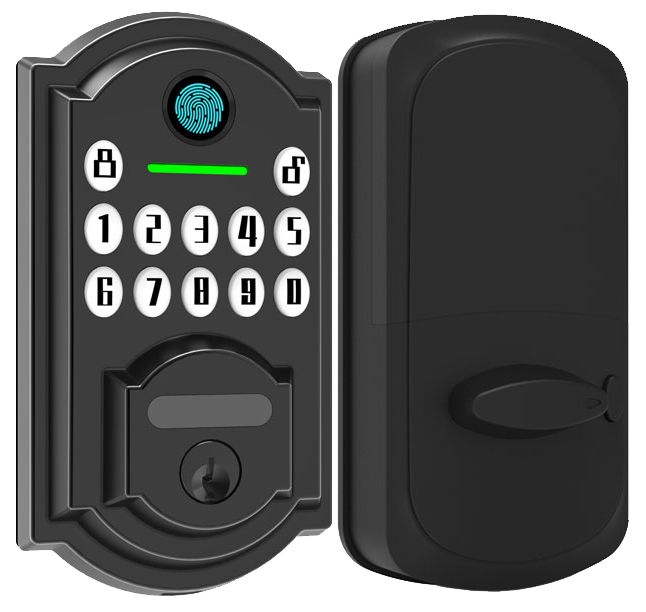
Shopping for a WiFi smart lock can feel like choosing a new phone, lots of options, lots of prices. Here’s a clear breakdown by price tier.
| Tier | Price | Features |
|---|---|---|
| Budget | $70–$150 | Keypad access, biometric fingerprint sensor (a reader that checks your unique fingertip pattern) |
| Mid-range | $150–$300 | Auto-unlock, Apple Home Key, app alerts |
| Premium | Above $300 | Video integration, palm-vein sensors (vein pattern reader), advanced Matter support |
You might need a Wi-Fi bridge for full coverage, that’s about $50 to $80.
And pro installation? Plan on $100 to $200 extra.
Most brands stick you with a 1- to 3-year warranty.
Starlight Hardware gives you two years of coverage plus lifetime tech support.
Free firmware updates and live chat help for as long as you own the lock.
Looking for the best lock under $100? Wyze and Ultraloq models start under $100 and still offer remote access, tamper alerts, and that reassuring click of a PIN-pad press.
Solid security without breaking the bank.
Ready to go all in? Premium models over $300 can include video doorbells or palm-vein recognition for seamless entry.
For long-term peace of mind in a busy home, check out our heavy duty smart lock for residential use.
Where to buy? You’ll spot smart locks on Amazon, at Home Depot or Lowe’s, or right from the maker.
For full specs and warranty details, head over to the Starlight Hardware site, your one-stop shop for smart-lock confidence.
5 WiFi Smart Door Locks Guarantee Seamless Security
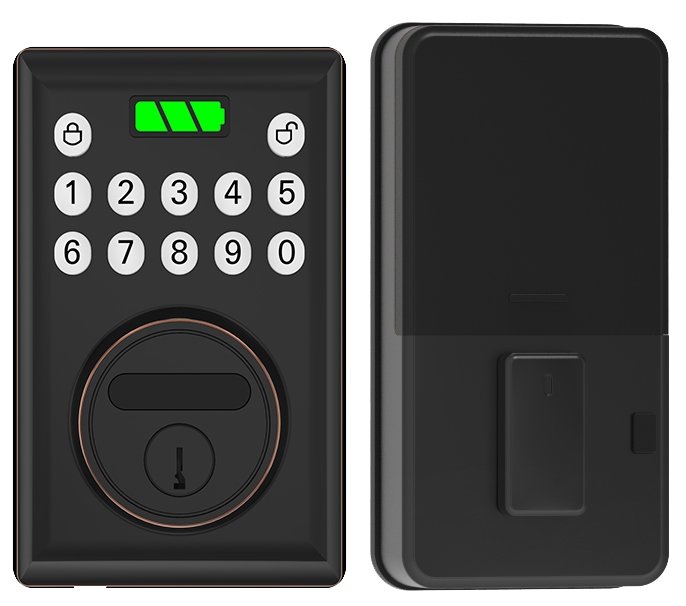
Here are five Wi-Fi smart door locks that bring you peace of mind. They let you lock up with a tap on your phone or a quick scan, no fuss.
| Model | Price | Power | Encryption | Biometric | Matter Support |
|---|---|---|---|---|---|
| August Wi-Fi Smart Lock | $149–$229 | Not listed | Not listed | None | No |
| Yale Assure Lock WiFi | $279.99 | Not listed | Not listed | Fingerprint sensor (a reader that checks your unique fingertip pattern) | No |
| Schlage Encode WiFi Deadbolt | $249.99 | 4 AA batteries (about six months) | Not listed | None | No |
| Kwikset Halo Wi-Fi | $279 | Not listed | AES-128 (Advanced Encryption Standard) | None | No |
| Eufy WiFi Smart Lock S3 | $400 | 15,000 mAh removable battery (about five months) | Not listed | Palm-vein recognition (a scan of your palm’s vein pattern) | Yes (Matter over Wi-Fi) |
Final Words
We jumped straight into how WiFi Smart Door Locks add keyless, remote, and biometric access. You saw must-have features like auto-lock, guest codes, and AES encryption.
We compared the top 2025 models and showed seamless integration with Alexa, Google, and Apple HomeKit.
You got DIY and pro install tips, plus security grades, pricing tiers, and quick fixes for common glitches.
With Starlight Hardware’s expertise and these insights, you’re all set to upgrade your access control with WiFi Smart Door Locks.
FAQ
What is the best Wi-Fi-enabled smart lock?
The best Wi-Fi-enabled smart lock offers built-in Wi-Fi, strong encryption, multi-method access, and reliable battery life. Starlight Smart Lock tops the list with end-to-end encryption, two-factor authentication, and guest code management.
Is Wi-Fi or Bluetooth better for smart locks?
Choosing Wi-Fi over Bluetooth lets you lock and unlock from anywhere but drains batteries faster (3–6 months). Bluetooth conserves power (8–12 months) but works only within about 30 feet of your device.
What are the disadvantages of a smart door lock?
Smart door locks can suffer faster battery drain, dependence on network reliability, and occasional firmware glitches. They may need periodic updates and strong Wi-Fi coverage to avoid lockouts or slow responses.
Are Wi-Fi-enabled door locks safe?
Wi-Fi-enabled door locks use AES-128/256 encryption and two-factor authentication, making them safe from most cyberattacks. Many models include tamper alerts and detailed activity logs for extra peace of mind.
What is a keyless entry door lock with app?
A keyless entry door lock with app lets you lock, unlock, and share temporary codes from your phone. It often includes activity logs, push alerts, and scheduled access for guests without physical keys.
What is a smart deadbolt and handle combo?
A smart deadbolt and handle combo integrates an electronic deadbolt with a lever or knob. You get app control, keypad or biometric entry, and a matching handle for a unified look and seamless operation.
Is there a Wi-Fi door lock with a built-in camera?
A Wi-Fi door lock with camera combines a smart lock and video doorbell in one. Models like Eufy S3 offer 2K video, real-time motion alerts, two-way audio, and remote access in a single device.
What makes a commercial smart lock different?
A commercial smart lock meets ANSI Grade 1 standards for heavy-duty use. It supports hundreds of user codes, audit trails, networked access, and built-in tamper sensors for high-traffic or multi-tenant environments.

