
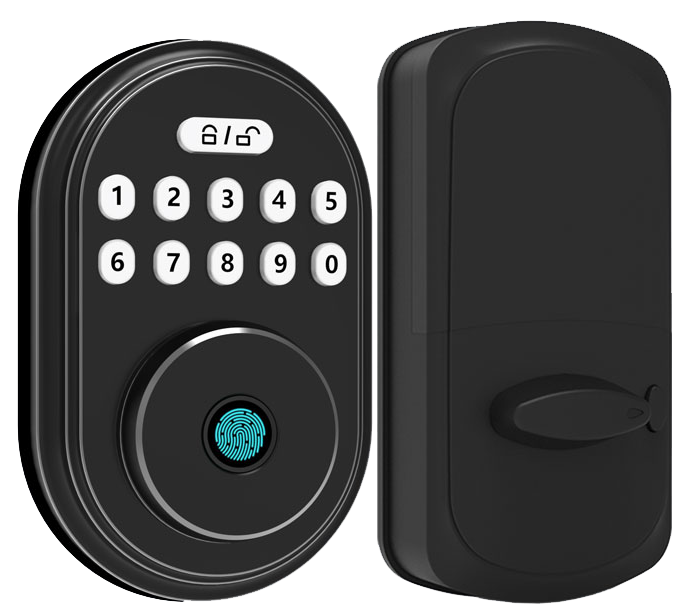
Ever feel like some smart locks are more toy than real security gear? They look cool with a soft LED glow and a smooth metal faceplate, but do they really keep you safe?
As an integrator, you’ve seen that gap between promise and performance lead to late-night support calls. Um, it’s no fun.
Smooth setup shouldn’t mean wrestling with firmware updates (small software patches) or battling lost Wi-Fi connections. Exactly.
We tested seven locks in sandstorms and snow drifts to find the ones that click right into any smart home system. Solid.
Each lock earns its keep with a reassuring click, fast response, and flexible access rules. They just work.
Keep reading to see which models make your installs a breeze and give your clients real peace of mind.
Smart Lock Integration Strategies for Professional Integrators
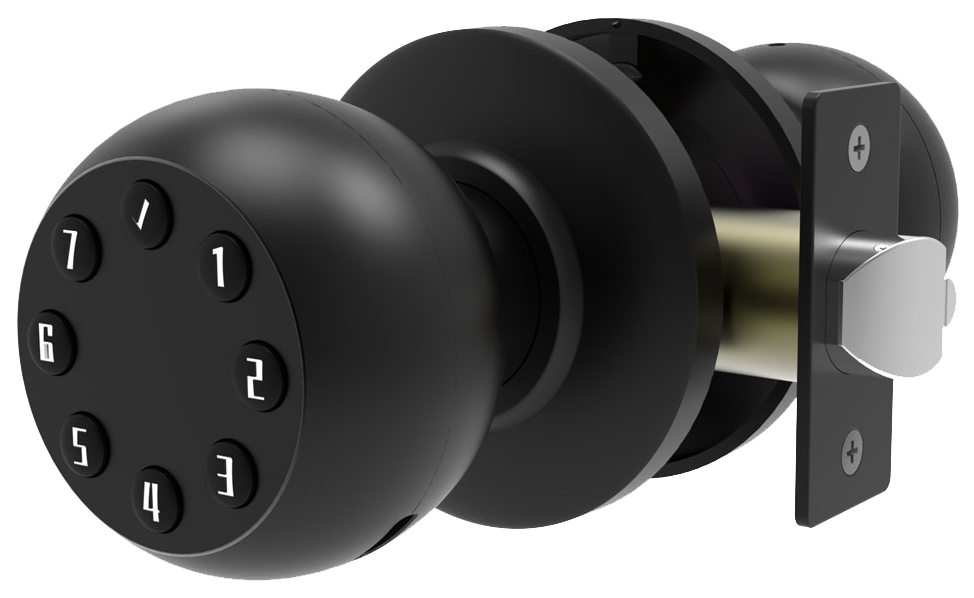
Integrating high-end smart locks can feel like aligning tiny gears inside a smooth metal faceplate. You’re juggling a fast fingerprint sensor (reader that checks your unique fingertip pattern) with a motion-triggered video feed (camera that records when it senses movement). Each piece has to fit client workflows, security rules, and network limits.
Feature needs grow when doors serve families, staff, or guests on different schedules. You might give Airbnb guests a code that expires at checkout. Or set janitors on a 3 a.m. slot guided by a soft LED glow.
But you don’t want the internet to leave you hanging. Local fail-safes keep the deadbolt clicking, even if the cloud goes offline.
Let’s jump to some key strategies:
- Balance cloud and local control by storing critical rules on an on-site controller (local hub) and syncing logs to the cloud.
- Use mobile app control templates to give everyone a consistent experience and speed up remote fixes.
- Assign multi-user roles – admin, staff, visitor – to cut down on manual overrides.
- Set time-based entry rules so offices, cleaning crews, or Airbnb guests unlock and lock doors automatically.
- Generate temporary guest codes with expiration timers and use limits to skip those late-night code resets.
- Roll out audit trail logging (record every unlock, fingerprint read, and motion trigger in one dashboard).
- Route motion-sensor video clips to local memory cards instead of the cloud to dodge monthly fees, while keeping real-time alerts.
- Add fingerprint unlock actions into your automation scripts so doors pop open in under 2 seconds when hands are full.
A solid plan weaves real-time alerts, layered access controls, and clear audit trails. Plan your network so lock commands skip delay and test remote troubleshooting steps before go-live. Hmm, that reminds me of a late-night fix when a door went quiet, I used a simple fallback code to save the night. Back to our smart lock talk.
With these tactics, deployment flows smoothly. Clients need little training, and support teams can jump in remotely, even at midnight.
Protocol & Platform Compatibility for Smart Locks
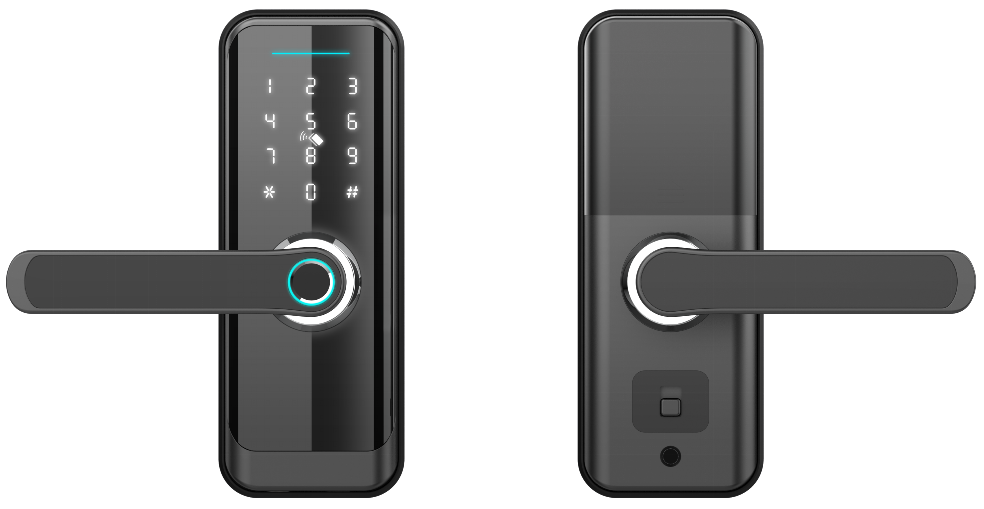
Ever juggled keys when you’re in a rush? Smart locks use wireless door lock protocols to talk to controllers and mobile apps. Think of these protocols as different languages between your lock’s smooth metal faceplate and your phone.
Bluetooth (about 30 ft range; short-range wireless) works best for doors near a mobile hub. It sips battery.
Wi-Fi (internet wireless) lets you lock from anywhere, but it drains power faster. Mesh networks like Zigbee (mesh network where devices link in a web) and Z-Wave (another mesh system) stitch locks into a resilient signal blanket. And Matter (a new cross-platform standard) ties them all together for seamless handoffs.
| Protocol | Range | Power Impact | Hub Requirement |
|---|---|---|---|
| Bluetooth (short-range wireless) | ≈30 ft | Low | No |
| Wi-Fi (internet wireless) | Unlimited (over internet) | High | No |
| Zigbee (mesh network) | 100–300 ft (mesh) | Low–Medium | Yes |
| Z-Wave (mesh network) | 100–200 ft (mesh) | Low | Yes |
| Matter (cross-platform standard) | Varies (based on underlying protocol) | Medium | Depends on device |
Want to lock up with Siri? HomeKit often needs a dedicated bridge (a controller that links devices). Alexa and Google Assistant pin codes live in the cloud, so you’ll sync them through your account. SmartThings can natively host Zigbee or Z-Wave locks on the same hub.
If you’re working on a bigger project, Control4 lock modules and Crestron access control add a professional touch. Um, you might need extra hub gear for Z-Wave deadbolt compatibility or channel tuning for Zigbee to dodge interference. Matter support promises to simplify these steps as more devices adopt the standard.
- Plan your protocol coverage first and keep Zigbee and Wi-Fi on separate 2.4 GHz channels.
- Confirm your Z-Wave deadbolt works with the actual hub or module early.
- Choose locks with Matter support to future-proof multi-vendor setups.
- Watch battery life on Wi-Fi locks, set low-battery alerts at around 20%.
- Register devices in Control4 or Crestron and run group-command tests before handoff.
Smart Lock Security Certifications and Firmware Maintenance
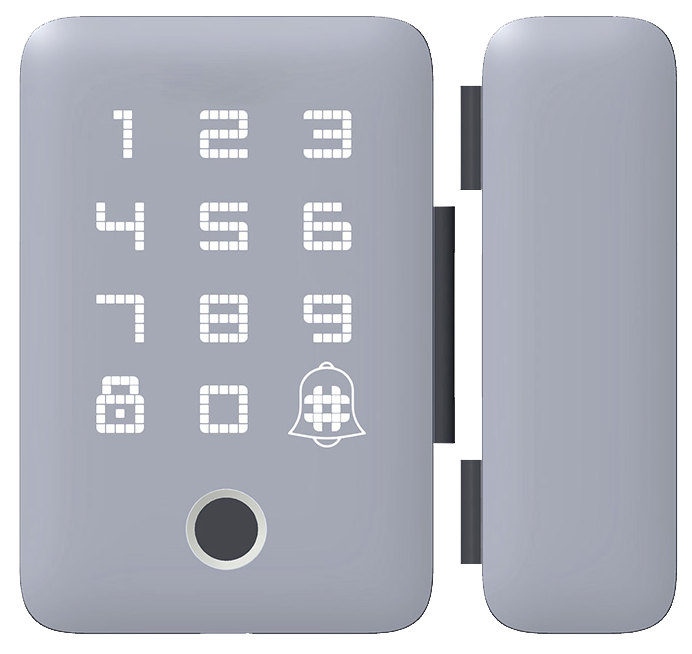
Smart locks do more than light up a smooth metal faceplate or flash a soft LED glow on their touchscreen. They also need to guard wireless signals, spot any tampering, and prove they passed tough tests, like those CE and FCC checks in CE/FCC certified smart locks. And keeping their software fresh with over-the-air updates is vital to avoid leaving people exposed.
- AES-128 and AES-256 encryption (data-scrambling methods) lock away keys and codes so hackers can’t grab them over Wi-Fi.
- TLS communications (secure-tunnel protocols) create a private pipeline between your lock and its hub or cloud server.
- Tamper detection and forced-entry alerts feed into an audit log and trigger alarms if someone tries to pry or kick the door.
- OTA firmware updates (over-the-air patches) push security fixes and new features right to the lock, no service call needed.
- Firmware rollback lets you step back from a bad update so you don’t end up with a locked-out or bricked device.
- Privacy compliance means credential storage and audit logs follow rules like GDPR (European data protection law) and CCPA (California Consumer Privacy Act).
Data privacy rules can feel like a maze. But setting clear limits on how long we keep guest codes and audit logs really pays off. Locks can auto-delete expired codes and clear old entries after a set time, so they only store personal info when it is needed.
Think of firmware checks like oil changes for your car. Schedule regular check-ins for updates and try new patches on a test lock before rolling them out. Keep an eye on authentication tokens (digital keys that grant access) and shut down any old ones. This routine keeps doors secure and saves you from those 2 a.m. panic calls.
Installation & Scalability of Smart Locks in Complex Projects
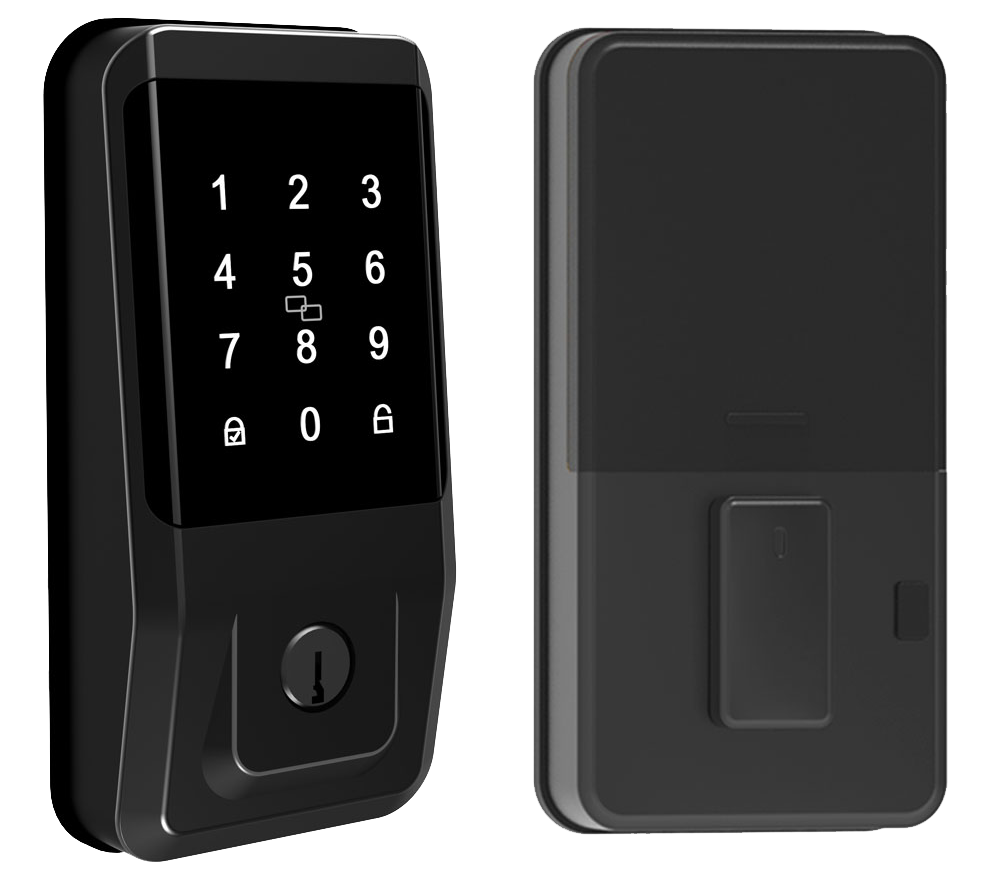
When you swap out a full deadbolt, you deal with both the inside trim and the outside trim. But a retrofit kit lets you install right into most pre-drilled doors in 10 to 25 minutes without changing the faceplate. That keeps the door looking the same and speeds up your work.
- Plan where to place devices so you avoid radio (RF) dead spots and keep motors close by.
- Map sensor power budgets so low-power sensors (tiny radios that wake only to send data) draw minimal current.
- Build backup connectivity paths with a separate Wi-Fi network name (SSID) or a dedicated RF mesh.
- Run load tests at peak access times to watch for any command delays.
- Test latency across each network hop before giving the final green light.
- Set power-fail safe modes with emergency power via USB ports or battery terminals.
- Include a cellular gateway for instant LTE backup if the local network goes down.
Battery life all comes down to choosing the right protocol. Wi-Fi locks sip more current and may need four AA batteries swapped every few months. Locks on Zigbee or Z-Wave (low-power mesh networks) can stretch cells to six months. When power dips, you can top up through a USB port so you still get that reassuring click even during a blackout.
For high-availability sites, network redundancy is your best friend. Mesh networks like Zigbee or Z-Wave link nodes into a resilient web. Adding a cellular gateway means lock commands can reroute over LTE if Ethernet or Wi-Fi drops. Run failover drills and repeat load tests so you catch any hiccups before handoff.
Professional commissioning makes sure performance matches service level agreements (SLAs) and local codes. And you can handle most fixes remotely over a secure channel. Integrators push patches, tweak RF channels, or reset motors without an on-site trip.
API, Automation & Advanced Integration with Smart Locks
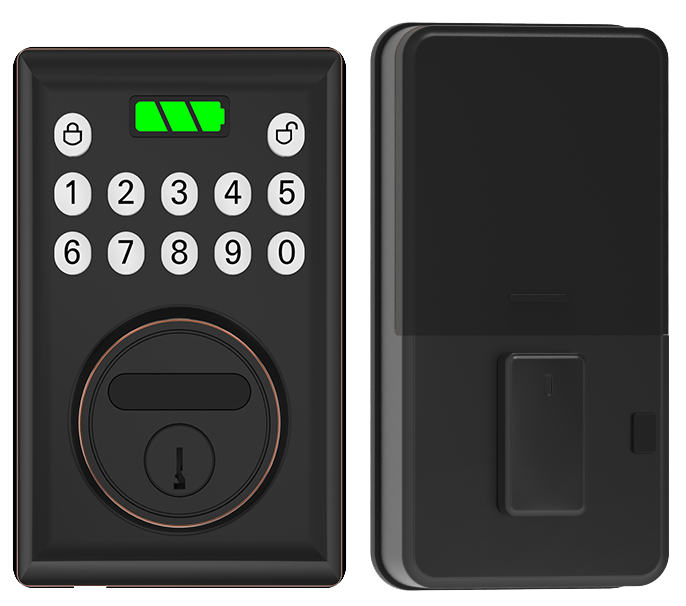
Our developer teams can reach into the lock management API (a set of rules that let programs talk to our locks) to check status and send unlock commands.
We support REST endpoints (simple request-and-response calls) and WebSocket endpoints (live streams that keep you in the loop). And if you need real-time data, our MQTT (a lightweight messaging protocol) status monitoring streams telemetry to your broker without missing a beat.
OEM-supplied SDKs (software development kits with tools and code samples) help you build custom scripts fast. Want doors that lock when your phone leaves the driveway? Or voice routines that open doors when you say “Welcome home”? We’ve got you covered.
Our API uses role-based permissions. You can grant or revoke access tokens on the fly. Need a quick guest pass? No problem. Want to pull access later? Easy.
And for a smoother setup, we offer prebuilt assistant flows for Alexa and Google Assistant. Say “Goodnight” and watch every door click shut.
Sample API Integration Snippet
# REST call to get lock state
curl -X GET https://api.smartlock.com/v1/lock/123/state \
  -H "Authorization: Bearer <token>"

# WebSocket subscription for live updates
const ws = new WebSocket("wss://api.smartlock.com/ws");
ws.onopen = () => ws.send(JSON.stringify({ action: 'subscribe', lockId: 123 }));
ws.onmessage = (evt) => console.log('Lock state:', JSON.parse(evt.data));
Here are a few real-world scenarios:
- Set up auto-lock when your device moves outside a 100-meter radius.
- End temporary guest codes through the API when a booking wraps up.
- Stream battery alerts via MQTT to your operations dashboard.
- Run a nightly voice routine at 10 p.m. that locks all exterior doors.
- Tie in your smoke alarm so doors unlock and exit lights turn on in an emergency.
We recommend testing every step with tools like Postman or MQTT Explorer. Try your endpoints, your role-based flows, and your scripts in a staging environment.
No surprises.
Case Studies & Vendor Insights: Starlight Smart Locks vs Market
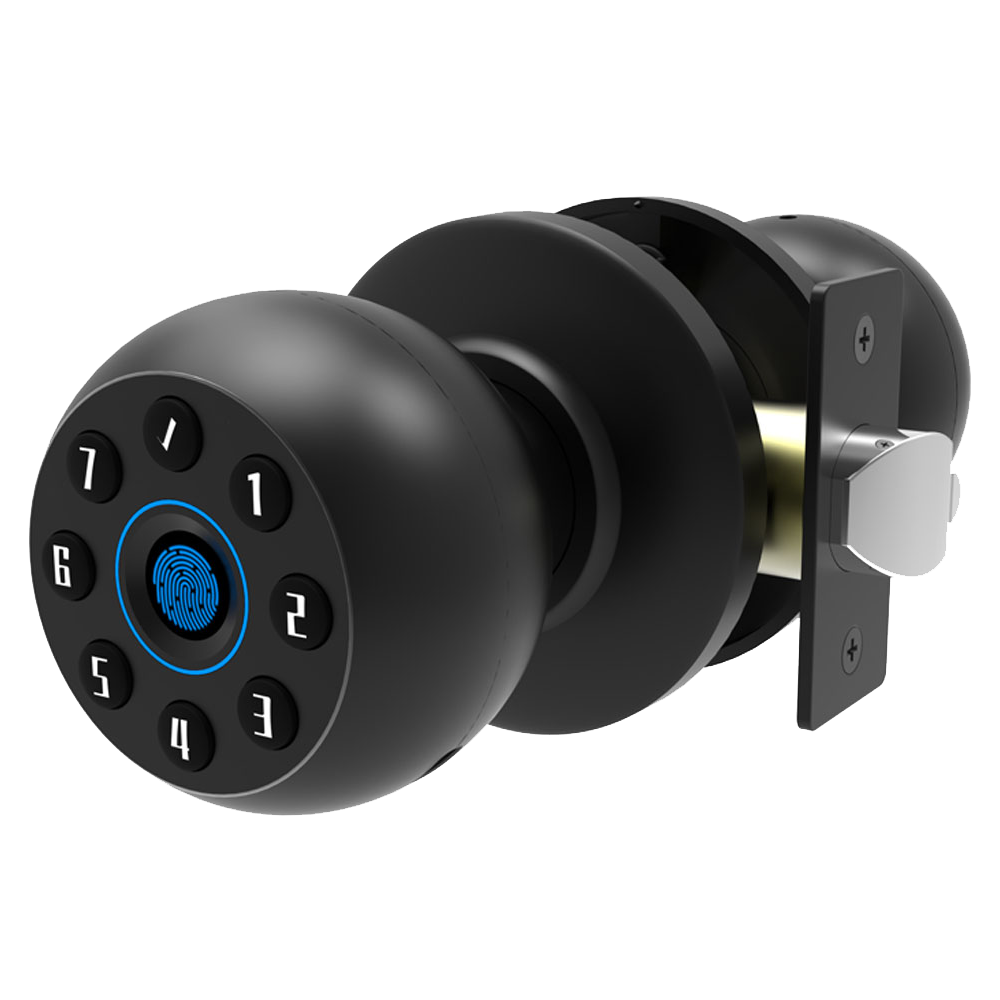
A multinational law firm rolled out Starlight Smart Locks on five office towers. Each lock connected to a VLAN (virtual local area network) that sends its status to an MQTT broker (a message system for real-time updates). With over-the-air updates (OTA updates) and a 99.9% uptime guarantee, their security team saw a 40% drop in late-night support calls. They hit strict compliance deadlines without hiring extra staff.
In a 50-unit high-end condo, residents now use BLE-enabled (Bluetooth Low Energy) Starlight Deadbolts for keyless access. When you tap your phone, the keypad lights up with a soft LED glow, then you hear a reassuring click. Thanks to low-power mesh networking (where locks share signals), the building’s energy bill stayed flat. And the property manager saves $8 a month in cloud fees by routing motion-sensor clips to local memory. Integrator training and CE/FCC certification checks made setup smooth.
Over 10,000 locks installed worldwide.
| Vendor | Unit Cost | ROI | SLA Uptime | Training |
|---|---|---|---|---|
| Starlight | $120–$180 | 30–50% | 99.9% | On-site integrator program |
| Ultraloq | $100–$150 | 20–30% | 99.5% | Online tutorials |
| August | $150–$200 | 25–35% | 99.7% | Knowledge base & SDK (software development kit) |
When you’re choosing a vendor, start by comparing per-unit pricing with your expected ROI. Check for CE (European safety mark) and FCC (U.S. communications agency) certifications. Ask if they include health diagnostics and 24/7 support. Look closely at SLA uptime numbers.
Inspect the supply chain. A smart lock manufacturer in China with scalable production means faster lead times and steady hardware updates. Ask to see reference designs, things like VLAN segmentation, MQTT feeds, and firmware rollback steps. A good vendor will share sample SDKs so your team can build custom features faster.
Finally, a strong integrator training program and professional commissioning support let your staff handle big rollouts with confidence and minimal hand-holding. So you can focus on what matters, security.
Final Words
Right in the action: we mapped out key integration strategies, like balancing cloud and local control to setting up audit trails and guest codes. We tackled protocol choices, platform hooks, and real-time alerts.
We walked through encryption standards, firmware updates, installation tips, and automation APIs. Then we saw how Starlight measures up with real ROI figures and SLA metrics.
With these insights at hand, you’re all set to roll out Smart Locks for Smart Home Integrators smoothly and securely. Here’s to worry-free installations ahead!
FAQ
What is the best smart lock on the market for smart home integrators?
The best smart lock for smart home integrators offers fast setup, support for Wi-Fi, Z-Wave and Zigbee, native Control4 and HomeKit support, robust AES security, and real-time mobile alerts.
Which smart lock brands work well with professional automation platforms?
Schlage, Yale, August and Kwikset models often pair smoothly with systems like Control4, Crestron, Alexa and Google Home, thanks to Z-Wave, Zigbee and Wi-Fi support and app-based setup.
What are the disadvantages of a smart lock?
Smart locks can drain batteries faster, face Wi-Fi dropouts or mesh interference, and need regular firmware updates. They may also cost more upfront and depend on mobile apps for access.
Do Schlage smart locks work with Control4?
Schlage smart locks work with Control4 when you add a compatible Z-Wave or Zigbee module. Once joined to your hub, you can lock, unlock and monitor status through the Control4 interface.
Can installing a smart lock void my home insurance policy?
Installing a smart lock generally does not void home insurance if it meets door and security requirements. Always check your policy and confirm that electronic deadbolts and alarms comply with insurer guidelines.

