
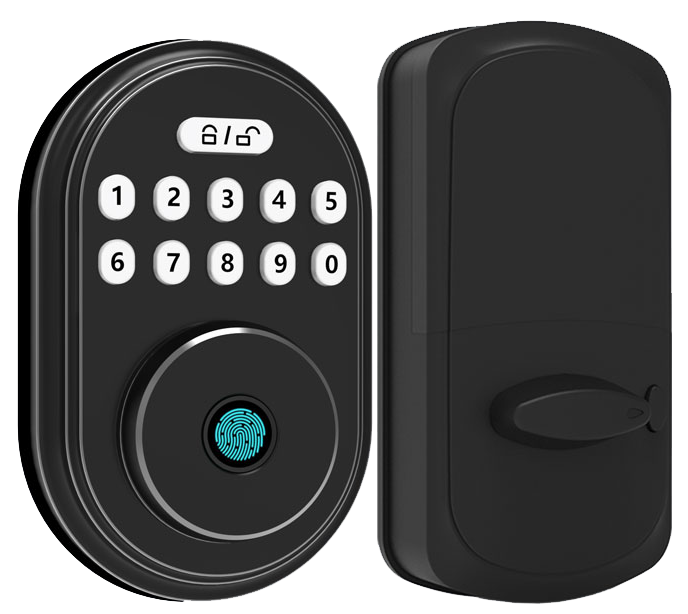
Ever worried that curious hands or sneaky roommates might raid your secret stash? You’re not alone.
Smart cabinet locks feel more like cool gadgets than simple latches. They snap onto drawers with a smooth metal faceplate and blend right into your decor. Exactly.
You tap a pad, type in a code on a PIN-pad (a keypad for entering numbers), or send a command from your phone. Think of it like swiping a credit card or shooting off a quick text. Setup takes just minutes.
Then you hear a reassuring click and watch a soft LED glow. Solid.
In this guide, we’ll walk you through five top smart cabinet locks. You’ll find options with biometric fingerprint sensor (a reader that checks your unique fingertip pattern), keypad entry, and app control. Each one locks down your valuables with style and confidence.
Ready to secure every drawer? Let’s dive in.
Understanding Smart Cabinet Locks: Features, Types, and Benefits
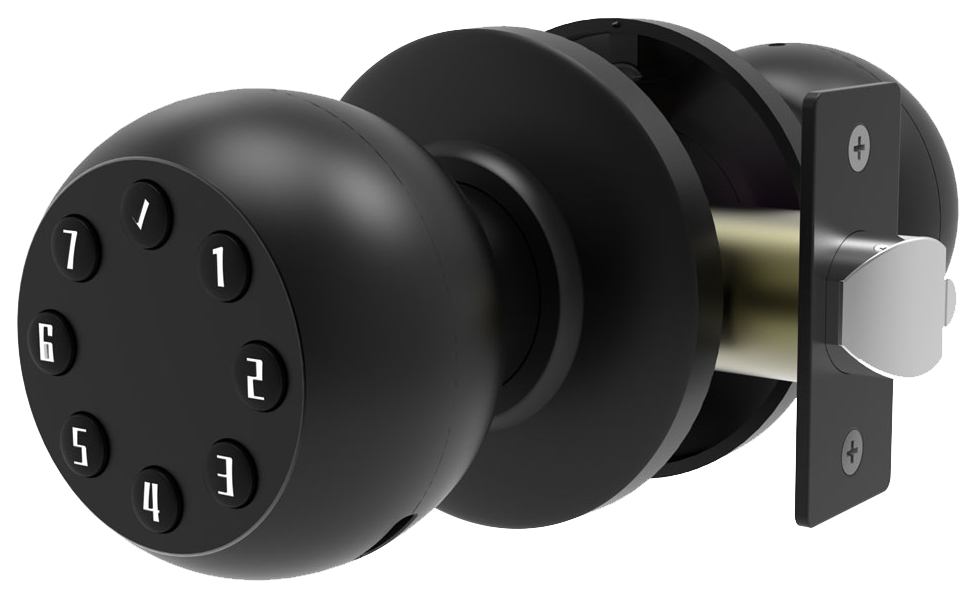
Smart cabinet locks are electronic devices that keep cabinets and drawers secure and private. They feel more modern than a simple latch. Instead of digging for a key, you tap a pad or use an app. Then you hear a reassuring click.
There are three main styles. Each one uses a different way to let you in.
- Biometric fingerprint sensor (a reader that checks your unique fingertip pattern) reads your print in less than a second.
- Keypad PIN-pad entry (a button panel where you punch in a code) works like typing a gate code. You can set both permanent codes and temporary codes.
- App-controlled locks use Bluetooth or Wi-Fi so locking or unlocking is as easy as sending a quick message from your phone.
Most locks run on replaceable or rechargeable batteries for six months to a year. You’ll hear a low-battery beep to give you a heads-up. And if power gets too low, the lock opens itself so you don’t get stuck. Hmm, want to know a secret? That auto-open trick has saved me a few too many times. The smooth metal faceplate even has a soft LED glow – green for open, red for locked.
These locks do more than baby-proof under-sink cabinets. They stop roommates from raiding your snacks or stash. You can give guests a one-time PIN. And you get a time-stamped log of who opened what and when. Handy if you’re hosting a bunch of friends.
Here are some top brands known for their reliability and ease of use:
| Brand | Type | Price Range |
|---|---|---|
| Samsung | Keypad & App-Controlled | $50-200 |
| Yale | Biometric & Keypad | $80-150 |
| Ultraloq | App-Controlled | $100-200 |
Whether you’re childproofing, storing medicine, or protecting personal files, these keyless cabinet locks add modern security and easy installation to any home or office.
Types of Smart Cabinet Locks: Biometric, Keypad, and App-Controlled Solutions
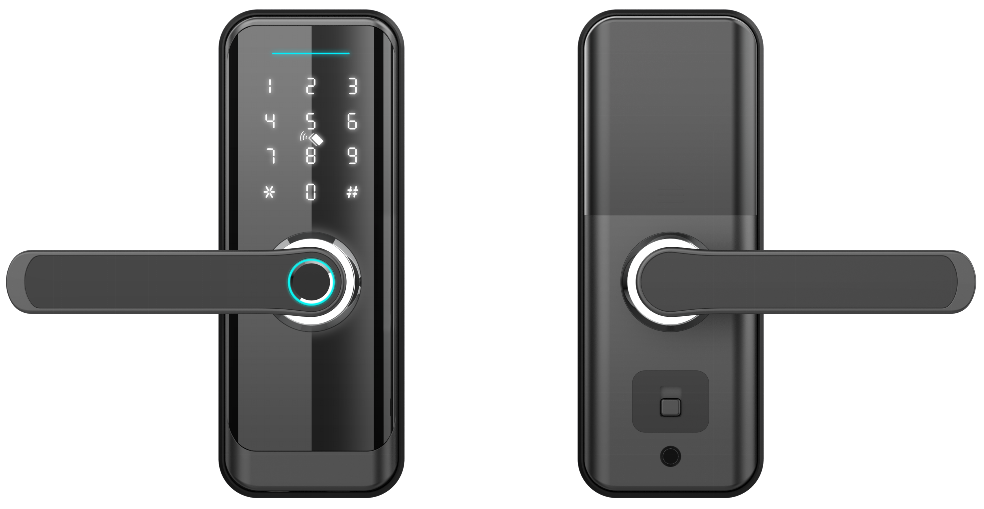
Fingerprint scanning is fast. Press your finger to a smooth metal faceplate. The lock springs open in under a second.
It uses a biometric fingerprint sensor (a reader that checks your unique fingertip pattern) to spot authorized users. You can save up to 100 prints, so every family member or coworker has easy access. Prices range from $80 to $150.
Keypad locks feel great under your fingertips. Each press gives a solid click on the crisp button panel.
You can set up permanent PIN codes, plus one-time or temporary codes for guests. A soft LED glow helps you see the buttons in the dark.
And if the battery runs low, the lock beeps before it opens itself. Prices fall between $50 and $120.
App-controlled locks bring security to your phone. Think of pairing like connecting your headphones. Tap a button in an app to lock or unlock, peek at an access log, or say “Alexa, lock the cabinet.”
Some models use Bluetooth, others connect over Wi-Fi so you can manage things from anywhere. Ideal for homes or small offices that run on digital routines. You’ll find these in the $100 to $200 range.
RFID locks use a tiny antenna board tuned to 13.56 MHz (ISO 14443), working with MIFARE Classic tags. You wave a card or fob over the reader surface and hear a reassuring click. You can tuck the antenna inside a shelf for a cleaner look and better range. These cost less than biometric or app-controlled locks and are great when you just need privacy, not heavy-duty security.
Choose a style that fits your daily routine:
- Fingerprint scanning for speed and hands-free entry
- PIN pads for shared access with permanent and temporary codes
- App control for full smart-home integration and remote features
- RFID for simple, wallet-friendly privacy
Solid.
Key Features and Security Benefits of Smart Cabinet Locks
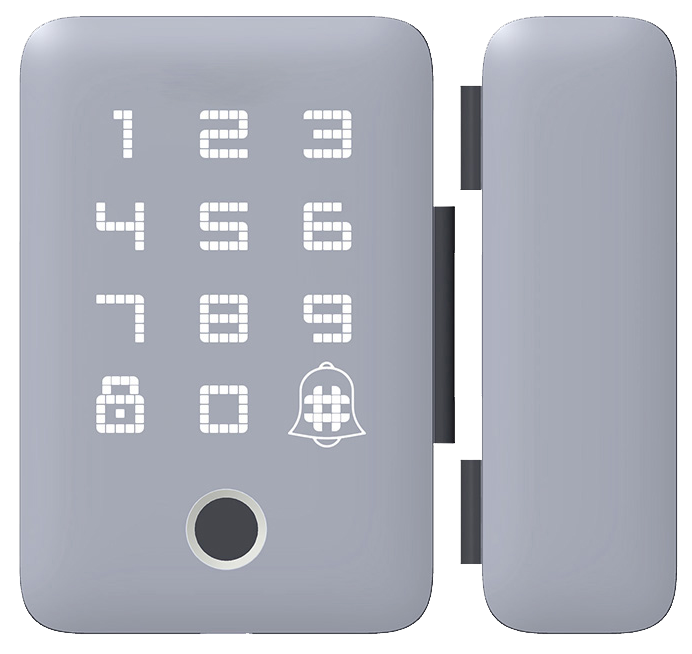
Audit-trail logging (records all lock activity) keeps track of every open and close event – complete with date, time, and user name – right in our companion app. It’s like scrolling through your recent calls to see who unlocked a medicine drawer at 2 AM. And you get a gentle push notification every time someone opens the cabinet. Peace of mind in a tap.
Multiuser code management lets you store multiple PINs on the same keypad or app. Set permanent codes for family members and temporary codes for guests or contractors. Need to revoke access? Just delete one code, everyone else still keeps their PIN. Some models even handle up to 50 user profiles with ease.
Tamper-alert notifications warn you if someone tries forcing the latch or prying open the door. An internal sensor triggers a beep or smartphone alert when it senses unauthorized movement. Behind the scenes, encryption protocols (like AES-128, a method to scramble data) protect communication between the lock and your RFID tags or mobile app. It’s like sending a secret code only you can read.
Most locks run six months to a year on a single set of replaceable batteries. We’ve added a little secret: the low-battery warning sounds like a soft click instead of a shrill alarm. If the cells hit a near-dead state, the lock automatically releases so you never get stuck outside your own cabinet. And you still have an emergency key override or master card backup when the juice runs out.
Installation and Setup Guide for Smart Cabinet Locks
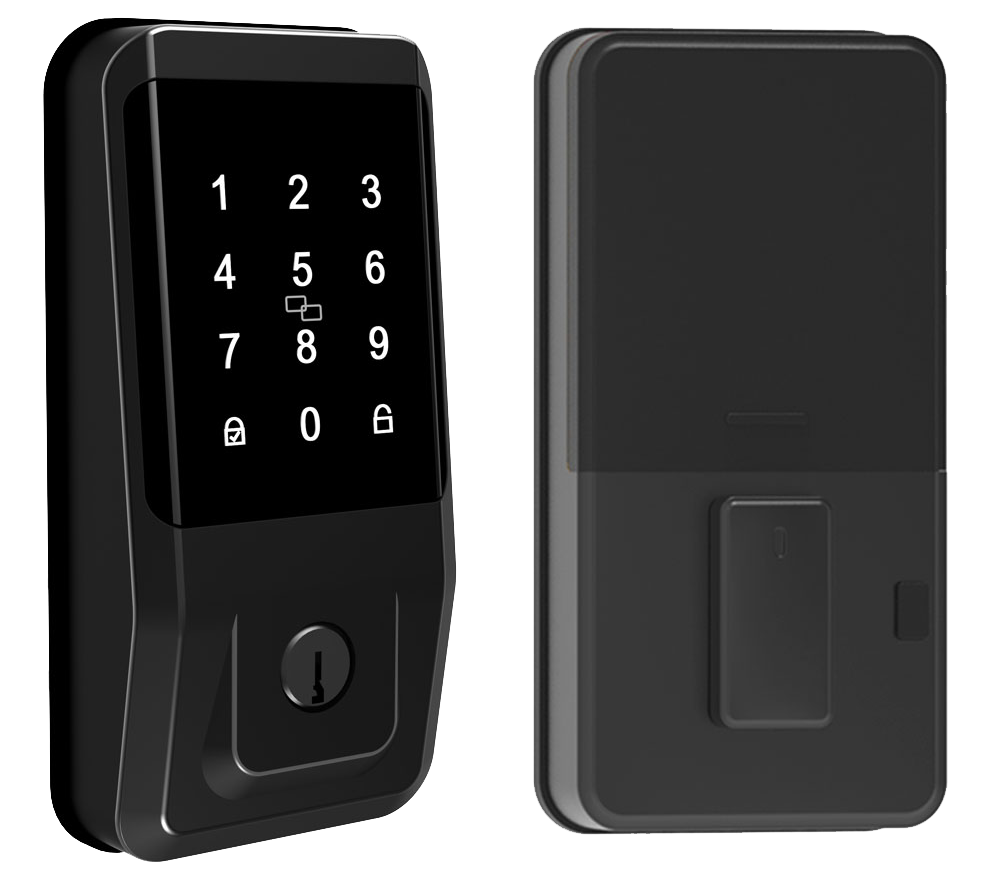
Let’s get your cabinet locked down in a few easy steps. First, place the smooth metal mounting plate (the bracket that holds the lock body) inside the cabinet. It should sit flush against the wood so the lock lines up perfectly with the strike plate (the metal piece that catches the latch).
Here’s the core process:
- Mark pilot holes (tiny starter points) for screws or adhesive pads.
- If you’re using screws, drill shallow pilot holes to avoid splitting the wood.
- Press or screw the mounting plate snugly into place.
- Align the lock chassis (the lock’s main body) so it snaps into the plate with a reassuring click.
- Test locking and unlocking before you fully tighten the screws.
- Plug in any wiring for a hidden, clean look.
Over to the power side. Swapping batteries resets all your saved tags and cards. After you install fresh batteries, reprogram each RFID card or tag (radio frequency identification) right away. That extra tag you added last week? It won’t work until you tap it again.
Want more read range? Move the RFID antenna board closer to the door panel. Think of it like bringing a radio antenna nearer to pick up a clearer signal.
You can carefully thin the wood behind the latch so the antenna sits just beneath the surface. It’s a neat trick that saves you from drilling awkward holes later.
For a pro installation, um, you might want to:
- Align the strike plate so the latch bolt glides smoothly every time.
- Test several access tags or cards to see which ones read fastest.
- Verify the low-battery warning beep (audible alert) is clear before you close everything up.
Skip these common mistakes and your lock will run trouble-free. Check that the bolt slides without sticking. Make sure the LED glow (indicator light) isn’t obstructed. Confirm the lock springs open even on low batteries.
Solid.
5 Smart Cabinet Locks Guarantee Ultimate Safety
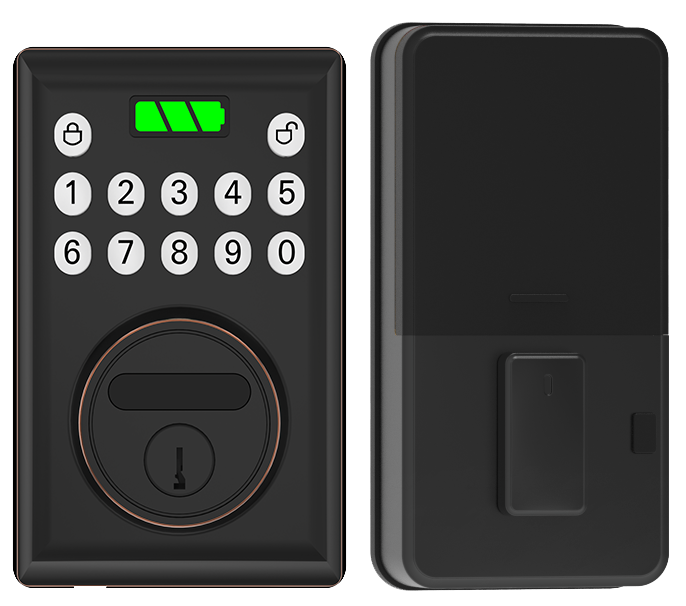
Ever shopped for an electronic cabinet lock? You’ll see prices from $50 to about $200. Keypad models cost roughly $50 to $120. Fingerprint units (a reader that checks your unique fingertip pattern) land near $80 to $150. And app-controlled locks sit between $100 and $200. Solid.
Here’s a quick side-by-side of the top brands. We’re looking at user capacity, integration options, battery life, and warranty.
| Brand | Type | Price | User Capacity | Integration | Battery Life | Warranty |
|---|---|---|---|---|---|---|
| Samsung integrated units | Keypad & App | $50–200 | Up to 50 codes or users | Alexa, Google Home | 6–12 months | 1 year |
| Yale drawer solutions | Biometric & Keypad | $80–150 | Up to 100 prints or 25 PINs | Bluetooth | 8–12 months | 2 years |
| Ultraloq | App-Controlled | $100–200 | Unlimited via app | Wi-Fi, Z-Wave | 6 months | 1 year |
| Budget-friendly secure latches | Keypad | ~$50 | 5–10 codes | None | 6–9 months | 6 months |
| Eufy smart latch test | App-Controlled | $100–180 | 50 users | Bluetooth, Alexa | 1 year | 1 year |
| Starlight Smart Locks | All Types | $60–160 | 100 users or codes | Z-Wave, Zigbee, Bluetooth | 6–12 months | 2 years |
Brands like Schlage shelf modules and Kwikset hardware models feel solid, think smooth metal faceplate and a reassuring click. August locks often need a bridge or driver for full smart-home pairing. It’s an extra step but doable.
Back to our locks… Starlight Smart Locks outshine many competitors in firmware support and OEM customization. They pack top performance, strong encryption, and flexible hub integration into every keyless cabinet lock solution. We’ve tested them in dusty workshops and chilly garages. They still click shut like a charm.
All this means you get solid protection without breaking the bank. Exactly.
Integrating Smart Cabinet Locks into Your Smart Home Ecosystem
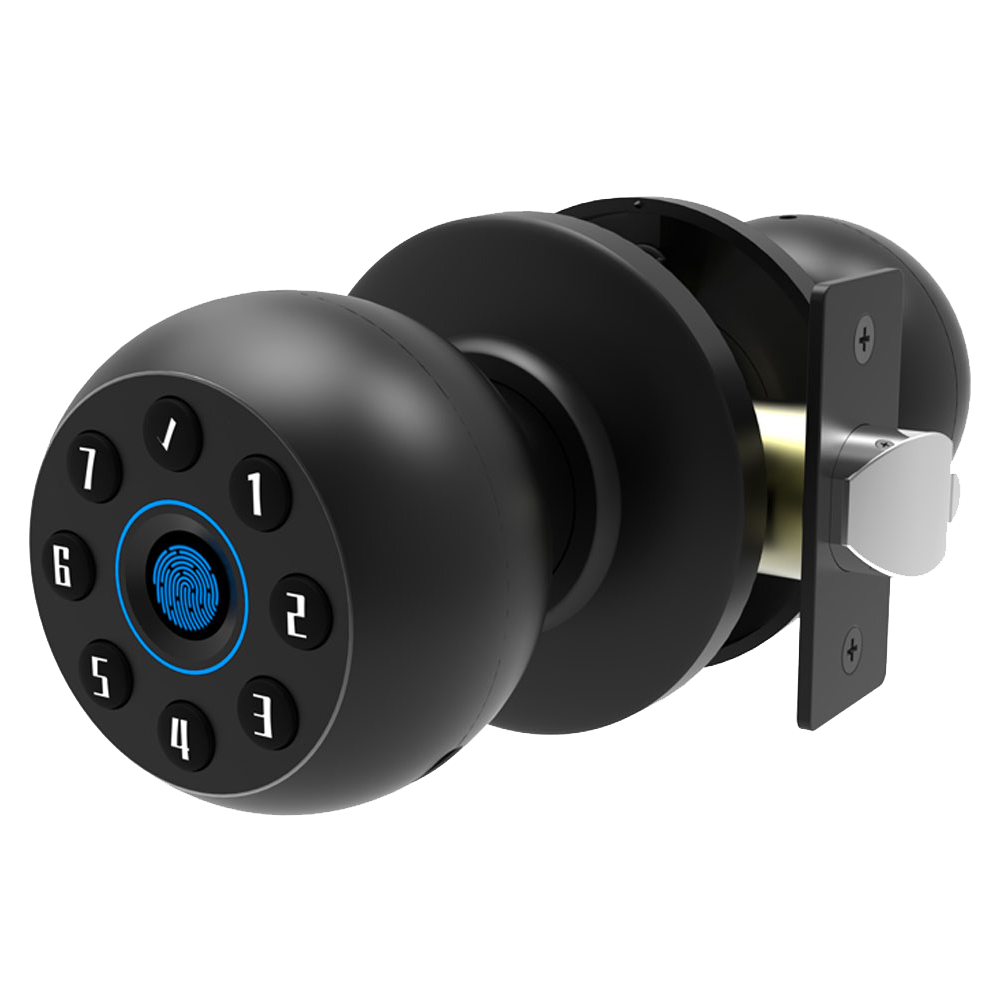
App-based cabinet locks link up in minutes with Alexa or Google Home. Just enable the lock’s skill in your voice assistant app, then say, “Alexa, lock the drawer,” or “Hey Google, is my liquor cabinet locked?”
You’ll notice a soft LED glow (a gentle light that shows your lock is ready) and hear a reassuring click. Exactly.
Most hubs, like Hubitat, don’t speak drawer-lock language yet. You can work around this by creating an Alexa routine or adding a SmartThings driver (a plug-in that talks to your lock). It feels like setting up an extra relay between two buddies. But once it’s done, you get hands-free control over every lock.
Want a smoother setup? Starlight’s got you covered with Z-Wave locks and Zigbee options. Plug a Z-Wave module (a radio chip that links to your hub) into the lock’s expansion port and pair it with your SmartThings or Hubitat hub. Now you can add cabinet locks to your bedtime scene. Lock every storage door with one tap.
Prefer a physical tag? No problem. NFC access adapters (they read a tag with a tap) and RFID key fobs give you a backup. Just wave your fob in front of the metal faceplate when your phone is dead, and you’ll still hear that reassuring click.
With your locks in routines, scenes, and alerts, remote access isn’t a dream anymore. It’s the missing link for a truly connected home. Peace of mind included.
Troubleshooting and Maintenance Tips for Smart Cabinet Locks
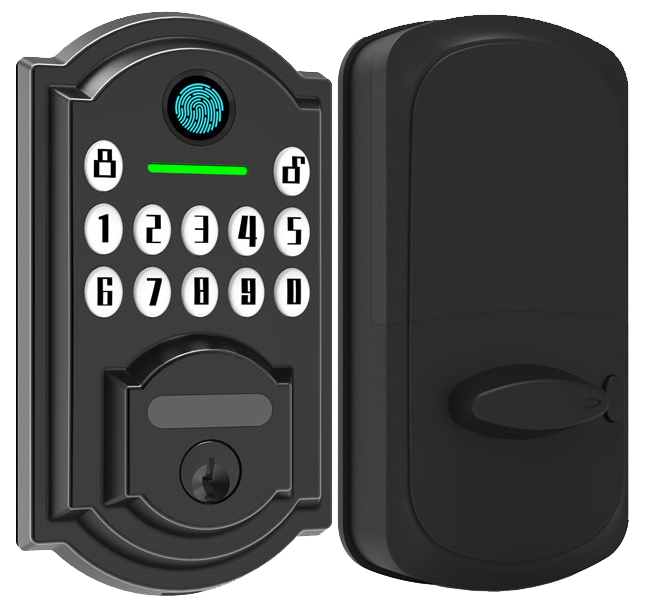
Your lock will let out a low-battery warning beep (a soft chirp) and then pop open on its own when power runs too low. Want to know a secret? Those two little signals are your cue to swap the batteries every six months.
If you have remote battery monitoring in the companion app, turn on those alerts. You’ll never miss a warning.
Hit the extra-RFID tag limit? RFID stands for radio-frequency identification. It’s probably a firmware glitch. Open the maker’s app and download the OTA update (over-the-air update). That patch should bring your tag capacity back to normal.
Lost your master card? You can’t reprogram a new one. Always jot down the UID data (unique ID information) and tuck a backup key into a safe spot.
If your lock’s read range is acting up, antenna placement is often the culprit. Carefully desolder and slide the antenna board closer to the door panel. Thinning a bit of wood behind the latch or hiding the antenna in a tiny cavity can boost signal strength without any ugly drilling. It’s like moving your Wi-Fi router to the perfect spot.
And when the app just won’t connect? Keep a secondary RFID tag handy for local access. Test that tap-to-unlock flow before you lock up for the night.
Stick to a simple tune-up schedule. Every few months, tighten loose screws, wipe the smooth metal faceplate with a soft cloth, and run a quick tap-test. For anti-tamper peace of mind, check the seal around the wiring and listen for any odd clicks.
Solid locks start with regular tune-ups.
Specialized Use Cases: Childproofing, Medicine, and Liquor Cabinet Security
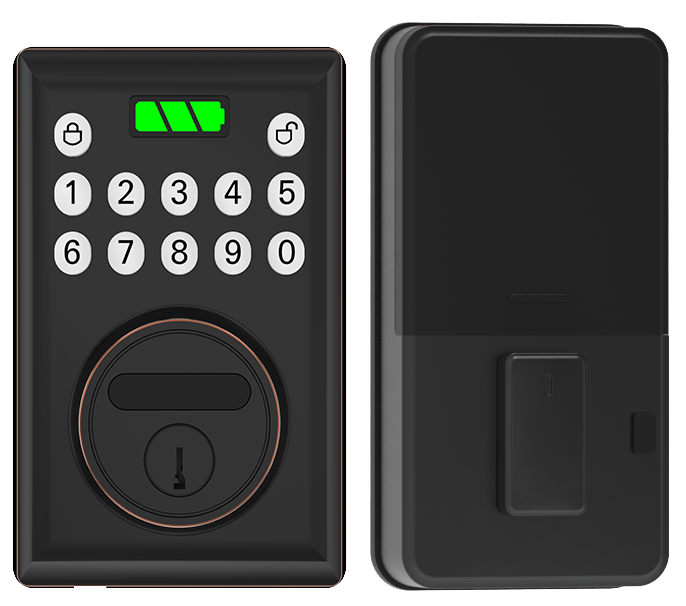
Electronic locks really come alive where standard latches just don’t cut it. Think under-sink cabinets hiding cleaning sprays or medicine bottles. With childproof options, you keep curious toddlers out. And you get a soft LED glow to confirm it’s locked.
Here are a few modules you might choose:
- Childproof module supports temporary codes for babysitters and renters (easy code management).
- Medicine cabinet lock sends you a reminder if the door isn’t closed after a set time.
- Liquor cabinet safeguard with PIN-pad entry (keypad where you punch in your code) and audit-trail logs.
- RV compartment lock in weather-resistant housing with vibration-proof mounts.
- Workshop and salon lockers built for heavy-duty use in studios and garages.
Ever worried about little hands fumbling with sharp tools or harsh cleaners? A smart lock on under-sink cabinets acts like a silent guardian, blocking access until you punch in your code. Secure.
Let me rephrase that…For medicine chests, our automatic lock clicks shut after use and sends a ping if it’s left ajar. It’s like getting a friendly nudge: “Hey, don’t forget to lock up.”
Liquor cabinet safeguards feel a bit like having a bouncer at a speakeasy. You dial your code, hear the reassuring click, and see that soft LED glow. Audit-trail logs let you track late-night raids or guest activity.
On the road, RV compartment security keeps your bins locked through bumpy roads and sudden rainstorms. Think weatherproof walls and mounts that shrug off vibrations. Peace of mind, no matter the miles.
In a salon or workshop, our lockers protect expensive clippers or styling irons from theft or accidental mishaps. You get rugged hardware and effortless access. Exactly what a busy pro needs.
Pros and Cons: Evaluating Smart Cabinet Locks and Why Starlight Stands Out
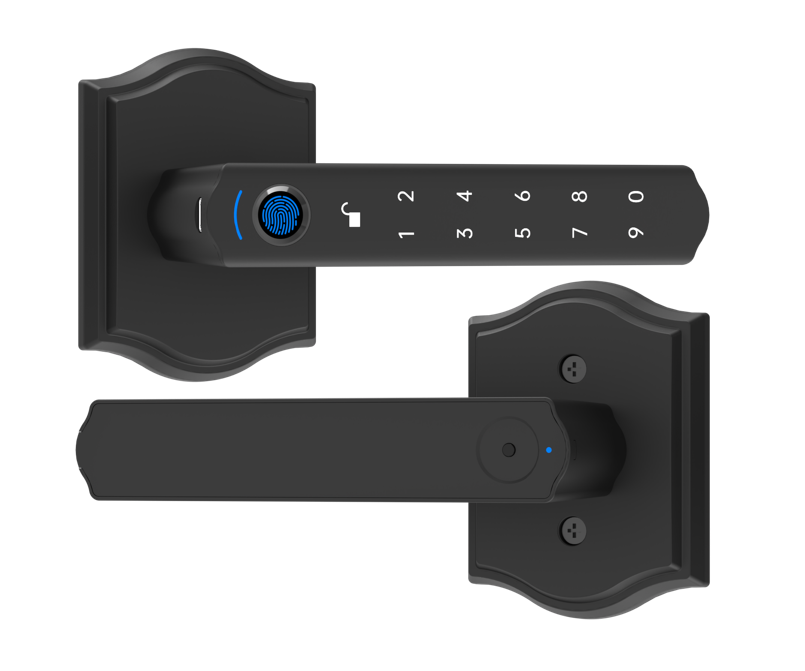
We’ll skip the general smart vs mechanical debate and jump straight to where Starlight really shines.
Each lock sports a smooth metal faceplate and a soft LED glow that says, “I’m ready.” The battery keeps you secure for 6-12 months. And if power ever dips too low, an auto-unlock failsafe kicks in so you never get locked out.
We don’t just add features. We test them. Every firmware update comes with built-in vulnerability testing (think of it as a security check-up before your lock ships). It’s our way of catching weak spots early, long before a bad actor ever sees them.
Our locks carry CE and FCC certification – that’s the official stamp for tough international markets. They’re export-ready right out of the box. Need something custom? Our OEM/ODM services (custom design and manufacturing support) have you covered.
For a complete smart vs mechanical comparison, refer back to those earlier sections on battery life, audit logs, remote access, and good old mechanical reliability.
Final Words
In the action, we defined Smart Cabinet Locks and walked through their biometric, keypad, and app-based designs.
We noted key features like audit trails, tamper alerts, and backup keys.
Then we shared setting-up steps, brand and price tips, plus how to pair with voice assistants and handle fixes.
We showed real-world setups for medicine, liquor, and RV compartments.
Finally, we weighed pros and cons and showed why Starlight Hardwares’ CE-certified builds stand firm.
Smart Cabinet Locks bring peace of mind and a bright security boost.
FAQ
Do smart cabinet locks come with a key override?
Smart cabinet locks often include a physical key override to unlock when batteries die, ensuring you’re never locked out.
What are the best smart cabinet locks to buy?
The best smart cabinet locks offer quick fingerprint recognition (reads your unique fingertip pattern), reliable PIN-pad entry, or app-controlled models with temporary codes and audit trails, priced from $50 to $200.
Where can I find Amazon options and reviews for smart cabinet locks?
You can find top-rated smart cabinet locks on Amazon by searching “electronic cabinet locks.” Sort by star rating and price, then read customer reviews for real-world feedback.
How is the Yale Smart Cabinet Lock rated?
The Yale Smart Cabinet Lock earns praise for its sturdy build and smooth metal faceplate. Users note reliable PIN-pad entry, Bluetooth control, and a reassuring click when it locks.
What is a Wi-Fi cabinet lock and what benefits does it offer?
A Wi-Fi cabinet lock connects to your home network, letting you lock or unlock via app. It delivers tamper-alert notifications, access logs, and remote control from anywhere.
What are the disadvantages of smart locks?
Smart locks can drain batteries faster than mechanical latches and may face firmware glitches. Backup key overrides help, but occasional connectivity hiccups and update delays can frustrate users.
What happens to smart locks when power goes out?
Smart locks powered by batteries keep working during an outage. Many offer low-battery warning beeps, auto-unlock on critical levels, and physical key overrides to avoid lockouts.

