
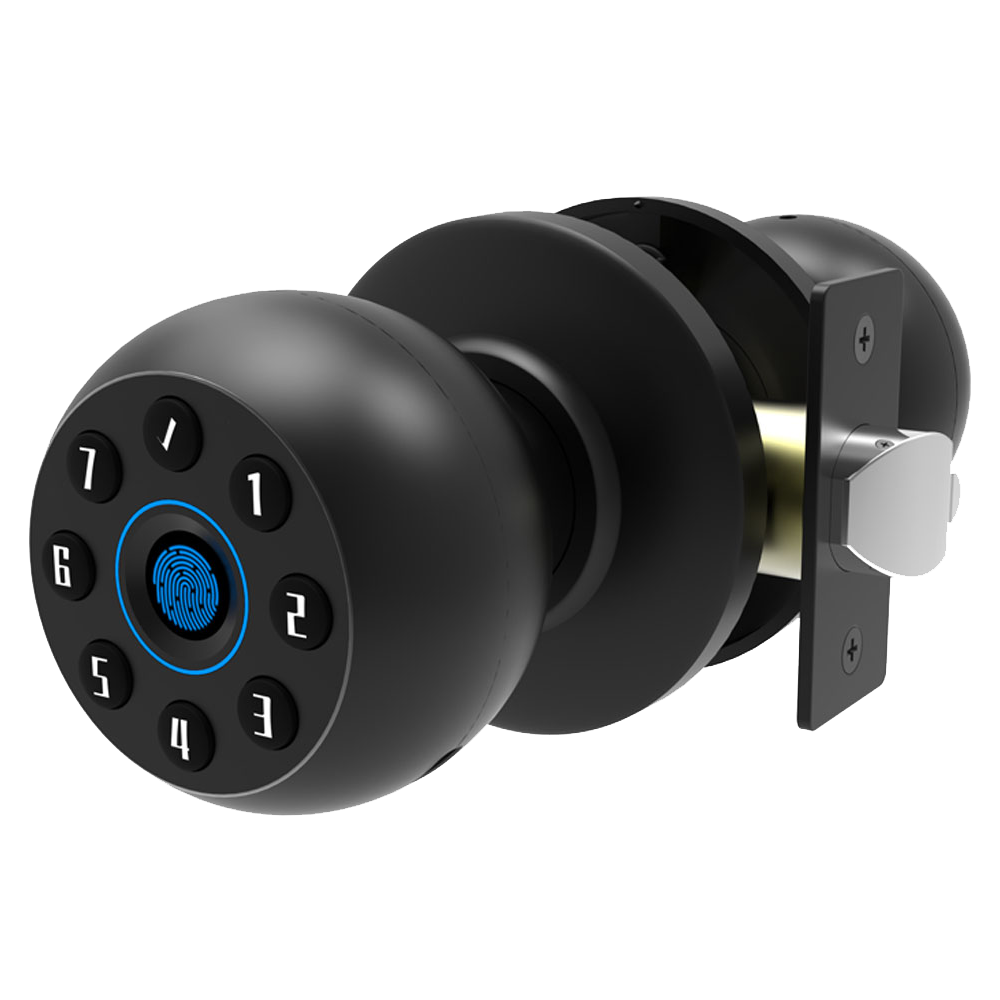
Think a deadbolt has you covered?
Every 30 seconds in the U.S. a home is broken into.
Sticking with old keys can leave gaps.
Smart Bluetooth locks ditch clunky keys.
You punch in a code, scan your fingerprint (a reader that checks your unique fingertip pattern), or use a voice command.
No more digging for keys under a welcome mat.
These locks have a smooth metal faceplate and a soft LED glow.
You’ll hear a reassuring click every time the door secures.
Solid.
They send instant alerts when someone tries to tamper with them.
They log every entry.
And they even lock themselves when you walk away.
It’s like a doorman in your pocket.
We tested five top models.
We’ll compare battery life, tamper alerts, and how easy they are to set up.
Ready to boost your home safety?
Key Features and Benefits of Smart Bluetooth Locks
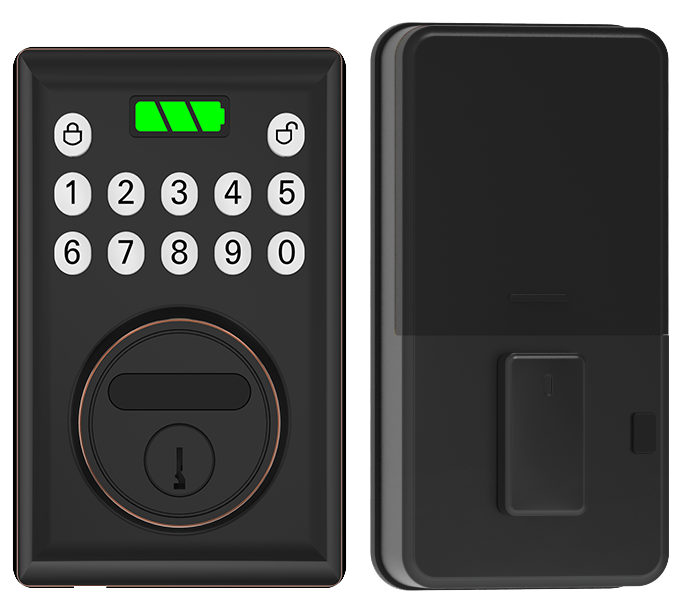
Smart Bluetooth locks swap out your old electronic deadbolt for a sleek, phone-controlled entry system. You’ll still get that reassuring click when it locks, but now you can open the door with your fingertip, a PIN, or even your voice.
You can unlock with a biometric fingerprint sensor (a reader that checks your unique fingertip pattern), tap a keypad, swipe in a mobile app, or say a simple voice command. It’s like having a doorman in your pocket.
These battery-powered locks use Bluetooth Low Energy (BLE) to stay connected up to about 30 feet away. Some models include a Wi-Fi bridge so you can buzz in guests even when you’re out of town.
Solid security.
- Upgrades a traditional electronic deadbolt with modern BLE lock connectivity
- Proximity sensor entry greets you as you approach, think of it like a friendly wave
- Encrypted locking protocol (secure data scrambling) stops hacking attempts
- Powered by four AA batteries for 6–12 months of use, plus an emergency USB or 9-volt port for backup power
- Tamper and forced-entry alarms send an instant alert to your phone the moment something feels off
- Temporary digital keys grant timed access to trusted visitors without sharing your main code
- Real-time access logs show who came in and when, so you always know who’s on your property
All this comes wrapped in a smooth metal faceplate with a soft LED glow when it’s ready to read your code. You focus on your day. We’ve got your security covered.
Comparing Top Smart Bluetooth Lock Models
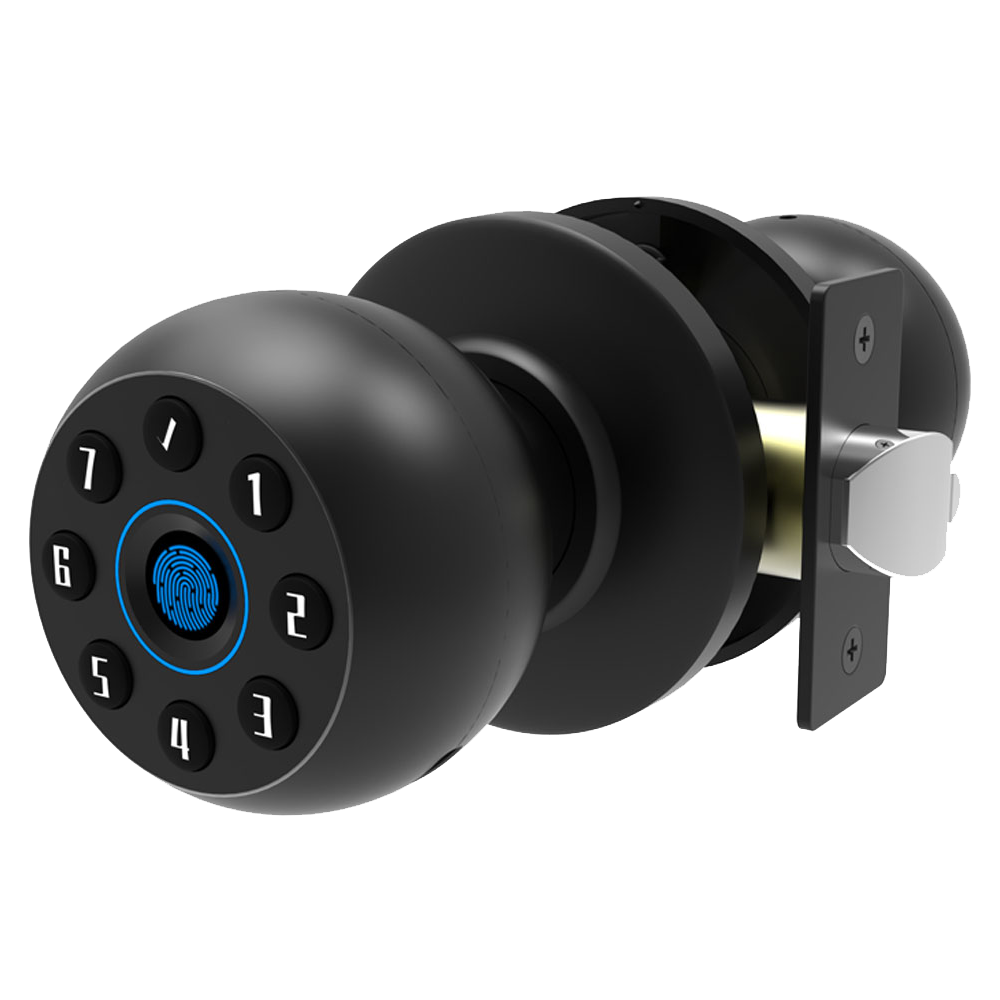
Choosing a smart lock means juggling price, features, and durability.
Below is a quick look at our top picks, from a budget biometric fingerprint sensor (a reader that checks your unique fingertip pattern) lock to a flagship face recognition model (a camera that spots your face). We’ve added warranty info so you know how long each maker stands behind its hardware.
| Model | Key Features | Price | Rating | Warranty |
|---|---|---|---|---|
| Ultraloq Bolt Fingerprint | Keypad panel, fingerprint sensor (a reader that checks your unique fingertip pattern), auto-lock | ~$150 | 4.5★, Editors’ Choice | 1 year |
| August Smart Lock (retrofit) | Auto-lock, DoorSense (door-position sensor), Alexa/Google/Apple Home | ~$200 | 4.3★ | 1 year |
| Schlage Encode Plus | Keypad panel, Thread (low-power home network), Apple Home Key | $229 | 4.4★ | 3 years |
| Lockly Visage | Face recognition (a camera that spots your face), fingerprint, shifting keypad | ~$350 | 4.2★ | 2 years |
| Yale Assure 2 Touch | Fingerprint reader (a reader that checks your unique fingertip pattern), swappable Wi-Fi/Z-Wave modules | ~$280 | 4.1★ | 1 year |
| Starlight Smart Locks | Bluetooth 5.0, IP54 rating (dust and splash resistance), encrypted protocol | $149–$249 | 4.5★ | 1 year |
The Ultraloq Bolt Fingerprint lock stands out for its smooth metal faceplate and tactile keypad panel. Its biometric fingerprint sensor (a reader that checks your unique fingertip pattern) snaps you in with a reassuring click. It also auto-locks after you leave the house, giving you one less thing to worry about. Solid.
If you like keeping your existing deadbolt, the August Smart Lock retrofit model is a dream. You just attach it over your current lock, no major drill work needed. It auto-locks, uses DoorSense (a door-position sensor), and plays nice with Alexa, Google, and Apple Home. Plus, it recharges instead of gobbling up disposable batteries!
The Schlage Encode Plus brings an illuminated keypad panel and built-in Thread (a low-power home network). It works with Apple Home Key so you can tap your iPhone or Apple Watch to unlock. And that crisp feel of a PIN-pad press? It’s satisfying every time you come home.
Lockly Visage sits in the premium tier with face recognition (a camera that spots your face), fingerprint access, and a shifting keypad that keeps code-peekers guessing. The soft LED glow around the lock adds a nice touch. It’s pricier, but that extra peace of mind can be worth it.
The Yale Assure 2 Touch features a quick-press fingerprint reader (a reader that checks your unique fingertip pattern) and lets you swap in Wi-Fi or Z-Wave modules later. Think of it like choosing your adventure, pick the network tech you need down the road.
Starlight Smart Locks hit the sweet spot between cost and quality. Built by a trusted smart lock maker in China, they pack Bluetooth 5.0, an IP54 rating (dust and splash resistance), and an encrypted protocol for secure connections. With prices from $149 to $249 and a one-year warranty, they deliver solid value.
Integration of Smart Bluetooth Locks with Home Automation and Mobile Unlocking
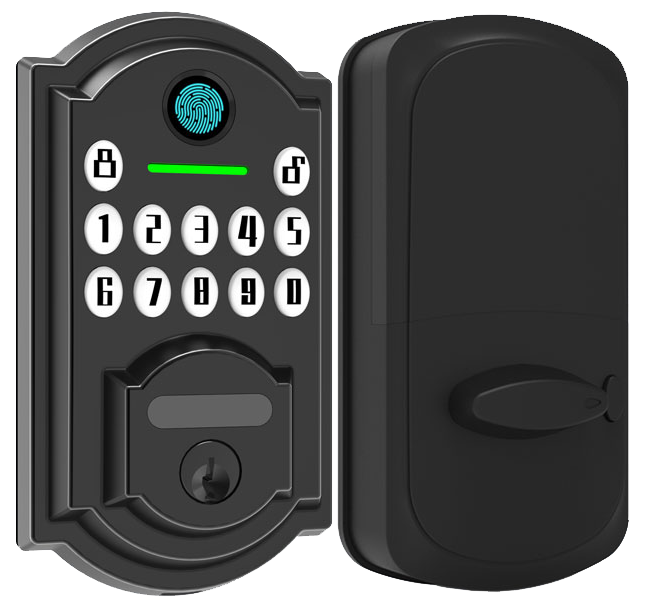
Smart Bluetooth locks work smoothly with Amazon Alexa, Google Assistant, and Apple HomeKit. Just ask Alexa to “secure the house” and hear a reassuring click from the smooth metal faceplate. Google Home lets any speaker lock your door. And with Siri shortcuts, you get one-tap locking from Control Center or by saying “Hey Siri” on your iPhone.
Want remote door monitoring? Add a WiFi bridge integration (a small adapter that links your lock to your home network). That tiny bridge beams soft LED-glow notifications to your phone and sends alerts if someone tries to jam the lock. It’s like giving your lock its own cellular line. You can unlock the door from anywhere with the lock’s app. Let your neighbor in with a simple tap.
Geofencing auto-lock and auto-unlock feels like a digital welcome mat. When your phone nears the porch, the lock unlatches. Then it snaps shut behind you once you dash inside. Solid. No more fumbling with keys or hunting through menus.
Backed by CE certification and two decades of testing.
Connect your lock to IFTTT (an automation service) or Thread routines (a low-power mesh network) to start camera recording, dim the lights, or set your thermostat. You can even set up a voice shortcut that kicks off a “goodnight” scene. Check out Integrating Smart Locks with PMS / Smart Home Systems to see Starlight Smart Locks woven into a unified automation setup. Many locks already support the Matter protocol over Thread (a fast, energy-saving network), promising tighter cross-brand cooperation. One app to rule them all.
Step-by-Step Installation and Setup of Smart Bluetooth Locks
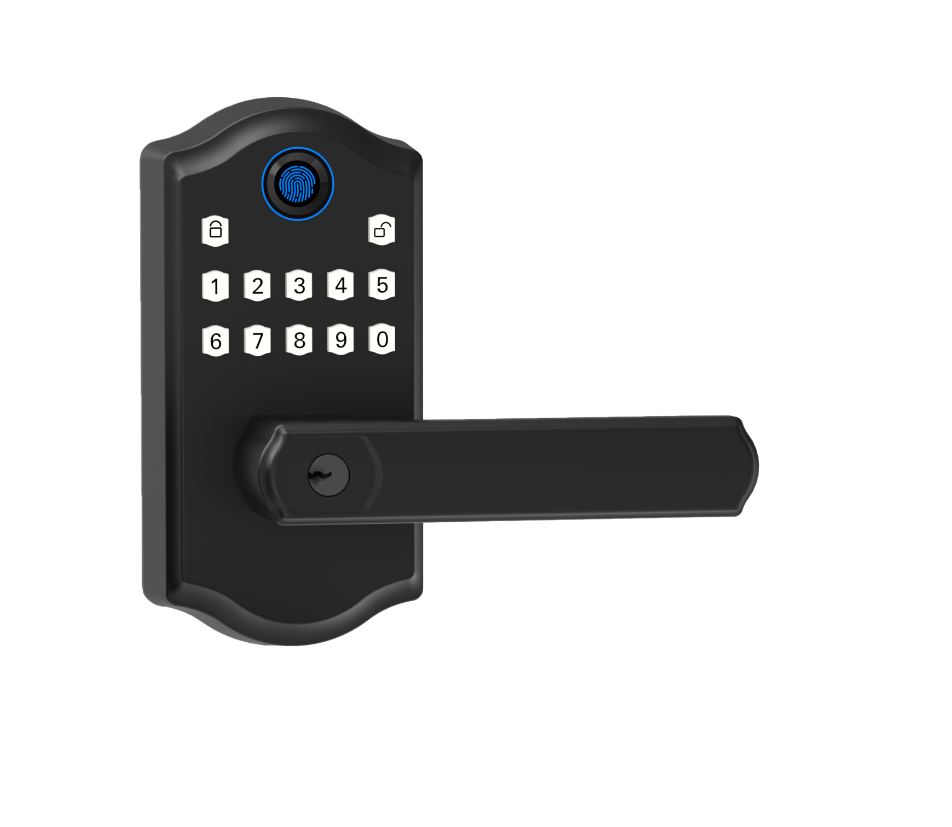
First, gather your tools: a screwdriver, the smart lock kit, and any shims (small spacer wedges). Most retrofit models snap over your old deadbolt in about 10 to 25 minutes. But if you’re doing a full deadbolt swap, check that your door has the standard pre-drilled holes first.
-
Remove the old hardware
• Use your screwdriver to take out the inside and outside thumbturn. Then pull out the deadbolt.
• Slide out the latch and smooth metal faceplate. -
Align the latch
• For a wooden door frame, slip in the thicker shim (a small spacer wedge) to fill gaps.
• Metal doors need the thinner shim for a snug fit.
• Push the latch into the hole. Then tighten the faceplate screws until they sit flush. -
Secure the mounting plate
• Hold the backplate against your door. Drive the screws into the pre-drilled holes.
• Make sure any cable, like the battery pack cable, goes through the center hole. -
Calibrate the deadbolt motor (the motor that drives your lock)
• Open the mobile app and follow the prompts to spin the deadbolt in and out three times.
• Double-check your lock’s orientation, inside versus outside, and try locking it from your phone.
Here’s a tip: every kit comes with an emergency mechanical key override. If your batteries die or Bluetooth drops, just pop in the physical key to unlock manually. Solid. Now your door is ready for smooth phone control and fingertip access.
Pricing and Subscription Options for Smart Bluetooth Locks
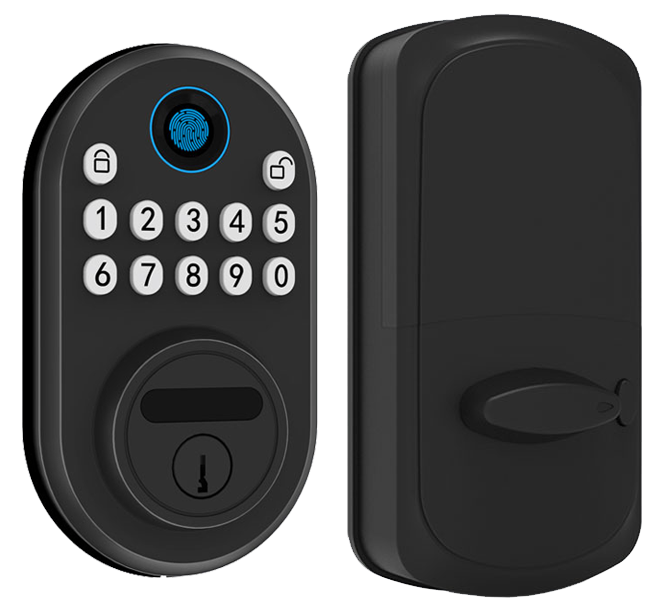
Budget-friendly locks start at about $70. These sturdy models offer keypad entry or a basic fingerprint (reader that checks your unique fingertip pattern). You’ll feel the smooth metal faceplate under your palm and hear a reassuring click when it locks. And best of all, they usually run without any subscription.
Step up to the mid-tier range, around $150 to $250. You get a polished mobile app, handy voice assistant routines, and a Wi-Fi bridge (a small hub that links your lock to your network) for remote unlocks. Think of pairing it like syncing your headphones to your phone, quick and easy. No ongoing fees to unlock most of these models.
Premium locks go beyond $300. They add two-way video or face recognition (camera that spots your face) built right in. A soft LED glow guides you through midnight check-ins, and cloud video storage (subscription-based) keeps your footage safe. Plus, real-time tamper alerts and longer warranties bring extra peace of mind.
Here’s a quick cost vs value snapshot:
- Entry-level (~$70): subscription-free, simple local control, free access logs for up to 100 codes
- Mid-tier ($150–$250): still subscription-free for unlocking, but a one-time hub fee (~$80) applies for Wi-Fi connection
- Premium (>$300): includes cloud video storage, tamper alerts, and extended warranty periods
Optional fees to consider:
- One-time hub or Wi-Fi bridge: about $80 for remote access
- Recurring service fees: $5–$10 per month for cloud video, push notifications, or advanced guest codes
Most locks come with a one-year warranty. Some brands let you extend coverage for a small extra fee. Hint: if you mostly lock and unlock right at the door, a subscription-free model often delivers the best long-term value with that comforting click every time.
Troubleshooting and Maintenance for Smart Bluetooth Locks
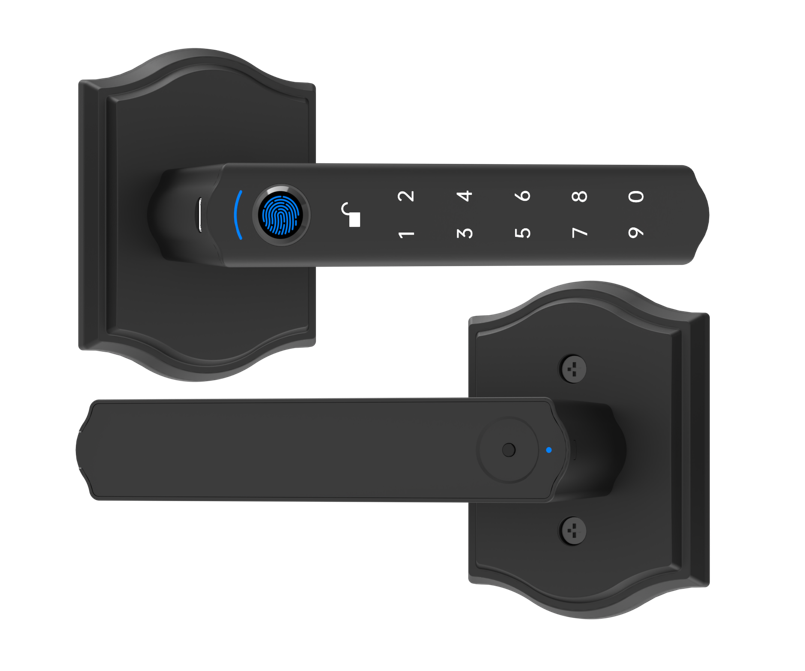
Even top-notch smart Bluetooth locks sometimes act up. First, figure out if it’s a connectivity glitch, a power hiccup (when the batteries are low), or a hardware hiccup (a small part not working). Then follow these simple steps to get back to that smooth metal faceplate and reassuring click when the bolt turns.
Connectivity hiccups often mean Bluetooth dropouts or Wi-Fi outages.
- Make sure your phone’s Bluetooth is on and within 30 feet (about the length of a small SUV) of the lock. Think of pairing like connecting your headphones to your phone.
- If you’re using a Wi-Fi bridge (a small device that links your lock to the internet), unplug it, wait 10 seconds, and reboot your router.
- Check latch alignment. A misaligned bolt can stop the motor from turning with its usual click.
You’ll see a low battery alert about one to two weeks before the batteries die. On four AA batteries, most locks run for six to twelve months. When that soft LED glow turns red, swap in fresh batteries right away. Keep spares nearby, and you’ll thank yourself when you’re not standing outside in the rain. Um, been there.
Updating firmware (the lock’s built-in software) happens in the mobile app. Open the app, tap device settings, and follow the prompts to download patches. Think of it like updating your phone. Regular updates bring stronger encryption (extra code that keeps your data safe), new features, and bug fixes.
For top-notch security, enable two-factor authentication (2FA) and choose a strong app password. It’s like adding a second key to your door. That extra step helps stop remote hacking attempts.
Every month, test your lock’s tamper alarm and intrusion alerts. These loud sirens or phone pings should go off if someone tries to pry your door open. Solid.
Got a mechanical jam? Pop in the emergency key (the little metal key slot) and turn gently. If the key won’t budge or the bolt still sticks, contact our support team for replacement parts or repairs. We’ve got CE-certified parts and two decades of expertise ready to help.
Choosing Starlight Smart Bluetooth Locks: Manufacturer and Quality Assurance
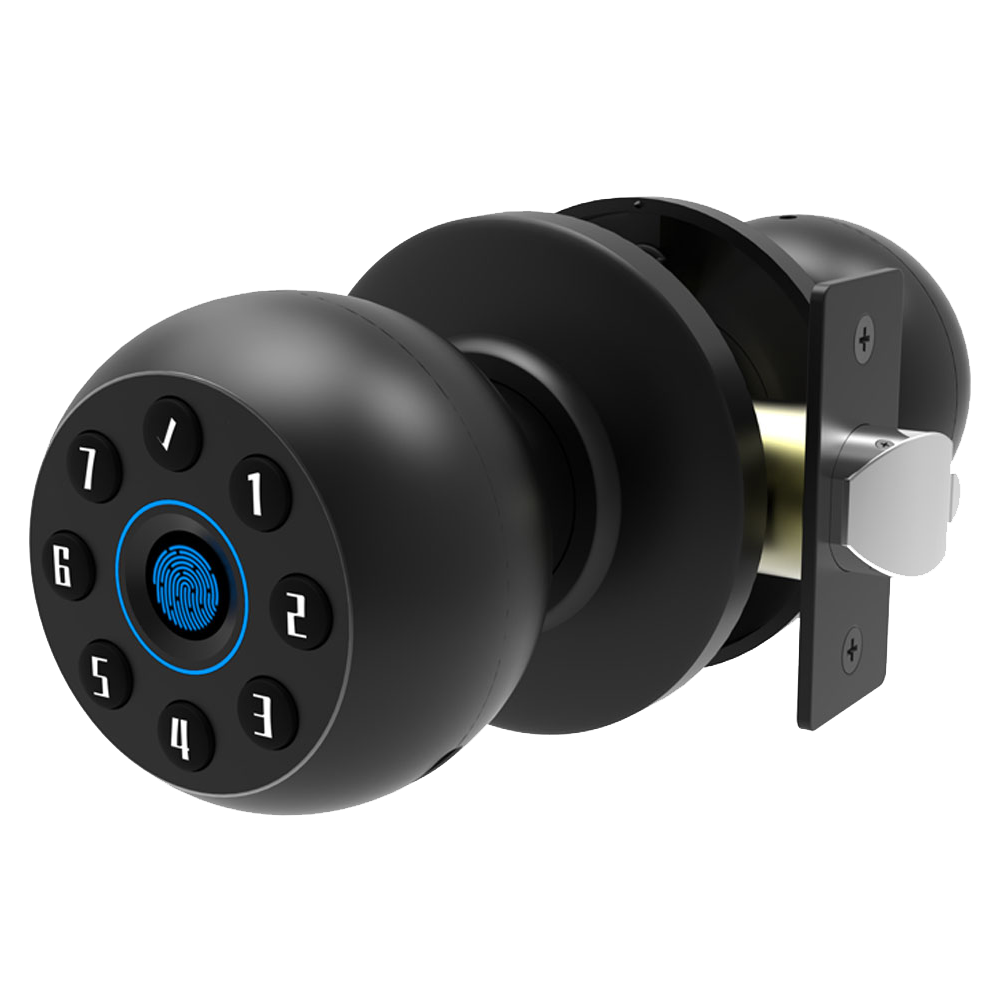
Starlight Hardware in China makes smart locks you can count on. They’re CE/FCC certified (meeting European and U.S. safety rules) and follow ISO 9001 quality controls (a global standard). We also meet UL 294 compliance (a U.S. access-control test).
Every lock gets precision testing. We hammer it for impact, blow dust at it, and drench it to check splash resistance. The smooth metal faceplate stays pristine, and you’ll hear a reassuring click every time it locks.
We ship secure locks worldwide on a reliable schedule. Our proprietary firmware includes an open API (a way for other software to connect) and regular updates. Features and encryption patches push automatically through the companion app.
It’s like your lock keeps leveling up to beat new risks. Want to know a secret? Our auto-update mode is a game-changer.
Need help? Our global support team is just an email or live chat away. We’ve got authorized service centers too. Whether you’re aligning a latch on a wooden frame or fixing a BLE connection (Bluetooth low energy, a short-range wireless link), we guide you step by step.
Spare parts are CE-certified and ship fast. So downtime stays minimal.
We’ve spent two decades perfecting these locks. With a 98% on-time delivery record, we stand behind our products with real human support and clear technical guides. Solid.
Final Words
We jumped right into core features, fingerprint scans, keypads, apps, and voice unlock. Then we compared top picks like Ultraloq, Schlage, and our Starlight locks for best value.
We linked them to home hubs so you can lock or unlock with a tap or routine. Installation is simple, and we broke down costs from budget entry to premium models.
Quick upkeep tips keep everything humming. Now you’re all set for smooth security with Smart Bluetooth Locks.

