

Have you ever sprinted back home because you weren’t sure your door was locked? You turn the doorknob, lean in, then step back, still guessing.
Keys are still the norm. At your desk, in the car, or over dinner, that little metal stick can feel like a question mark. And no matter how many times you click it, you still wonder if it caught.
But what if you ditched the key? Remote-control locks let you tap your phone like swiping a credit card, or click a small fob. Solid.
These smart locks come with touchscreen keypads that light up under your thumb. Or a biometric fingerprint sensor (a reader that checks your unique fingertip pattern). You get a soft LED glow and a reassuring click every time.
In this post we’ll walk you through five top models that sync with your smart home and secure every entry from anywhere. You’ll get total peace of mind.
Core Benefits and Key Features of Remote Control Door Locks
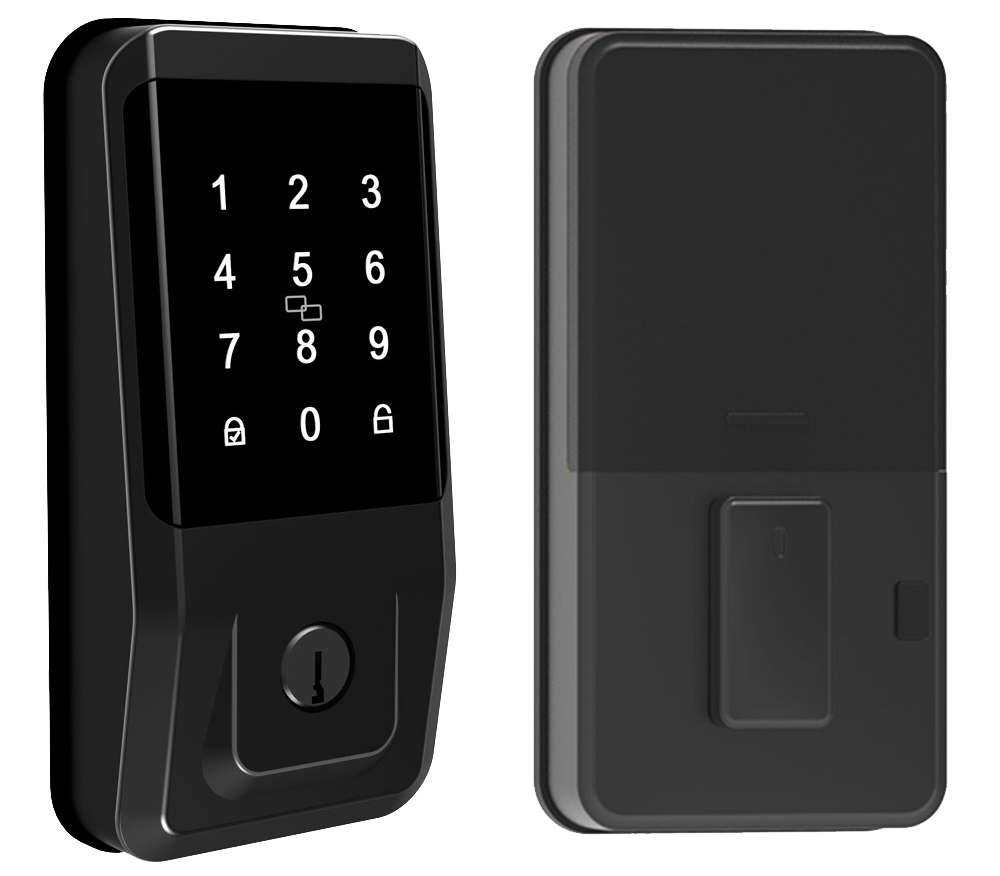
Ever worry you left the door unlocked? Forget racing home just to check. Remote-control door locks let you guard every entry point, front door, garage, patio, from anywhere. Just tap an app on your phone or click a key fob.
Gone are clunky keys. These smart locks give you a touchscreen keypad, biometric fingerprint sensor (reader that checks your unique fingertip pattern), and even smartphone proximity. They slide right into your existing smart-home setup, with a soft LED glow and the smooth metal faceplate you can feel as you press.
- Unlock from anywhere with your phone or key fob
- Create short-term guest codes for friends or deliveries
- Auto-lock clicks shut after a set time for that reassuring click
- Get real-time alerts and access logs on your phone
- House all credentials, codes, fingerprint scans (quick fingertip reads), and good old keys
- Blend with your lights, thermostat, and video doorbell
- Grant one-time entry to dog walkers, cleaners, or that Amazon driver
- Lean on battery reserve mode and low-battery warnings so you’re never stuck outside
Think of it as a doorman you carry in your pocket. You can lock the back door from the office. Or set a kid code that expires when homework’s done. And those soft LEDs? They let you know status at a glance. No more hiding a spare key under a mat. The app does the remembering, so your home stays secure on your terms.
Over 10,000 locks installed worldwide.
Remote Control Door Lock Technologies and Communication Protocols
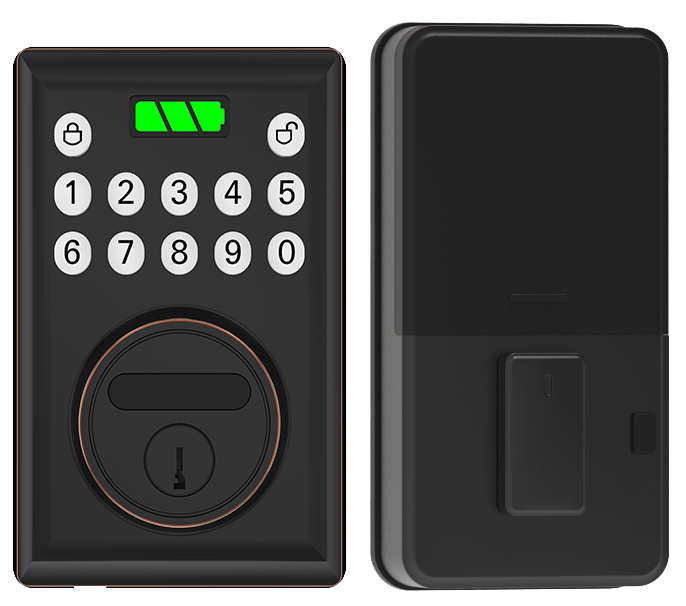
When you choose how your smart lock talks, you’re picking three things: range, battery life, and a rock-solid connection.
WiFi (a home internet connection) lets you lock or unlock your door from anywhere. It feels like tapping a finger on your phone. But it sips power – expect just three to six months on a fresh set of batteries. You might hear a soft beep when it’s time to swap them out.
Bluetooth (a short-range wireless link) covers about 30 ft, roughly the length of a hallway. It hums along for eight to twelve months on four AA batteries. Want remote access? You’ll need a bridge (the gadget that links local devices to the internet).
Mesh networks like Thread (a low-power mesh network), Z-Wave, or Zigbee (both mesh protocols) hand your lock’s commands from one device to the next, like passing a note in class. That means solid coverage from corner to corner. But they all need a hub or border router (your gateway to the wider internet).
Here’s a quick snapshot:
| Protocol | Range | Battery Life | Remote Access Capability | Requires Bridge |
|---|---|---|---|---|
| Wi-Fi | Up to 150 ft | 3-6 months | Direct over internet | No |
| Bluetooth | About 30 ft | 8-12 months | Yes, with bridge | Yes |
| Thread | Up to 150 ft mesh | Up to 12 months | Via border router | Yes |
| Z-Wave | Up to 100 ft mesh | 6-12 months | Yes, with hub | Yes |
| Zigbee | Up to 75 ft mesh | 6-12 months | Yes, with hub | Yes |
Security and Encryption Standards in Remote Control Door Locks
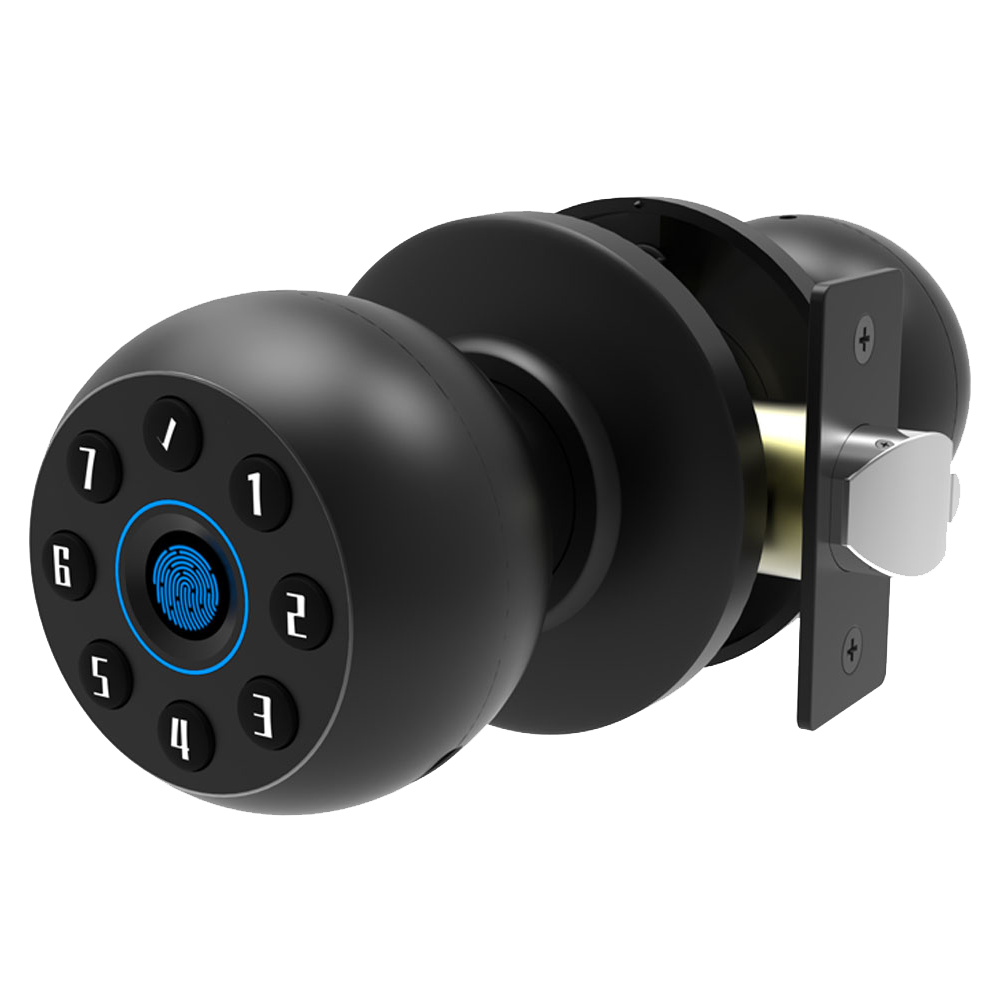
Wireless lock commands flow through a hidden tunnel behind the smooth metal faceplate. AES-128 encryption (a data scramble that’s hard to crack) or AES-256 encryption (even tougher) keeps prying eyes away. These are the same military-grade standards banks and government offices trust. It’s like a secret handshake between your phone and the lock.
Most lock apps ask for two-factor authentication. You punch in a PIN or swipe a fingerprint (a quick fingertip scan). Um, it’s fast and sits on top of your phone’s login. That means a thief must crack both your phone and lock code to get in.
The metal bolt and faceplate carry ANSI/BHMA grades (a lock quality rating). Grade 1 uses the toughest materials for heavy traffic. Grade 2 fits most homes and still offers solid security. And a UL rating (shows it passed fire and impact tests) means it won’t quit under pressure.
Sensors inside notice drilling, hammer hits, or forced turns. If an attack’s under way, an alarm might blare or the keypad could lock out. Anti-pick pins (tiny tumblers that resist picking) and bump-proof cylinders (cylinders that block bump keys) stand guard at the core. Hmm that’s probably oversharing but it’s all tested.
We’ve backed every lock with CE certification, rigorous testing, and over two decades of expertise. You get reliable security you can trust.
Installation Options for Remote Control Door Locks: DIY and Professional
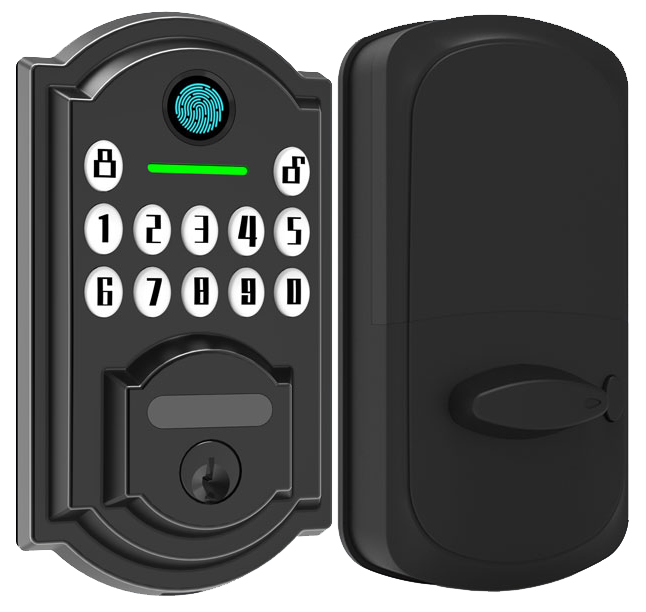
You’ve got two routes: a quick DIY retrofit or a full pro installation. Retrofit kits slide over your existing deadbolt in about 30 to 60 minutes with just a Phillips screwdriver and a smooth metal faceplate. You’ll hear a reassuring click when the screws lock in place.
Most smart locks pair wirelessly. But if you choose a model with a biometric fingerprint sensor (a reader that checks your unique fingertip pattern) or a built-in video camera, you’ll need a low-voltage line (a thin power cable) or a nearby outlet.
DIY Retrofit Installation
- Remove your interior thumb turn (the little knob inside) and mounting plate with a Phillips screwdriver
- Fit the retrofit kit over your deadbolt and tighten screws until it sits flush
- Snap on the exterior lock face and carefully feed cables through the door hole
- Pair the lock with its app, think of it like connecting your headphones, and test your remote functions
Full Replacement and Professional Installation
If you want a sleek one-piece smart deadbolt, you’ll need exact measurements and maybe a chisel for the strike plate. It’s like fitting a puzzle piece, you don’t want any gaps. Many homeowners hire a certified installer who knows local codes and handles unexpected wiring needs.
Pros can run low-voltage lines (small power cables) for doorbell cameras or fingerprint modules (the part that reads your fingerprint) without overloading your circuits. They’ll fine-tune every hole and wire so it’s rock-solid.
Working with a trusted OEM gives you CE and FCC certified hardware backed by a solid warranty. We recommend smart lock manufacturer China for devices built on two decades of craftsmanship. Their team makes sure every bolt and wire meets safety standards, leaving you with a code-compliant setup you can count on.
Compatibility and Smart Home Integration for Remote Control Door Locks
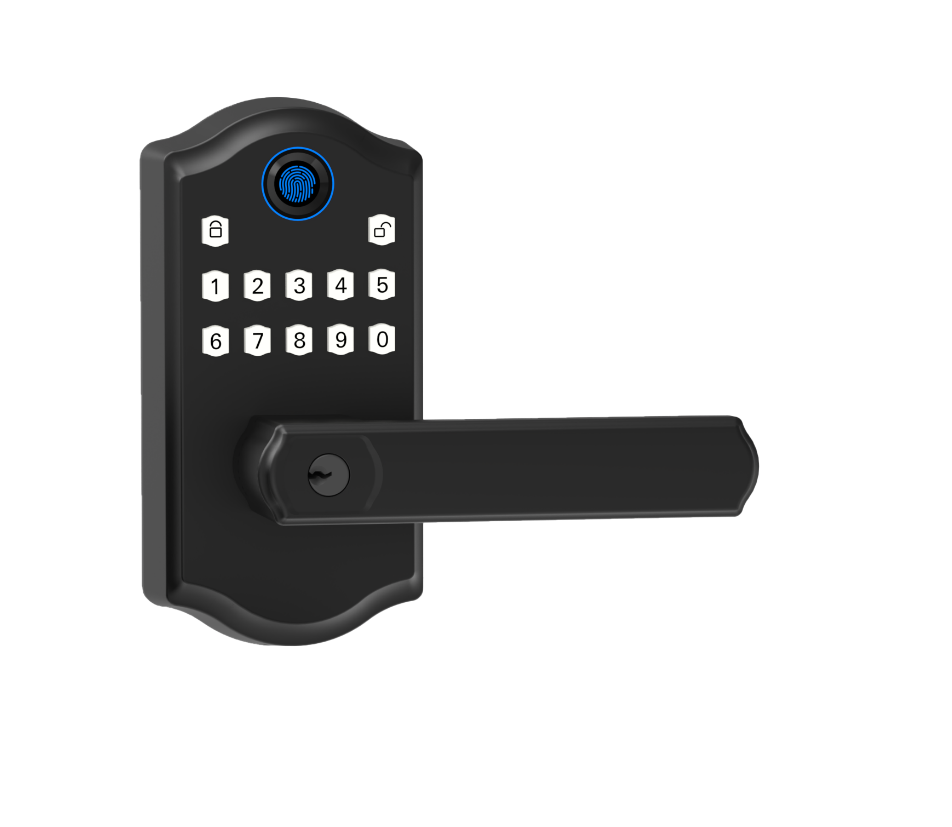
When you choose a smart lock that plays nice with your devices, you get one smooth experience. It’s like weaving your front door into your lighting scenes, thermostat, and security cameras. The lock’s smooth metal faceplate and soft LED glow feel right at home. Compatibility with Amazon Alexa, Google Home, Apple HomeKit, and Samsung SmartThings keeps everything in sync.
Want to know a secret? Matter promises to link all your gadgets without jumping between apps or tiny hubs!
- Say “Goodnight” to your assistant and watch the lock secure with a reassuring click as the lights go off.
- Step outside and the door locks on its own, thanks to geofencing (virtual boundary routines).
- Spot a delivery on your porch and unlock right inside your video doorbell app.
- Walk up and tap-to-unlock with NFC (Near Field Communication) or UWB (Ultra-Wideband) – no app required.
- Ask Alexa or Google Assistant to secure the door hands-free.
- See everything in one place with Matter-compatible IoT door lock solutions.
Pricing and Budget Considerations for Remote Control Door Locks
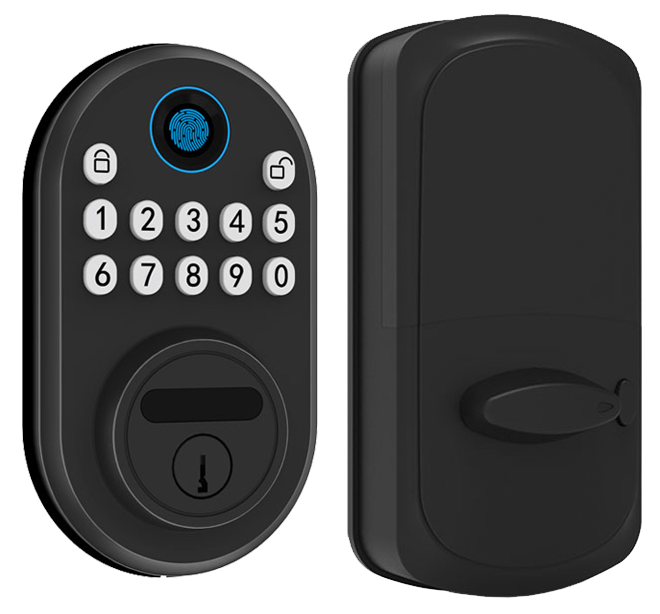
Entry-level remote locks cost less than $100. They cover the basics: a smooth metal faceplate, a touchscreen or keypad with a soft LED glow, and Bluetooth unlock. It’s like swiping a credit card to open your door. Solid.
In the $100 to $200 range, you unlock extra perks. Think Wi-Fi access, a smartphone app (so you can tap to unlock from anywhere), guest codes, and real-time push alerts. Want to know a secret? Those alerts feel like a friendly nudge when someone arrives.
Premium locks at $200 to $350+ bring the wow factor. You’ll get a biometric fingerprint sensor (a reader that checks your unique fingertip pattern), a built-in camera, and Matter protocol support (for smoother smart-home setup). You can add a bridge ($50 to $80 extra) for seamless cloud access. Next-level convenience.
Most folks look for the best value – balancing price with features they’ll actually use.
Um, don’t stop at the sticker price. Cloud services and premium tools often mean a $2 to $10 monthly fee. Installation is free if you’re happy with a screwdriver. Hiring a pro can cost $75 to $150.
Here’s a tip: some insurance policies give you a discount for CE and FCC certified locks. Check yours.
Warranty periods vary too. Most locks offer 1 to 3 years of coverage for parts and software updates.
For a budget-friendly package backed by CE/FCC certifications and solid support, check out security smart door lock supplier. They make picking and budgeting a breeze.
Troubleshooting and Maintenance Tips for Remote Control Door Locks
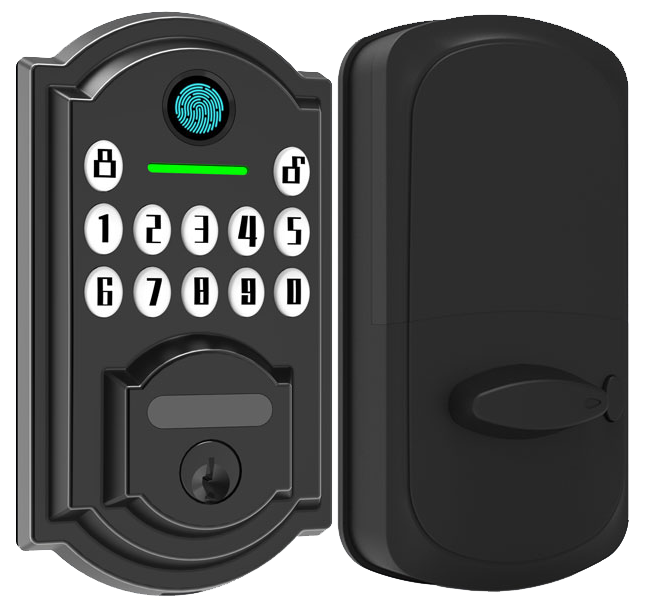
Sometimes your lock loses its signal. Hey, it happens – even with our CE-certified smart locks sporting a soft LED glow. But don’t worry. Whether it’s a Wi-Fi hiccup or a Bluetooth drop, here’s how to get things talking again. Open the companion app and reset the Wi-Fi bridge (the small box that links your lock to your network) or re-pair via Bluetooth. Then check for firmware updates (small software patches that fix bugs). A quick update often zaps communication issues.
If you still see problems, reboot your router. Then factory-reset the lock. That usually clears any stubborn glitches. We’ve been crafting these locks for over twenty years, and sometimes a fresh start is all they need.
Battery life on remote locks can vary by protocol. You’ll see low-battery alerts in the app – don’t ignore them. Swap out four AA batteries every six to twelve months. For a backup power boost, plug a USB-C cable into the port at the lock’s base or clip on a 9 V battery to its terminal. It’s like jump-starting a car. In seconds, the lock revives.
Keeping things clean helps too. Once a month, wipe the keypad or fingerprint sensor (a reader that checks your unique fingertip pattern) with a lint-free cloth. Think of it like cleaning your glasses. Dust, skin oils or grime can block scans or jam button presses.
And always stash your mechanical key backup. Electronics fail. A soft-bristled brush around the keyway keeps the metal parts turning with a reassuring click. Solid.
Final Words
In the action we’ve walked through must-have features like guest codes, auto-lock, and real-time alerts. We compared Bluetooth, Wi-Fi, and mesh protocols for range and battery life.
We touched on encryption, ANSI grading, DIY and pro install tips, and smart home harmony with Alexa and HomeKit. We ran through pricing tiers and shared quick fixes for firmware, batteries, and a mechanical key backup.
All these insights point you toward smarter entry. Here’s to smoother setups and stronger security with Remote Control Door Locks.
FAQ
What is a wireless remote control door lock system?
A wireless remote control door lock system uses radio or Wi-Fi signals to allow keyless entry, letting homeowners operate locks from a distance with a fob or smartphone app.
How does a keyless entry door lock with handle or app work?
A keyless entry door lock with handle or app uses codes, RFID cards, or a phone interface to grant access, replacing traditional keys with PIN entry or mobile control.
What are the top remote control or electronic door locks?
Top remote control or electronic door locks offer encrypted Wi-Fi or Bluetooth access, PIN pads, biometric sensors, auto-lock, and real-time mobile alerts. Popular models include Starlight Smart Lock and Yale Assure.
Can you lock a door remotely?
You can lock a door remotely by using a compatible smart lock and its mobile app or web interface over Wi-Fi, adding a digital PIN pad or biometric backup.
What are the disadvantages of keyless door locks?
Keyless door locks carry the risk of electronic malfunctions, battery failure, app glitches, and potential hacking if firmware isn’t updated, though mechanical backups often keep doors operational.
Which door locks do police recommend?
Police often recommend Grade 1 or Grade 2 deadbolts with ANSI/BHMA certification and tamper-resistant features like anti-pick pins and reinforced strike plates for higher forced-entry resistance.
What defines a commercial smart lock or keypad door lock?
A commercial smart lock or keypad door lock offers multi-user access control, audit trails, auto-lock scheduling, and rugged hardware rated for high traffic, often meeting UL listing and ANSI Grade 1 standards.
What smart locks are best for Airbnb and front doors?
Smart locks best for Airbnb and front doors offer temporary guest codes, auto-lock, real-time notifications, cloud-based code management, no extra subscription fees, and seamless smartphone or keypad access.
What features come with a smart door lock with camera?
A smart door lock with camera offers motion-triggered recording, two-way audio, live video feed, night vision, encrypted cloud storage, and remote door control through a secure mobile app.
What options exist for remote door locks for cars, businesses, or gates?
Remote door locks for cars, businesses, or gates include key fob systems, GSM-based app control, RFID tags, Wi-Fi gateway modules, and Bluetooth solutions with time-limited access codes.

