
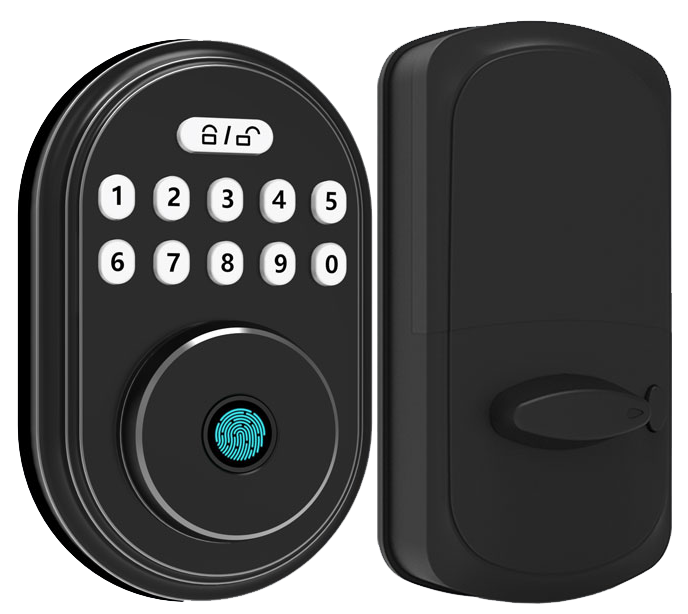
Ever fumbled for your keys in the dark only to find you’re locked out? You’re not alone. Thirty percent of home break-ins happen through unlocked or picked doors. Scary.
Keypad smart door locks ditch your jangling keys. They greet you with a smooth metal faceplate (the part you tap) and end with a reassuring click. Solid.
Um, you can punch in a PIN code. You can also scan your fingerprint (biometric fingerprint sensor checks your unique fingertip pattern). And some even use facial recognition. A soft LED glow guides you inside.
Ready for a key-free life? We’ve picked seven top models to boost your home security – no more fumbling with traditional keys. Let’s dive in.
Why Keypad Smart Door Locks Are the Ultimate Keyless Solution
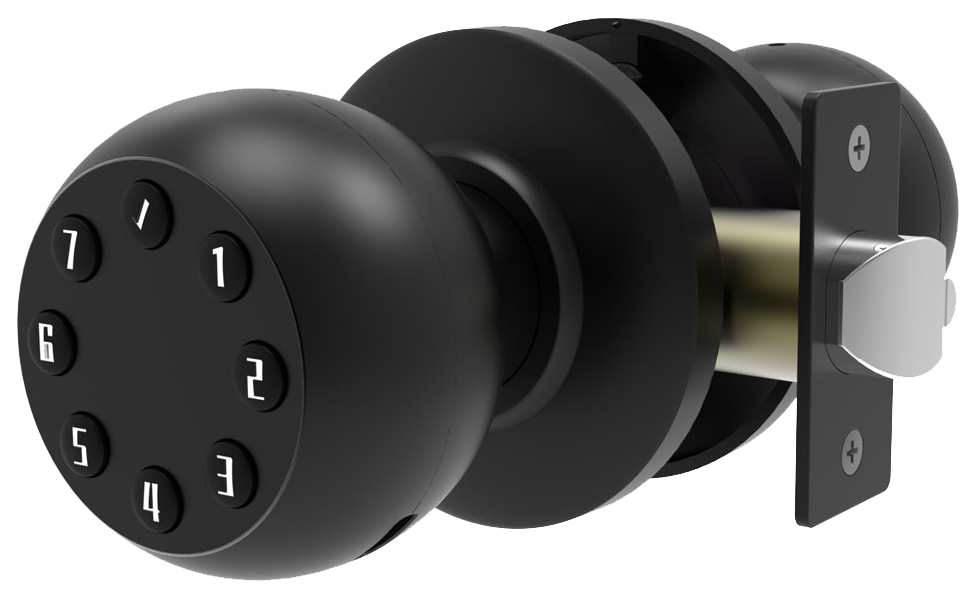
Many keypad smart door locks let you punch in a personal PIN code or tap a biometric fingerprint sensor (a reader that checks your unique fingertip pattern). Some even scan palm veins (a vein-pattern reader) or use facial recognition for entry. No more digging for keys. You get a smooth metal faceplate, a soft LED glow, and a reassuring click when it unlocks.
Basic digital keypad locks start around $100, while Wi-Fi-enabled models top $200. These higher-end locks add voice commands, real-time push or email notifications, time-based auto-lock, forced-entry alarms, and an emergency USB or 9-volt port to power the lock if the batteries die.
Key benefits include:
- No more lost keys or lockouts
- Remote monitoring and door-status alerts
- Automatic locking after a set interval
- Tamper and forced-entry alarms
- Multiple user codes with custom access levels
- Emergency power via USB or 9-volt terminal
Most locks run on AA batteries and last for months, even with Wi-Fi turned on. Bluetooth-only models stretch battery life to nearly a year. And when the batteries dip low, you’ll get a warning weeks in advance plus an offline backup power port so you can power up in seconds.
Keypad Smart Door Locks: Key Features to Consider
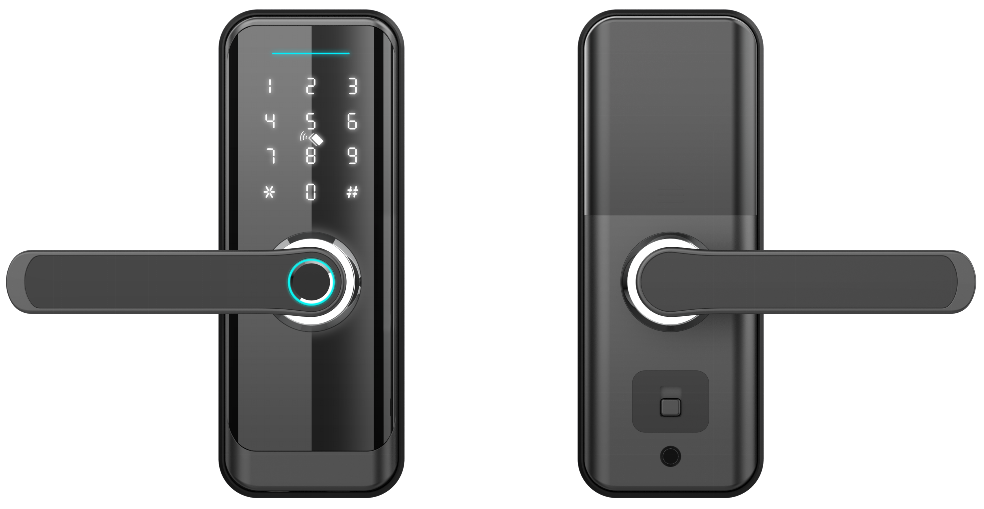
Access Methods
You get five ways in:
- PIN code (tap numbers on the smooth metal faceplate, and you’ll hear a reassuring click).
- Biometric fingerprint sensor (a reader that checks your unique fingertip pattern).
- NFC tags (tiny wireless tags you tap like a hotel key card).
- Smartphone keys (unlock with a soft LED glow).
- Physical key backup for when batteries run out.
You can mix and match so everyone picks their favorite entry method.
Connectivity Options
Bluetooth locks (short-range wireless) work up to about 30 feet. They run 8–12 months on AA batteries.
WiFi-enabled locks let you lock or unlock from anywhere and send real-time tamper or low-battery alerts. You’ll swap batteries every 3–6 months.
Thread-based locks use mesh-network technology (devices talk to each other) to boost range and save power.
Many models offer geofencing (auto-lock when you drive out of range). All locks use encrypted communication to keep eavesdroppers out.
Smart Home Integrations
Most locks come Alexa-compatible for Amazon voice control. Many also link to Google Assistant or Apple HomeKit, and some plug into IFTTT.
A growing number support Matter (an interoperability standard) and Thread so you can tie your lock to video doorbells, lights, and sensors, without juggling apps.
Each lock becomes part of one smooth smart home experience, linking security, climate, and lighting.
Top Starlight Keypad Smart Door Lock Models for Every Budget
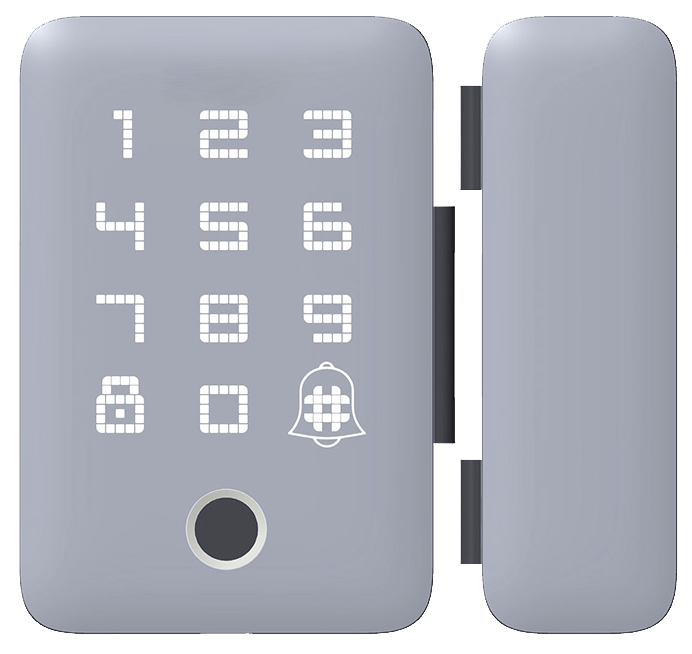
At Starlight Hardwares, a trusted smart lock manufacturer China, we’ve spent over 20 years crafting locks that feel smooth and reliable. Each model carries CE certification and months of real-world testing. So whether you’re on a tight budget or ready for a premium system, we’ve got a fit for you.
Starlight Lite
- Price: $99
- Access: PIN pad (numeric keypad you tap) plus physical key backup
- Battery life: up to 12 months on four AA batteries
- Rating: 4.2 stars on major retailer sites
The smooth metal faceplate gives a reassuring click each time you enter your code. Solid.
Starlight Plus
- Price: $149
- Access: PIN pad plus Bluetooth smartphone key (like pairing your headphones)
- Range: up to 30 feet
- Battery life: around 10 months with normal use
- Rating: 4.4 stars, our budget favorite
You’ll see a soft LED glow when you tap your code. And remote unlock on your phone is a breeze.
Starlight Pro
- Price: $249
- Access: PIN pad, biometric fingerprint sensor (a reader that checks your unique fingertip pattern), plus Wi-Fi connectivity
- Battery life: 3–6 months with Wi-Fi; low-power alerts included
- Rating: 4.6 stars and Editor’s pick
Real-time tamper alerts keep you in the know. Think of it as having a guard you control from your phone.
Starlight Elite
- Price: $349
- Access: PIN pad, fingerprint scan, Matter (cross-platform standard), Apple HomeKit support
- Auto-lock: geofencing (locks when you walk away)
- Battery life: 4–6 months; emergency USB port underneath
- Rating: 4.7 stars in high-end reviews
Want to know a secret? Its geo-lock auto-lock is a game-changer. The sleek metal finish feels reassuring every time you touch it.
Each model comes from a trusted smart lock manufacturer China, so you know performance matches promise.
Installation and Setup of Keypad Smart Door Locks
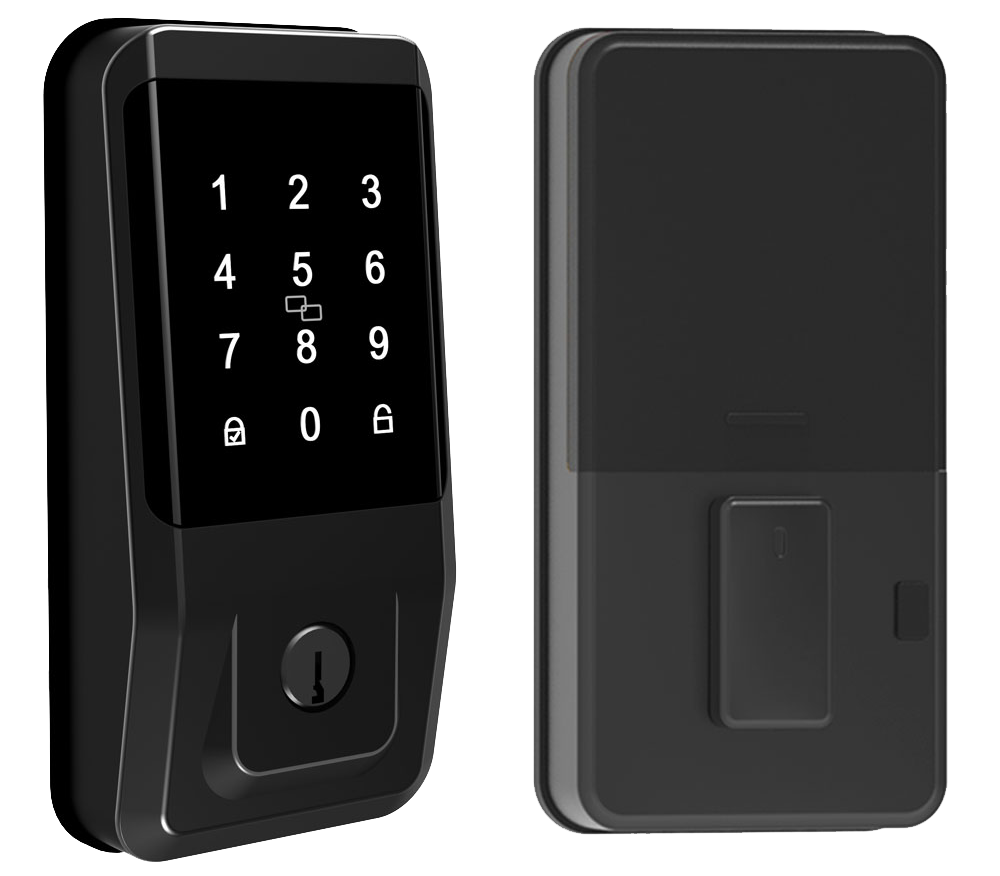
You’ll need a Phillips screwdriver, a drill (optional), and about 10 to 25 minutes. Check that your door has a standard deadbolt hole (the round opening for the bolt) and that the strike plate lines up with the latch path. A tidy work area and steady hands make the job smoother. Solid.
-
Remove old hardware
Unscrew the existing deadbolt with a Phillips screwdriver. Pull off the interior thumb turn and the exterior key trim. You might feel a little snap as they come free. Save those screws if you think you’ll want them later. -
Extract strike plate
Pop out the strike plate (the flat metal piece on your door frame). This clears the way for the latch bolt (the metal tongue that locks the door). Keep the screws nearby if you plan to use them again. -
Fit the latch assembly
Slide the new latch into the edge of the door. Make sure the beveled side faces outward so it glides smoothly. You’ll hear a subtle click when it seats right. -
Mount exterior keypad
Thread the cable bundle through the deadbolt hole. Press the keypad’s smooth faceplate against the door until it’s flush. A soft LED glow will let you know it’s powered once you add batteries. -
Secure interior assembly
Attach the interior housing on the inside of the door. Match and connect the cables by color. Then tighten the mounting screws evenly, don’t over-tighten. -
Follow the keypad lock installation guide
Insert fresh batteries. Open the companion app and pair the lock via Wi-Fi or Bluetooth (think of syncing your earbuds). Want to know a secret? Auto-lock mode is a real time-saver. -
Test and calibrate
Lock and unlock the door a few times. Listen for that reassuring click. If it sticks, adjust the latch or give the screws a little tweak.
Over 10,000 locks installed worldwide. If your door is warped, the hole is too big, or you’d rather skip guesswork, call in a pro installer for perfect alignment and rock-solid security. Hmm, just a thought.
Enhancing Security with Keypad Smart Door Locks
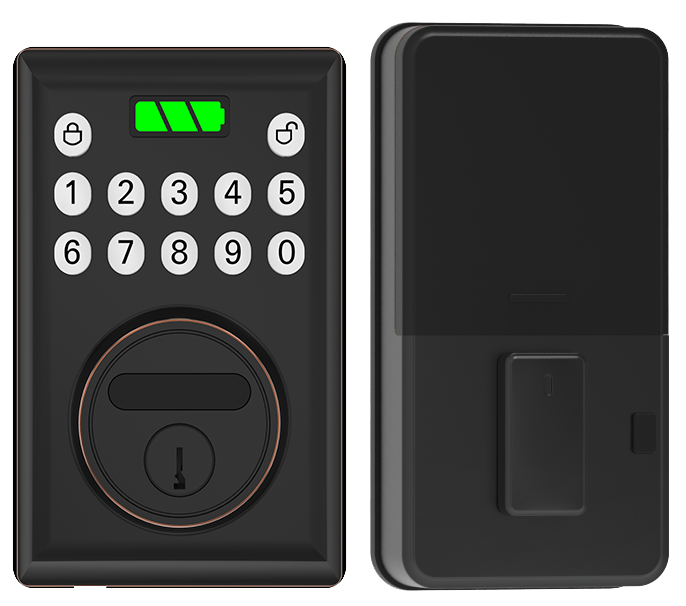
Most modern keypad smart door locks earn ANSI/BHMA Grade 1 or Grade 2 ratings for serious toughness. Their pick-resistant keypads have hardened steel inserts (steel pieces inside the buttons), and reinforced bolts stand guard against drilling. The bump-resistant deadbolt stops that old-school bump-key trick in its tracks. You hear a reassuring click when the bolt slides home, and the smooth metal faceplate keeps prying eyes from spotting the inner workings.
Wireless signals between your lock and app use AES-128 or AES-256 encryption (data-scrambling methods only your devices can decode). If someone tries to tamper or force the lock, a built-in siren goes off and you'll get a push alert on your phone, like a watchdog barking in your pocket. Two-factor authentication (requiring both a PIN and a smartphone key) adds an extra hurdle for intruders.
Think of your PIN like a password. When you tap those six digits, you feel the crisp press of each button, like swiping a credit card. Pick a random code and swap it every few months.
If you need visitor access, set a single-use code and delete it once they leave. That way, strangers stay locked out.
Power Management for Keypad Smart Door Locks: Batteries and Maintenance
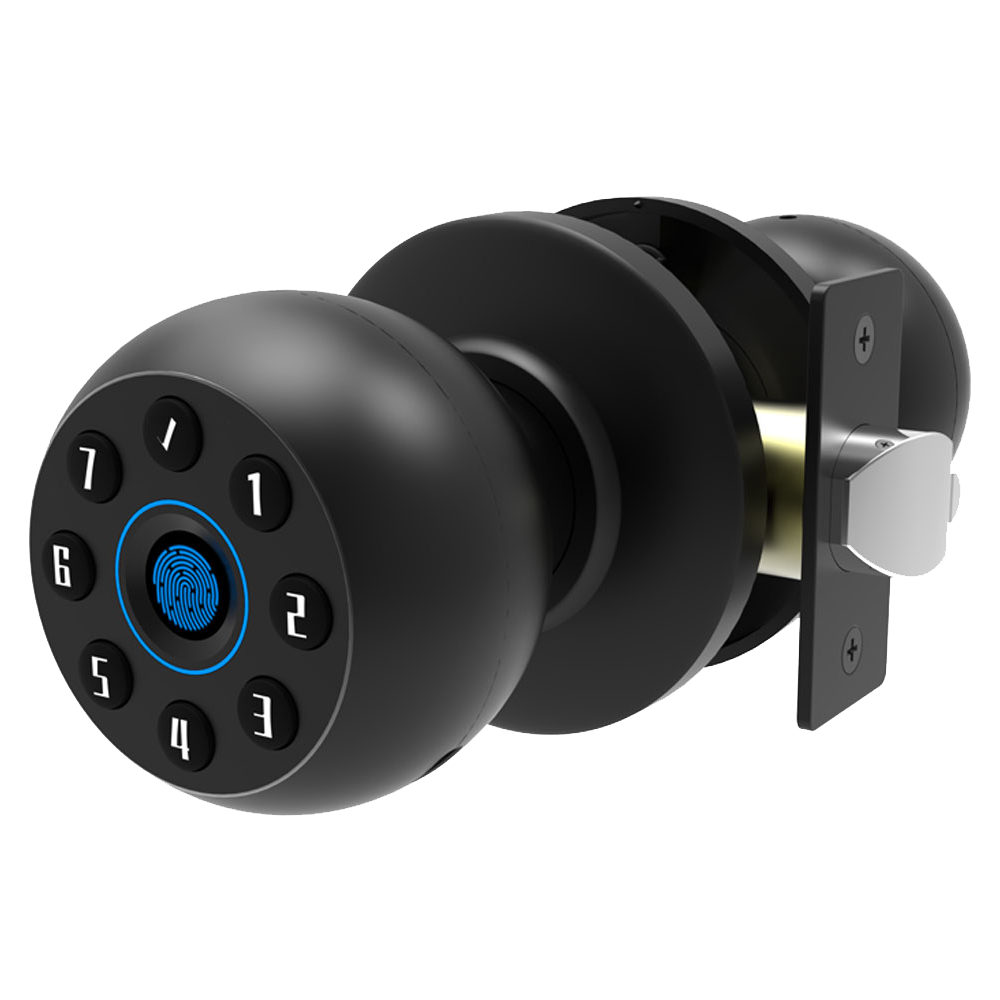
Our locks run for months on a set of AA cells. They last about 3 to 6 months when you use Wi-Fi and nearly a year on Bluetooth or Thread. You’ll get a low-battery alert two weeks before the power dips. And there’s an emergency USB or 9-volt port if you ever need it.
Make it a habit to check battery status in the app once a month. It’s like glancing at your car’s fuel gauge before a road trip. Solid.
Cleaning is simple. Grab a soft cloth with a drop of mild soap. Gently wipe the smooth metal faceplate and work into the spaces between the buttons. Think of it as wiping smudges off your phone screen. Avoid harsh solvents or rough pads that can wear down the finish.
Firmware updates are like a spa day for your lock. Every two months, open the app to look for new updates or turn on auto update. Back up your settings before you hit update so you don’t lose any codes. It’s just like taking your car in for an oil change.
Seasonally run through this quick checklist to keep your lock at its best:
- Wipe down the keypad and frame
- Spray graphite or a silicone based lubricant on the latch
- Open the app and confirm that encryption is active
Access Code Management in Keypad Smart Door Locks
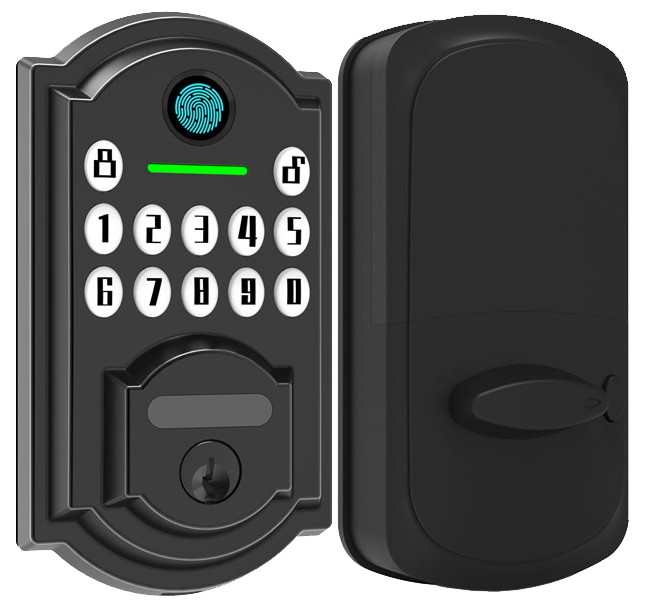
Master and admin codes are like the golden keys for the lock’s smooth metal faceplate. They let you add, edit, or delete guest codes anytime. And because guest codes stay separate, visitors never handle your master PIN.
Need to let a friend or cleaner in? Set a temporary PIN (personal identification number) that expires after a window you choose – say 9 AM to noon!
Time-restricted codes work great for dog walkers or house sitters. Single-use codes act like one-time passes, perfect for service pros. You can even create these codes remotely from your app, so you don’t have to be on site.
Every code entry shows up in your app’s audit trail, with a timestamp and who used it. You’ll get an instant notification if someone enters or if a code fails.
Scheduled access makes package drop-offs a breeze. Just assign a time slot for the courier and remove it once the delivery is inside. No mechanical keys needed!
Built on two decades of CE-certified craftsmanship, our locks have been tested in sandy deserts and snowy peaks. You can trust each reassuring click and soft LED glow.
Solid.
Comparing Starlight Keypad Smart Door Locks with Other Brands
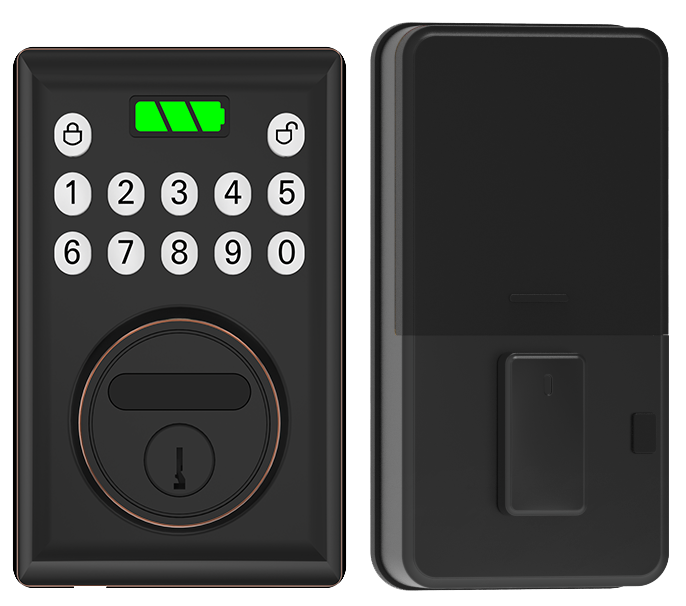
Our Starlight Elite feels built like a fortress. The smooth metal faceplate holds both a keypad and a biometric fingerprint sensor (a reader that checks your unique fingertip pattern). It speaks Matter (an open smart home language) and Apple HomeKit while meeting ANSI Grade 1 (the top safety level) and standing up to water. Ready for a true digital door lock for home security?
Geofencing auto-lock snaps the door shut when you step away. Want to know a secret? That auto-lock mode is a game-changer.
Yale Assure 2 Touch lands near $280 and adds a fingerprint reader plus a sleek touch-only faceplate. You can swap in Wi-Fi or Z-Wave modules (wireless links for home devices) and later drop in HomeKey or HomeKit for extra smarts. Let me rephrase that… it grows with your setup. Still, you’ll lean on third-party hubs if you want advanced scenes.
Ultraloq Bolt Fingerprint runs about $150 and has an IP65 rating (dust and water resistant). Biometric scans feel snappy, like tapping a credit card. An emergency key hole hides under the keypad so you’re never locked out. It works offline without a hub but skips Apple HomeKit or Matter, making it great for budget builds with no remote control.
August Retrofit clips over your existing deadbolt without tools. DoorSense notifications let you know when it’s closed, and auto-lock does the rest. It’s bulkier than a full lock swap but keeps your original hardware.
Schlage Encode swaps in as a lever and has built-in Wi-Fi that pairs natively with Ring and Alexa. It doesn’t have a fingerprint reader but fits right into those setups. Reliable and ready out of the box.
Pricing, Warranty, and Purchase Options for Keypad Smart Door Locks
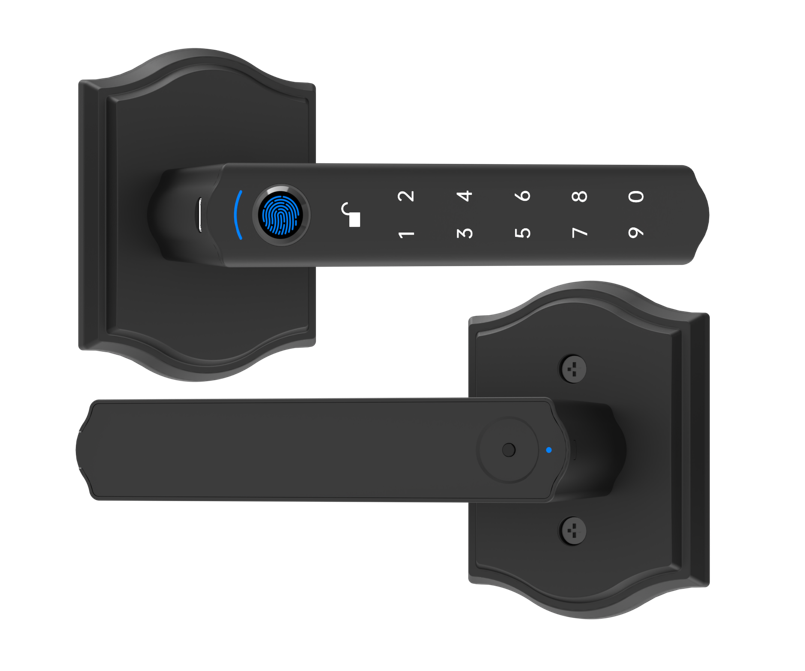
At Starlight Hardwares, we’ve got a lineup of keypad smart locks built to fit your budget and style. Each lock shows off a smooth metal faceplate and a crisp numeric pad you can feel under your fingers.
Budget models start around $70. They give you a solid numeric pad (just a row of numbers you press) and the basics you need for quick entry.
Mid-range locks run between $130 and $200. You’ll get Bluetooth (wireless connection) or a smartphone app (an app on your phone that locks and unlocks the door). It’s like swiping your credit card, but for your front door.
Premium units top $300. They pack in a biometric fingerprint sensor (a reader that checks your unique fingertip pattern), Matter support (an open smart-home standard), and built-in Wi-Fi. You’ll see the soft LED glow around the pad when they power up.
Every lock comes with a two-year warranty. We back them with CE certification (a European safety mark) and two decades of testing in real homes and hotels. And yes, we mean sandstorms and snowy peaks.
Wanna buy one? You’ll find our locks on all the big online stores and at home improvement shops nationwide. For direct orders or bulk deals, hop over to our OEM channel on the Starlight Hardwares site.
Seasonal promotions and volume discounts make big orders more affordable. Keep an eye on flash sales at major retailers, sometimes you can shave even more off the price.
But that’s it. Let’s lock it down.
Final Words
In the action, we explored why keypad smart door locks offer PIN, app, or biometric entry and reviewed key features from Bluetooth to Wi-Fi integrations. Then we highlighted top Starlight models for every budget and walked through simple installation steps.
We assessed security measures, battery tips, code management options, and compared leading brands. Finally, we laid out pricing, warranty and buying channels.
Every detail’s here to help you choose and install with confidence.
Keypad Smart Door Locks are ready to upgrade your security.
FAQ
What are the best keypad smart door locks?
The best keypad smart door locks combine secure PIN access, remote app control, and optional biometric fingerprint sensor (a reader that checks your unique fingertip pattern), starting around $100 up to advanced Wi-Fi models above $200.
What makes Schlage keypad smart door locks stand out?
Schlage keypad smart door locks feature built-in alarm technology, ANSI Grade 1 certification for durability, and integration with smart home systems like Z-Wave, plus optional keypad code sharing via mobile apps.
Do keypad smart door locks come with a backup key?
Keypad smart door locks often include a traditional keyway as a backup, letting you use a physical key if batteries die or you forget your PIN code.
Where can I find keypad smart door locks reviews?
You can find keypad smart door locks reviews on major tech blogs, home security forums, and retailer sites, where users rate performance, battery life, and ease of setup.
What is a keyless entry door lock with a handle or app?
A keyless entry door lock with a handle lets you secure a door lever or knob without keys, using a touchscreen or mobile app to open remotely, often via Bluetooth or Wi-Fi.
How do smart video door locks work?
Smart video door locks use an integrated camera (usually HD) and two-way audio to let you see and talk to visitors via a mobile app, while granting access with a PIN, fingerprint, or remote access control.
What features should I look for in a front door smart lock?
A front door smart lock should offer secure PIN entry, reliable connectivity (Bluetooth or Wi-Fi), tamper alerts, auto-lock scheduling, and compatibility with voice assistants like Alexa or HomeKit.
What makes Eufy Smart Lock unique?
The Eufy Smart Lock stands out for its offline access support via RFID keycards, AES-128 encryption, and local storage of PIN codes and fingerprints, avoiding cloud dependencies for faster response.
What features make the Lockly Vision Elite video smart lock a top Lockly model?
The Lockly Vision Elite video smart lock combines fingerprint recognition, touchscreen keypad, and 1080p HD camera, plus door position sensor and 128-bit encryption, all backed by a 1-year warranty.
What is a smart lock?
A smart lock is an electronic lock that uses wireless communication (Bluetooth, Wi-Fi) to control door access via PIN code, mobile app, fingerprint scanner, or voice assistant.

