
Still fumbling for a key under the welcome mat? That old trick can leave your home feeling vulnerable.
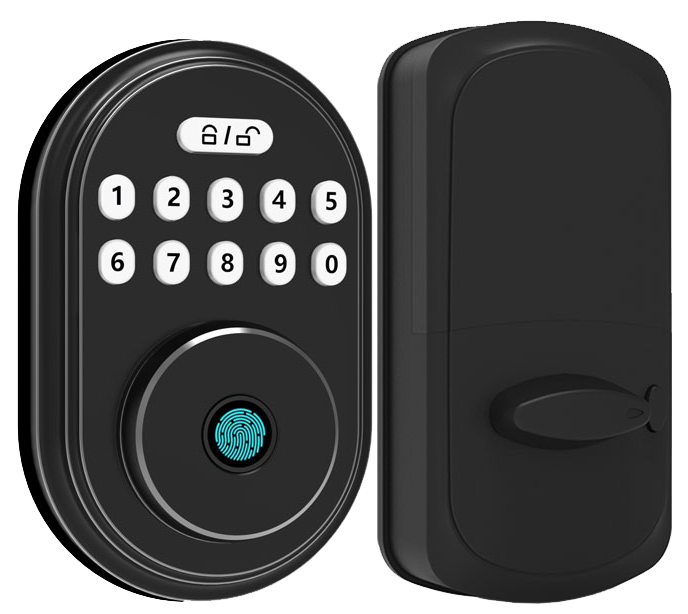
Our fingerprint smart lock greets you with a smooth metal faceplate and a biometric fingerprint sensor (a reader that checks your unique fingertip pattern). You just tap your finger and hear a reassuring click. It feels as easy as swiping a credit card.
You can scan up to 100 users, share temporary PIN codes, and see a soft LED glow whenever someone unlocks the door. Anti-tamper alerts let you know if someone tries to pry it open. AES-128/256 encryption (a super-strong code system) guards your data like a vault. Solid protection without any fuss.
Hmm, if the electronics ever hiccup, a hidden keyway tucks out of sight as a backup. No more scrambling for that spare key under the mat. Just smooth, reliable security for your front door.
Fingerprint Smart Door Locks Offer Ultimate Security
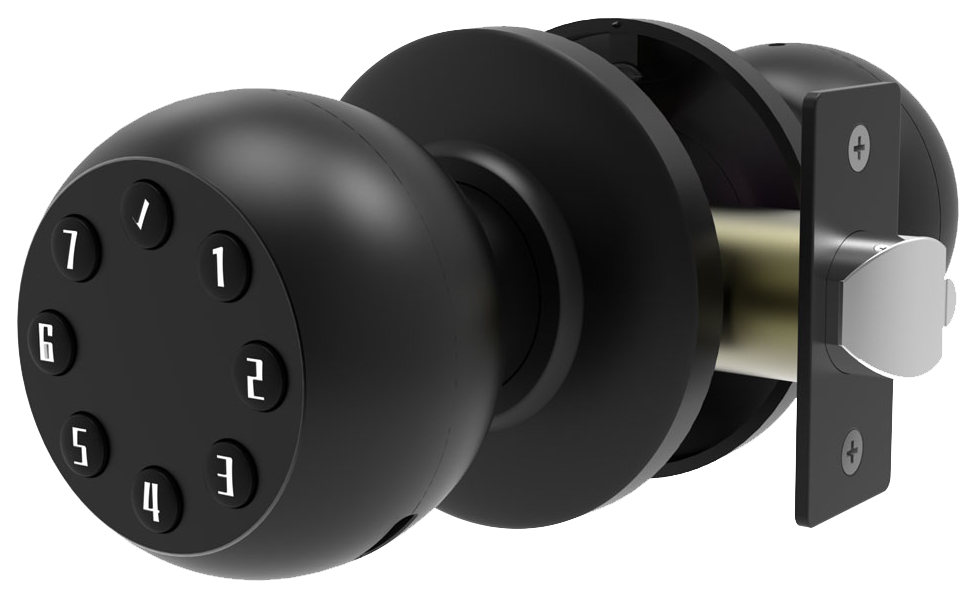
Fingerprint smart door locks combine high-tech protection with sturdy hardware. You get a smooth metal faceplate and a biometric fingerprint sensor (a reader that checks your unique fingertip pattern). And if the scan doesn’t work, backup entry options kick in.
- Fingerprint scanning with multi-user management (up to 100 unique prints)
- Guest PIN codes, including single-use and scheduled codes for friends or contractors
- Wrong-attempt lockout after five bad reads to stop repeated guessing
- Tamper alarm and anti-theft alerts if someone tries forced entry
- Access logs and door status notifications right in your smartphone app
- AES-128/256 encryption (strong data scrambling) over Bluetooth and Wi-Fi
- ANSI/BHMA Grade 1 or 2 hardware with heavy-duty metal housing, 3″ security screws, and thick strike plates
- Mechanical key override and a factory-reset button for instant recovery
Every tap feels solid, like turning a well-oiled key in a sturdy lock. You’ll hear a reassuring click when auto-lock mode (automatic locking after a delay) engages, you can set it anywhere from 5 to 120 seconds. Solid.
When you’re away, push notifications let you know if the door’s ajar or someone’s jiggling the handle. Back to our fingerprint lock… even if the power fails or your hub drops offline, a hidden keyway behind the faceplate steps in. Peace of mind without sacrificing sleek, keyless entry.
Fingerprint Smart Door Locks Offer Ultimate Security
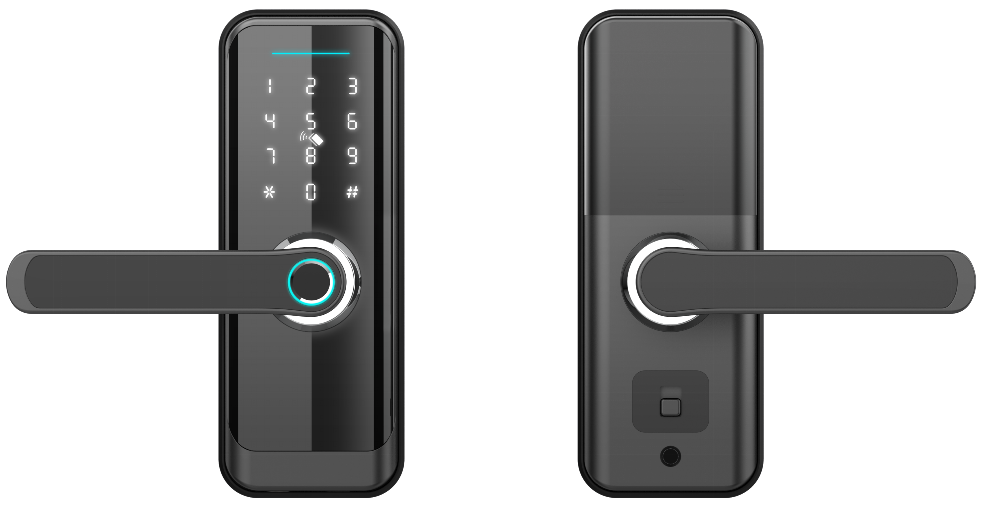
When you press your finger on the smooth metal faceplate, you’ll see a soft LED glow pulse under the sensor. It starts blue and then turns green once it recognizes your unique fingertip pattern (your personal ID). You’ll hear a reassuring click. No keys. No fuss.
Want to let your dog walker in at 3 PM every Friday? Just set up a scheduled guest PIN code (a numeric password) that expires on its own. Give one-time codes to visitors and recurring ones to cleaners or pet sitters. It’s like handing out digital keys that vanish when you’re done.
Worried someone might tamper with your lock? You can tweak alarm volume and behavior in the app. Pick a sharp, staccato beep for forced-entry alerts or a steady siren if too many wrong codes pop up. And every alarm event sends a real-time push notification to your phone.
Pro tip: during install, make sure the latch plate and strike box line up perfectly. A slight misalignment can make the sensor light flicker. Keep four fresh AA batteries in the onboard compartment and check them every six months. If pairing stalls, think of Bluetooth setup like pairing headphones, toggle your phone’s Bluetooth off and on, then try again.
If your Wi-Fi signal dips through thick walls, move the lock’s hub closer to your router or add a mesh extender. Firmware updates fix quirky connectivity hiccups, just tap “Update” in the app and let it do the work.
| Feature | Grade 1 | Grade 2 |
|---|---|---|
| Impact Resistance | Highest (commercial doors) | High (residential doors) |
| Cycle Rating | 1 million uses | 800,000 uses |
| Recommended Use | Office buildings, schools | Homes, small offices |
Over 10,000 locks installed worldwide. Exactly the kind of proof you want when you’re choosing secure access without juggling keys.
Comparing Top Fingerprint Smart Door Locks: Why Starlight Stands Out
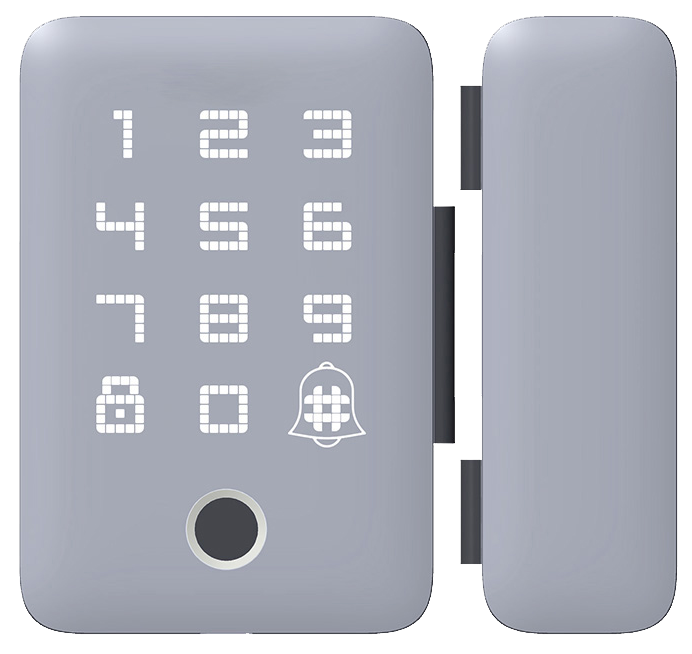
Choosing a fingerprint smart lock can feel like digging through endless specs. You want rugged hardware with a reassuring click and modern connectivity. Starlight Smart Lock X answers the call. It runs 12 months on a single set of batteries and has built-in Wi-Fi (wireless internet) plus Bluetooth (short-range wireless) for true remote access.
| Model | Unlock Methods | Connectivity | ANSI Grade | Battery Life | Price |
|---|---|---|---|---|---|
| Starlight Smart Lock X | Fingerprint, PIN, App, Key | Built-in Wi-Fi, Bluetooth | Grade 1 (top rating) | 12 months | $220 |
| Ultraloq U-Bolt Pro | Fingerprint, PIN, App | Bluetooth, optional Wi-Fi bridge (adds internet) | Grade 2 | 6 months | $150 |
| Aqara Smart Lock U100 | Fingerprint, 6-digit PIN | Zigbee hub required (links smart devices) | Grade 3 (entry-level) | 6 months | $180 |
| Lockly Visage | Fingerprint, Face, PIN | Bluetooth, Wi-Fi hub needed | Grade 2 | 4 months | $330 |
| Eufy Video Smart Lock | Fingerprint, PIN, Camera | Built-in Wi-Fi, 2K video | Grade 1 (top rating) | 4 months | $300 |
Ultraloq U-Bolt Pro shines as the budget pick under $150. It’s a Bluetooth fingerprint lock (reader that checks your fingertip) you can upgrade with a Wi-Fi bridge (small box for internet). It unlocks fast, like swiping a card.
Solid.
Aqara Smart Lock U100 needs a Zigbee hub (links smart devices). It only uses a six-digit PIN and sits at ANSI Grade 3 (entry-level security).
Decent for light-duty homes.
Lockly Visage adds face recognition (camera that knows your face) to the mix. It feels futuristic but you’ll swap batteries every four months.
Eufy Video Smart Lock steps up with 2K video and built-in Wi-Fi, so you can see who’s at the door. You get fingerprint and PIN unlock too. Just know it’s a four-month battery life.
Starlight Smart Lock X combines every must-have: a fingerprint sensor (reader that checks your unique fingertip pattern), PIN pad, mobile app, and a backup key. It meets ANSI Grade 1 (toughest security rating) and glows softly with a reassuring LED light. We’re backed by twenty years of testing from a smart lock manufacturer China and advanced anti-tamper materials. Want peace of mind? Check out our anti-theft smart lock for homes.
Buying Guide: Pricing Tiers for Fingerprint Smart Door Locks
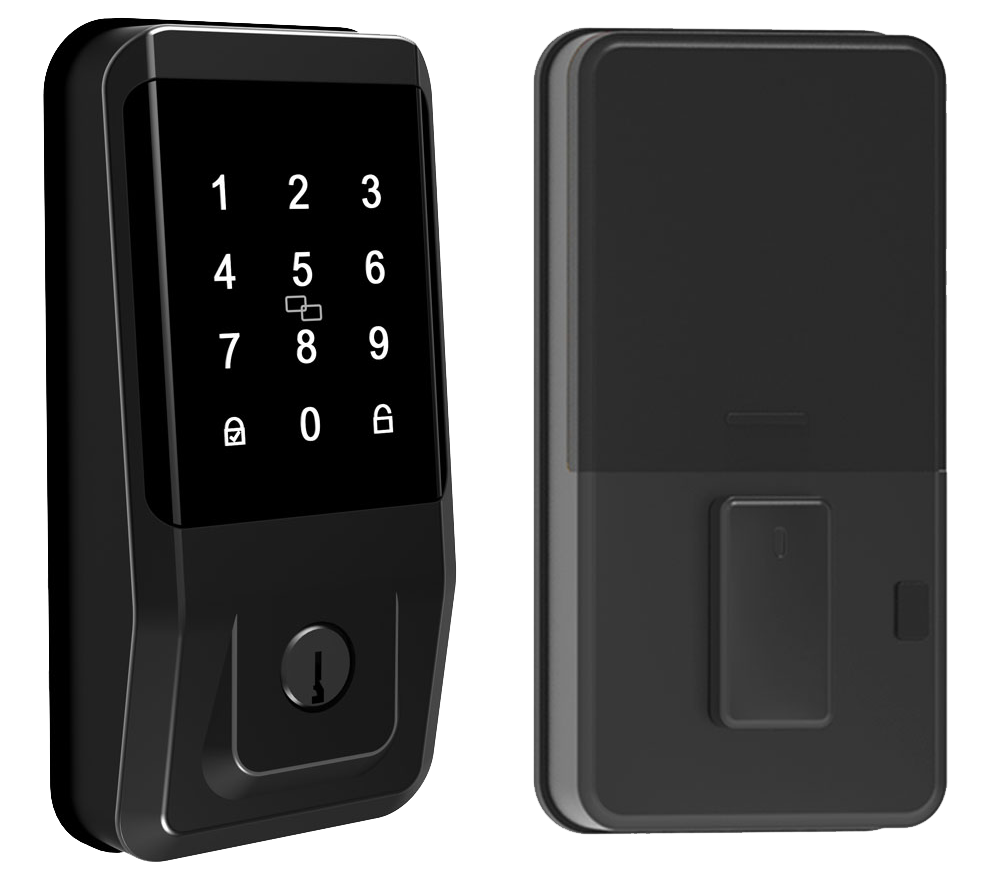
| Tier | Price | Features | Example Models | Where to Buy |
|---|---|---|---|---|
| Budget | $100–$150 | Fingerprint unlock (biometric fingerprint sensor, a reader that checks your unique fingertip pattern) + PIN pad, Bluetooth connection only | Ultraloq U-Bolt Pro (~$150) | Amazon (fast shipping, easy DIY install) |
| Mid-range | $150–$250 | Built-in Wi-Fi (wireless network), ANSI Grade 1 security (top residential standard), remote app control | Starlight Smart Lock X (~$220) | Best Buy (in-store displays) or direct purchase |
| Premium | $300+ | Multifactor authentication (two or more unlock methods), live video streaming, Matter & SmartThings compatible | Lockly Visage (~$330), Eufy Video Smart Lock (~$300) | Home Depot or Lowe’s (in-store demos) |
If you pick up a budget lock on Amazon, you’ll usually get free or quick shipping. And the DIY install is a breeze – just follow the simple guide.
Want to feel the lock before you buy?
Head to Best Buy, Home Depot, or Lowe’s for in-store pickup and demos.
You can press the crisp PIN pad, run your finger across the smooth metal faceplate, and watch the soft LED glow.
Smart move.
Installation and Setup for Fingerprint Smart Door Locks
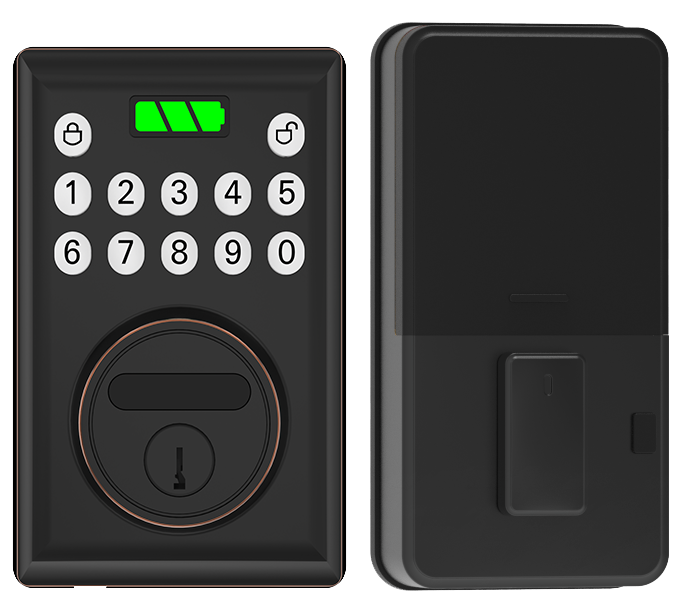
Most fingerprint smart door locks slide right into the spot where your old deadbolt was in about 10 to 25 minutes with just a Phillips screwdriver. If your door has a mortise lock (a lock set into the door edge) or an integrated handle unit (a handle and lock combined in one piece), you might need a full replacement first. Some models ask for a small drill hole to fit a DoorSense sensor (a tiny device that tells you if the door is closed). And for Zigbee (wireless protocol) or Matter (smart home standard) locks, you’ll want a compatible hub (central controller) for remote access. Every setup ends with a backup keyway (the hidden key slot) and a factory-reset button tucked behind the smooth metal faceplate.
That’s it for the overview. Let’s dive in!
DIY Installation Steps
-
Remove the old hardware
Grab a Phillips screwdriver and undo the interior turn-knob and the exterior assembly. You’ll hear a reassuring click when the screws come loose. -
Mount the new latch and strike
Slide the latch into the door edge, align the strike plate, then snug down the security screws until the latch feels firm. -
Install the exterior assembly
Feed the cable through the latch hole, press the smooth faceplate flush to the door, and feel that soft LED glow on the keypad. -
Attach the interior assembly
Connect the cable, line up the guides, and tighten the mounting screws. Solid. -
Power on and pair with the app
Download the lock’s iOS or Android app, create an encrypted cloud account, and follow the on-screen prompts to link via Bluetooth or Wi-Fi. Think of pairing like connecting your headphones to your phone. -
Enroll fingerprints and PINs
Scan each finger for about 10 to 30 seconds per print, and yes, it’s a bit like swiping a credit card. Then set up your PIN codes and pick an auto-lock delay between 5 and 120 seconds.
Professional Installation Options
If your door is a decorative mortise unit or has a reinforced steel core, calling a locksmith can save you time and headaches. Pros charge about $50 to $100 but bring two decades of expertise, CE certification, and rigorous testing know-how. They’ll ensure perfect sensor alignment, show you exactly where the factory-reset button is, and guide you through account recovery steps. In tight spots or high-security retrofits, that extra fee can be a real game-changer.
Peace of mind? Priceless.
Maintenance and Troubleshooting for Fingerprint Smart Door Locks
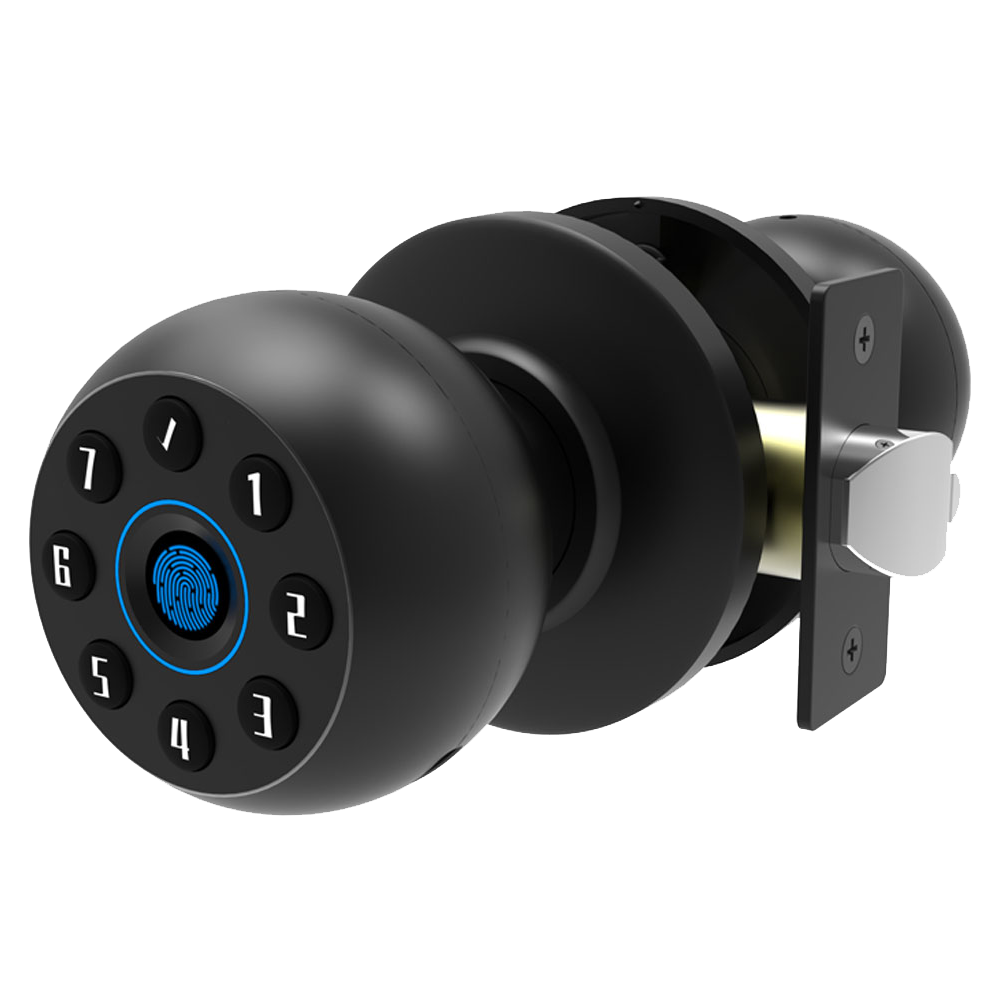
Give the fingerprint sensor (a reader that checks your unique fingertip pattern) a gentle wipe with a soft microfiber cloth. Dirt or oil can lead to a misread, and that tiny smudge can stop you from getting inside. You want that smooth metal faceplate shining and ready.
On weatherproof models, peek at the gasket seals and snug up the mounting screws. Loose hardware or worn seals let moisture sneak in, and wet parts = glitch city.
Common hiccups and quick fixes:
- Battery drain on Wi-Fi locks: cut back how often your lock checks in (polling interval).
- Scan mix-ups: re-enroll your fingers or run a quick sensor recalibration (in the app). It’s like swiping a credit card, fast and easy.
- Keypad firmware bugs (especially on Ultraloq): install the vendor’s patch update (the maker’s fix for known bugs).
- Connectivity drops: reboot the hub or hold the reset button for 10 seconds to reset the device.
And you’re back in business.
Advanced Smart Home Integration with Fingerprint Smart Door Locks
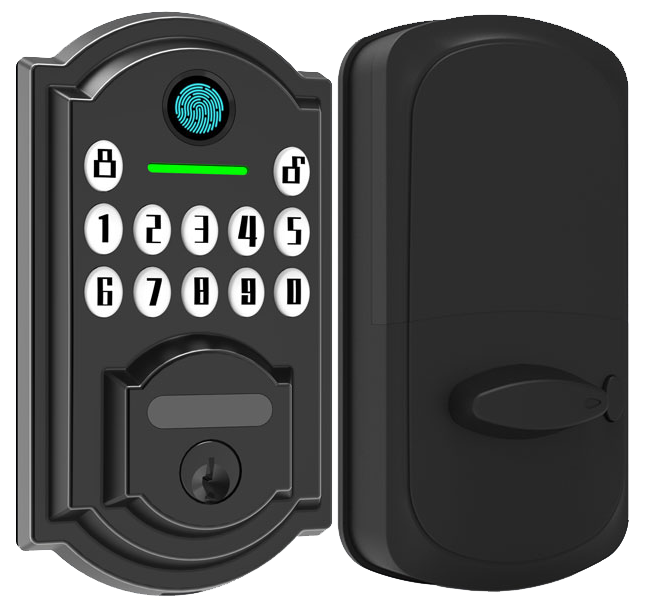
Fingerprint locks do more than replace keys. They turn your front door into a control hub. Most connect right out of the box with Amazon Alexa, Google Assistant, or Apple HomeKit. Just say “Alexa, lock the front door,” and you’ll hear that reassuring click.
IFTTT automation (rule-based workflows) and Matter support open up cool routines. Picture your hallway light glowing the moment you press your fingertip on the smooth metal faceplate. Or your living-room display showing who’s coming and going. It’s like having a digital butler. No bowtie required.
Geofencing (phone location tech) lets your door greet you. Walk up, and a soft LED glow signals it’s ready. Then the bolt slides back all on its own.
Step away and it clicks shut again. You can still use the mobile app if you need remote access from the airport lounge.
Your phone keeps you in the loop. Door-ajar alerts, low-battery warnings, and forced-entry alarms ping in real time. Running a Zigbee or Thread network (wireless control systems) might need a small hub. But setup is usually a breeze.
Ever juggled bags and keys at night? Set the lock to auto-secure at 10 PM. Or whisper “Hey Google, lock the door” before drifting to sleep. Come morning, unlock and watch your coffee maker spring to life. Security and comfort, perfectly synced.
Personal security and convenience, woven into your smart home.
Final Words
We’ve explored how fingerprint smart door locks retrofit your deadbolt with a sleek, metal faceplate. You saw key features like multi-user scans, tamper alarms, and AES encryption for rock-solid security.
Then we compared top models and looked at price tiers to fit each budget. Next came DIY setup tips in 10 to 25 minutes with a screwdriver.
And you learned simple care steps and home automation tricks to keep your lock humming. Ready to upgrade? Your guests will love the frictionless check-in and you’ll rest easy with Fingerprint Smart Door Locks.
FAQ
- What are the best fingerprint smart door locks?
- The best fingerprint smart door locks include Starlight Smart Lock X with built-in Wi-Fi, Ultraloq U-Bolt Pro for Bluetooth access, and Eufy Video Smart Lock combining fingerprint, camera, and app control.
<dt>Are fingerprint smart door locks worth it?</dt>
<dd>Fingerprint smart door locks replace keys, add hands-free convenience and strong security, offer remote control and reliable backup methods, though they cost more upfront than standard deadbolts.</dd>

<dt>How do fingerprint door entry systems work?</dt>
<dd>Fingerprint door entry systems capture fingertip images via a scanner, compare them against stored templates, grant or deny access in seconds, and record each event for user tracking.</dd>

<dt>What are the drawbacks of fingerprint smart door locks?</dt>
<dd>Fingerprint smart door locks can face scan errors, require battery power, and may suffer connectivity drops on Wi-Fi models, and initial setup can be more complex than mechanical locks.</dd>

<dt>Do fingerprint smart door locks include a physical key or deadbolt option?</dt>
<dd>Most fingerprint smart door locks include a mechanical keyway or deadbolt option as backup access during power loss or system faults and manual override capabilities.</dd>

<dt>Do fingerprint smart door locks work with a mobile app?</dt>
<dd>Many fingerprint smart door locks link via Bluetooth or Wi-Fi to a mobile app for remote access control, user management, and activity logs.</dd>

<dt>Is there a setup manual for fingerprint smart door locks?</dt>
<dd>Manufacturers provide printed or digital manuals with step-by-step installation, app pairing, fingerprint enrollment, troubleshooting tips, and maintenance guidance.</dd>

<dt>Are there fingerprint smart door locks with built-in cameras?</dt>
<dd>Models like Eufy Video Smart Lock combine a fingerprint reader with an HD camera for real-time video and two-way audio at your door.</dd>

<dt>Which fingerprint smart locks are best for bedroom doors?</dt>
<dd>For bedroom doors, compact Bluetooth-only locks such as Ultraloq U-Bolt Pro offer quiet motors, multi-user support, and simple keypads for guest privacy.</dd>

<dt>Are biometric fingerprint door locks suitable for business use?</dt>
<dd>Biometric fingerprint door locks support multi-user management, encrypted audit trails, and remote monitoring, making them ideal for office, warehouse, or retail entry points.</dd>

<dt>Does the Yale Assure Lock 2 support fingerprint access?</dt>
<dd>The Yale Assure Lock 2 touchscreen model supports an optional fingerprint accessory module sold separately, adding biometric access to select units.</dd>

<dt>Where can I find reviews for fingerprint smart door locks?</dt>
<dd>You can find fingerprint smart door lock reviews on tech blogs, retailer sites like Amazon and Best Buy, plus user forums for real-world feedback.</dd>

