
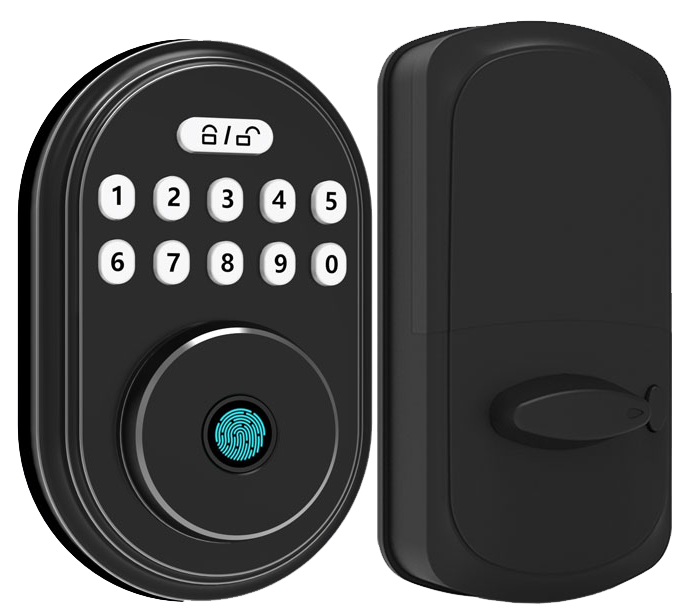
Ever think your door lock can’t keep pace with your smart home’s brain? What if a burglar had an app to crack it? Scary, right.
It’s time to talk about electronic deadbolt locks. Picture the smooth metal faceplate, the soft LED glow, and that reassuring click when you lock up at night.
In this guide, we’ll walk you through five smart locks. Some cost under $100, others top $200. We’ll cover numeric keypads, Bluetooth pairing (a wireless link to your phone), Wi-Fi control, and even fingerprint access (a reader that checks your unique fingertip pattern).
You’ll see what makes each lock tick. And you’ll find the perfect match for your super smart home.
Electronic Deadbolt Locks Overview: Models, Features & Pricing
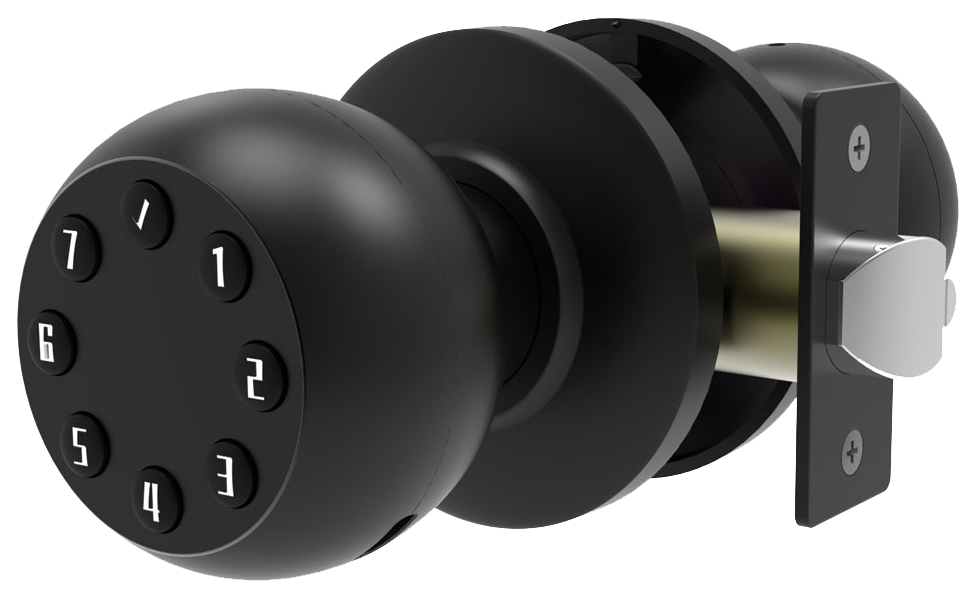
Electronic deadbolt locks cover a wide price range and security needs. They start under $100 and climb over $200 depending on features. You decide if you want a basic code pad or a smart, connected lock. Each one gives you a solid metal faceplate and a reassuring click when it locks.
Our value keypad locks sit between $80 and $100. They have a backlit keypad (an illuminated number pad) where you can save up to six user codes. There’s also a standard key backup for those times you just need to turn the key. Perfect for simple home doors or rental properties.
Step up to the mid-range keyless entry models and you’re in the $100–$200 zone. They ditch the key entirely and add Bluetooth (short-range wireless link) so you can unlock with your smartphone, kind of like pairing your headphones to your phone. You’ll usually get room for about 15 access codes.
The premium smart locks run $200 and up. You’ll get Wi-Fi or Z-Wave (a home automation wireless tech) built in, so no extra hub is needed on some models. Fingerprint scanning (a reader that checks your fingertip pattern) and voice control with Alexa, Google Assistant, or Apple HomeKit come standard. Plus, you can program up to 25 unique codes and get an instant alert if someone keeps punching in the wrong PIN.
Solid.
| Model Tier | Price Range | Key Features |
|---|---|---|
| Value Keypad Lock | $80–$100 | Backlit keypad, up to 6 codes, key backup |
| Mid-Range Keyless Entry | $100–$200 | Bluetooth unlocking, app control, ~15 codes |
| Premium Smart Lock | $200+ | Wi-Fi/Z-Wave, fingerprint, voice assistants, 25 codes |
Every model is CE certified and goes through rigorous testing so you can count on it lasting for years. Whether you want simple code access or full smart home integration, these locks deliver peace of mind. For top-notch security, check out an Anti-theft smart lock for homes. If you prefer a classic look with both keypad and key, take a look at the Smart door lock with keypad and key.
Electronic Deadbolt Locks: Core Features & Security Standards
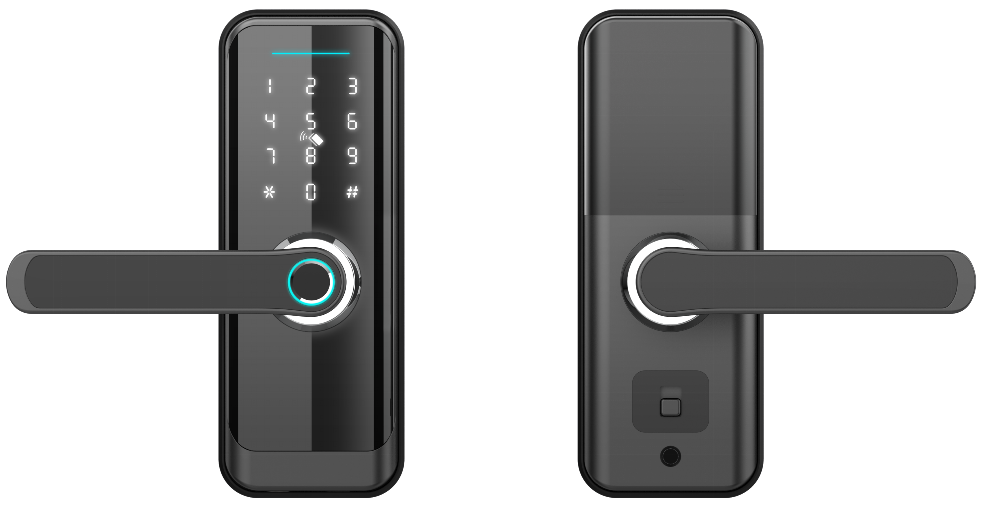
When you pick a lock, you want to know it’s rock-solid. ANSI/BHMA ratings show how tough each lock is.
ANSI Grade 1 deadbolt (top durability and best at stopping break-in attempts). It’s the heavy-duty champion. Grade 2 locks are made for homes. Grade 3 works for low-risk spots like sheds.
We’ve also earned BHMA AAA certification, a triple-A stamp for security, durability and finish. And thanks to 20 years of real-world testing, our locks meet CE standards too.
Each lock starts with a smooth metal faceplate and a soft LED glow. Inside, you get a tamper alarm (an alert if someone pries or shakes the bolt) plus anti-tamper sensors. Want to know a secret? Our auto-lock timer gives you a reassuring click after you walk away.
Updating firmware (the software inside your lock) is a breeze. Encrypted communication (secret codes on every message) keeps digital thieves out. And if the batteries die, a quick 9V jump-start or emergency key override gets you back in. Low-battery alerts even wink at you before power runs out.
Key features to look for:
| Feature | Why it matters |
|---|---|
| ANSI/BHMA grades 1–3 | Pick your security level |
| Backlit keypad with anti-peep codes | Clear entry and privacy |
| Tamper alarm & anti-tamper sensors | Instant alerts |
| Auto-lock & passage modes | Flexibility and peace of mind |
| Emergency key override & 9V backup | No lockouts |
| Multi-user codes (15–25) | Share access safely |
| Firmware updates & encrypted comms | Future-proof security |
| Low-battery alerts & external power | Never get stranded |
When you compare locks, lean in on an ANSI Grade 1 model for top-tier security. Solid.
Electronic Deadbolt Locks Integration & Wireless Protocols
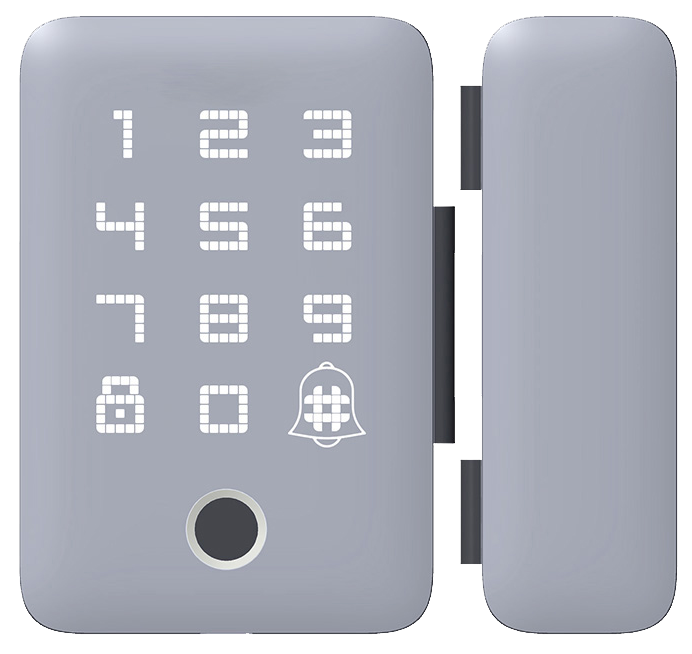
Smart locks aren’t one-size-fits-all. They need the right wireless link to fit your home’s setup.
Bluetooth deadbolt access (short-range wireless link) pairs right with your phone. It’s just like syncing your headphones. Tap a button, and within 10 to 30 feet you’ll hear a reassuring click as the smooth metal latch swings open. No hub required.
If you’re out and want to check your lock, a Wi-Fi enabled deadbolt (connects to your home internet) has you covered. It talks straight to your router. No bridge is needed. The companion app lets you lock up from the office or send a guest code on the fly, and it links with Alexa, Google, or HomeKit so you can use your voice.
For bigger setups, Z-Wave deadbolt compatibility (low-power mesh network) and ZigBee deadbolt support (wireless standard for smart devices) step in. They hand off signals like a relay race, stretching coverage past 100 feet. You’ll need a home automation hub, but once it’s humming, your smart lights, sensors, and locks all play nice together. Ideal for luxury homes or small offices.
| Protocol | Range | Hub Required | Integration | Example Model |
|---|---|---|---|---|
| Bluetooth | 10-30 ft | No | Smartphone app | Starlight BLE Deadbolt |
| Wi-Fi | Unlimited | No | Alexa, Google, HomeKit | Starlight Wi-Fi Lock |
| Z-Wave/ZigBee | 100+ ft (mesh) | Yes | Smart hubs, IFTTT | Starlight Z-Wave Deadbolt |
Electronic Deadbolt Locks Installation & Compatibility Guide
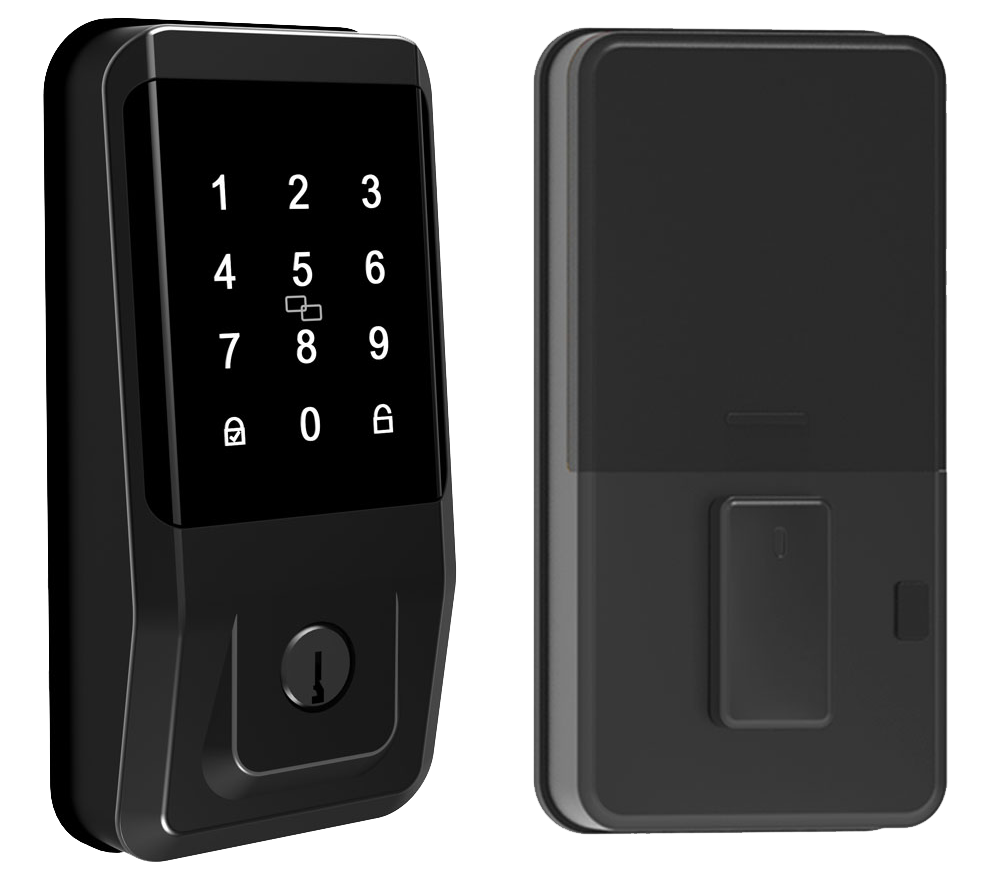
Most electronic deadbolts fit right into standard door prep. They work with a 2 3/8" or 2 3/4" adjustable latch backset (the distance from the door edge to the center of the hole) and doors that are 1 3/4" thick. Battery-powered models skip messy wiring, so you only need a screwdriver, hole saw, and level. It’s like swapping out a light bulb – fast and simple.
Ready to get started? Follow these steps.
- Check door prep. Measure your backset and confirm the door thickness. Use a new construction kit for fresh frames or a retrofit plate to cover old holes.
- Drill holes. Clamp the paper template to your door, then use the hole saw at the marked spots. Drill the latch hole next, keeping the drill steady and straight.
- Mount the lock. Slide the latch in place and tighten screws until the smooth metal faceplate sits flush. Attach the exterior keypad and the interior assembly so they line up perfectly.
- Insert batteries and program codes. Pop in fresh AA batteries (they last about a year). Set up user codes on the keypad or link to the app – think of it like pairing headphones to your phone.
- Test it. Lock and unlock the door five times to hear that reassuring click. Make adjustments as needed, then snap on the trim plate.
Over 10,000 people have installed their deadbolts this way. Solid.
With just these tools and a bit of patience, you’ll have a smart lock ready to guard your home.
Starlight Electronic Deadbolt Locks: Brand Spotlight & Top Models
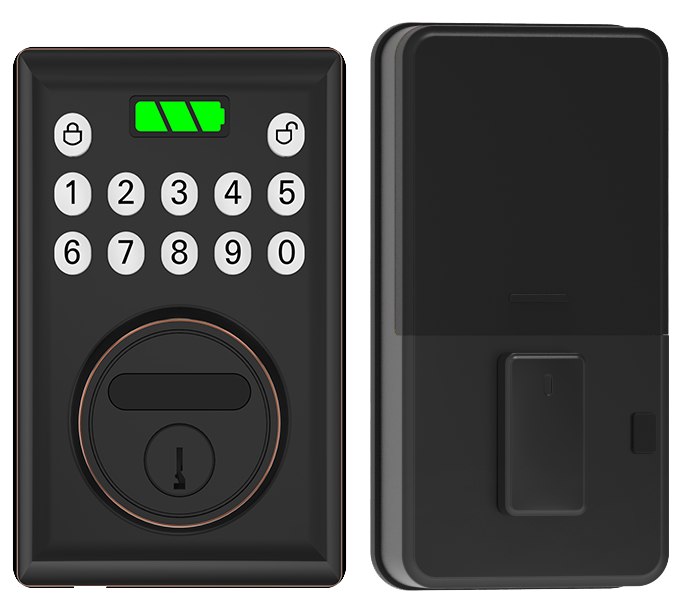
Starlight locks earn ANSI Grade 1 (the top security rating for residential locks) and CE certification (a European safety mark). They store up to 25 unique entry codes. Plus, you get firmware updates (software fixes and new features), low-battery alerts, and a backup key override.
The smooth metal faceplate feels solid under your hand. You’ll hear a reassuring click as the latch slides into place. Each model comes in stainless-steel or matte-black. They’re built in our own factory in China, backed by a three-year warranty, and shipped in protective, eco-friendly boxes. Solid.
Need help? Our friendly team is ready 24/7 by phone or online. You’re never more than a call away.
Um, the Starlight mobile app gives you an easy dashboard. Set guest codes with one tap. Geofencing unlocks the door as you approach. Seamless.
Prices start at $99 and go up to $149.
| Model | Range | Hub Required | Special App Features | Price |
|---|---|---|---|---|
| Bluetooth | Up to 30 ft | No | Local auto-unlock; guest scheduling | $99 |
| Wi-Fi | Router coverage | No | Remote lock/unlock; push alerts | $129 |
| Z-Wave | Mesh up to 100 ft | Yes | Works with 500+ Z-Wave devices | $149 |
Electronic Deadbolt Locks FAQs: Expert Answers
Which battery works best for busy doors?
If your lock gets a lot of traffic, we suggest rechargeable NiMH cells (nickel-metal hydride batteries). They hold a steady voltage so your lock always gives you that reassuring click. Swap all four cells at the same time so they drain evenly (see Battery Replacement guide). For doors with fewer than ten entries a day, disposable alkaline cells are fine.
My Wi-Fi signal drops near thick walls – how can I improve it?
Try placing a mesh Wi-Fi extender within ten feet on the same side of the wall as the lock. Think of it like putting a booster right where you need it. Keep the lock at least two feet away from metal mail slots or extra deadbolts. Before you install, run a quick site survey (see Integration section) to spot any weak spots.
HomeKit pairing fails after a firmware update – what should I do?
First, make sure both your lock and hub run the latest firmware (see Firmware Updates section). Only H2-series models work with HomeKit without a bridge module. In the app, delete the lock entry, then reboot the keypad by tapping the star key five times. Finally, try pairing again.
What’s a good maintenance schedule?
Wipe the smooth metal faceplate once a month with a damp cloth. Every three months, test the emergency key override and lightly lubricate the cylinder with graphite powder (see Installation & Maintenance Tips). Twice a year, inspect the keypad seals for any wear. Solid care keeps your lock feeling like new.
Any extra steps for better security?
Set the auto-lock timer to under 45 seconds so you can’t accidentally prop the door open. Enable dual-entry mode (PIN plus fingerprint) for a second layer of protection. And rotate your admin codes every 90 days. Want to know a secret? This combo is a game-changer.
Final Words
in the action, we walked through the key types, from basic models with backlit keypads to smart options with phone apps. Then we covered ANSI grade ratings and built-in alarms. You saw how Bluetooth, Wi-Fi and Z-Wave choices fit your setup. Next, we outlined a simple install guide for any door. We shone a light on Starlight’s top models and answered common how-tos in our FAQ section.
Here’s to smoother access and peace of mind with Electronic Deadbolt Locks.
FAQ
What is the best electronic deadbolt?
The best electronic deadbolt locks combine ANSI Grade 1 security, multiple user codes, a physical key override and optional Wi-Fi or Bluetooth for reliable remote access and peace of mind.
What are the disadvantages of using electronic locks?
Electronic locks can fail if batteries die or firmware needs an update, may face hacking risks without strong encryption and sometimes incur higher upfront cost compared to a simple mechanical lock.
How secure are electronic deadbolts?
Electronic deadbolts rated ANSI Grade 1 meet high forced-entry resistance and durability tests, often with tamper alarms and encrypted communications to keep your home safer than many traditional deadbolts.
Can I install a digital lock in an existing door?
You can install most digital deadbolts in an existing door with standard 2⅜ or 2¾ backset holes using common tools like a screwdriver and drill, taking about 45 minutes for a DIY fit.
Which electronic deadbolt lock brands are popular and where can I buy one?
Popular brands include Schlage, Kwikset and Starlight, all available on Amazon and major home centers, offering models from basic nine-code keypads to fully featured Wi-Fi or Z-Wave systems.
What entry options are available for keyless entry locks?
Keyless entry locks offer backlit keypads for PIN codes, biometric fingerprint sensors (a reader that checks your unique fingertip pattern), RFID fobs and physical key overrides for backup access.
What are electronic door locks?
Electronic door locks use battery power and electric motors to secure doors, replacing or adding to mechanical deadbolts and often featuring codes, remote control via apps and tamper alerts for modern convenience.

