
Think your smart lock is bulletproof? Think again. Research shows 60% of intruders breeze past generic security devices in under 30 seconds.
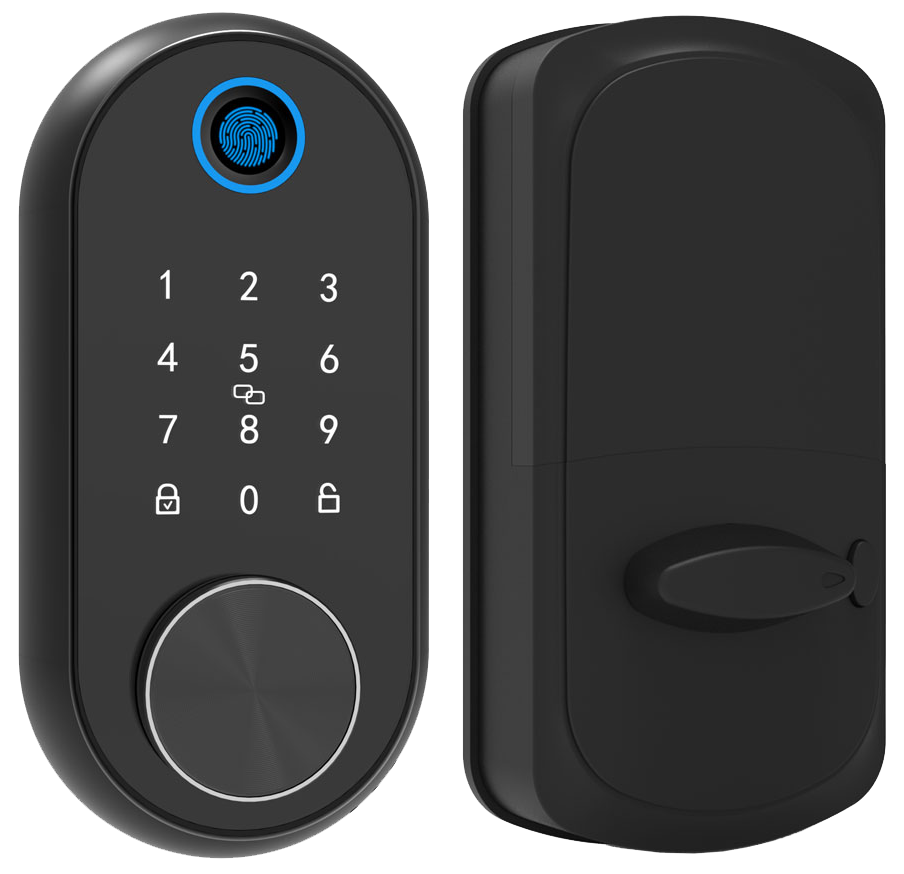
Most off-the-shelf locks have a smooth metal faceplate, a soft LED glow, and a basic PIN pad. They work fine for a regular door, but if you need to fit a thicker frame or add a fingerprint reader, they’ll leave you hanging.
Custom smart locks let you upgrade to a biometric fingerprint sensor (a reader that checks your unique fingertip pattern). Pretty neat, right? Or you can set geofencing auto-locks that give a reassuring click as you walk away.
Here are five custom models built to boost your home’s protection.
How Custom Smart Locks Deliver Tailored Security and Convenience
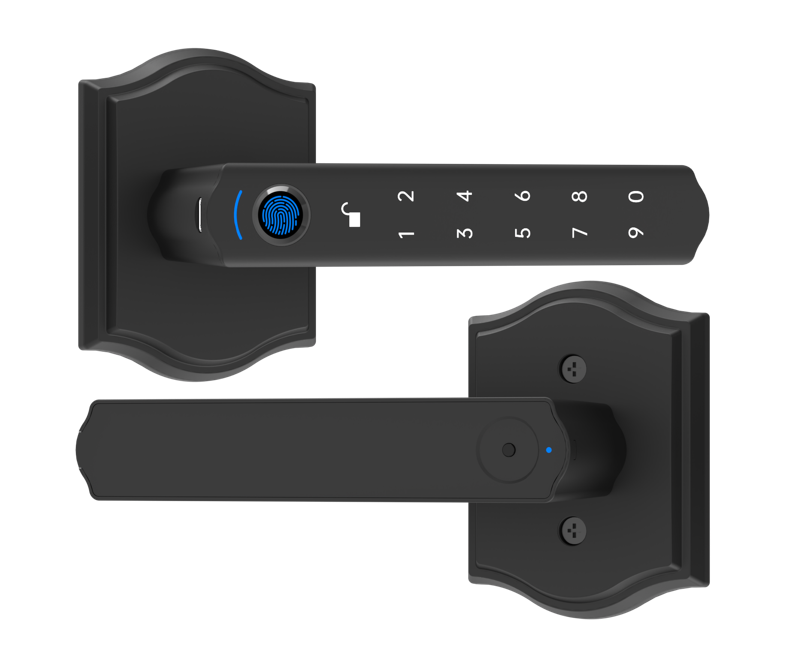
Most off-the-shelf smart locks arrive with a smooth metal faceplate and a fixed set of features – like a basic PIN pad or simple Wi-Fi connection. They’re fine for standard doors, but if you want a biometric fingerprint sensor (a reader that checks your unique fingertip pattern) or geofencing on a thicker door, they often miss the mark.
And even when you add a generic hub, those one-size-fits-all locks struggle with unique layouts or complex property-management systems. That’s why we design custom smart locks that adapt both hardware and software to your exact needs.
- Personalized access codes (unique PINs you set for each user) and daily or weekly scheduling
- App-based user-access hierarchies (designate admins, guests, staff)
- Remote lock and unlock from anywhere via your smartphone
- Biometric/fingerprint module add-ons (extra security with fingertip scans)
- Geo-fencing auto-lock setups (locks close as you walk away)
At Starlight Hardware, we kick off every project with a quick design consultation. We’ll measure door thickness, choose ANSI Grade 1 or BHMA AAA components, and guide you through API integration (a way to link our lock to your system). You’ll get a detailed quote in days, not weeks, so you can move forward with confidence.
Over 10,000 locks installed worldwide. Solid.
Material and Finish Options in Custom Smart Locks
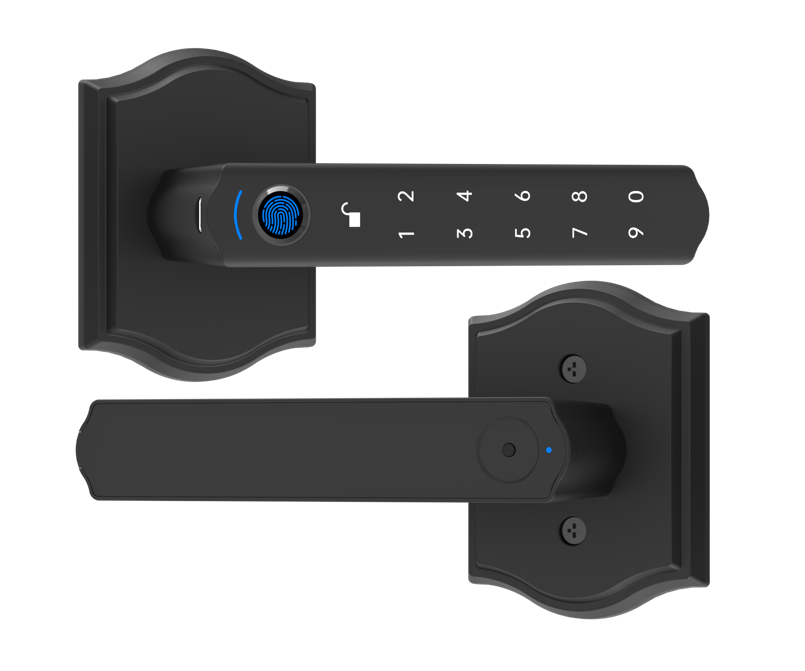
Choosing a smart lock feels like picking hardware art for your door. At Starlight Hardware, we offer lock bodies in stainless steel, brass, and aluminum, each with a smooth metal faceplate that blends with wood, stone, or metal frames.
Finishes range from matte black that hides fingerprints to brushed nickel with a warm sheen and polished chrome with a crisp reflection. And if you want a pop of color, our custom-shade batching lets you match almost any hue. Want to know a secret? We can run small batches in your favorite shade.
Handle styles cover the classics and the clean lines. Choose a traditional curved knob or a modern minimalist lever. You can even go with a deadbolt, a lever handle, or an integrated handle-lock form to suit your door’s look and function.
| Material | Finish | Form Factor |
|---|---|---|
| Stainless Steel | Matte Black | Deadbolt |
| Brass | Brushed Nickel | Lever Handle |
| Aluminum | Polished Chrome | Integrated Handle-Lock |
Hmm, that reminds me, you can stamp your brand on the faceplate with an etched (etched means carved into the metal) or printed logo that never wears off. Our mounting plates fit doors 1.75" to 2.25" thick, so even odd frames get a snug fit. Solid.
And our color-batching makes it easy: small runs, precise logo placement, and a finish that feels made just for you.
Core Features and Connectivity of Custom Smart Locks
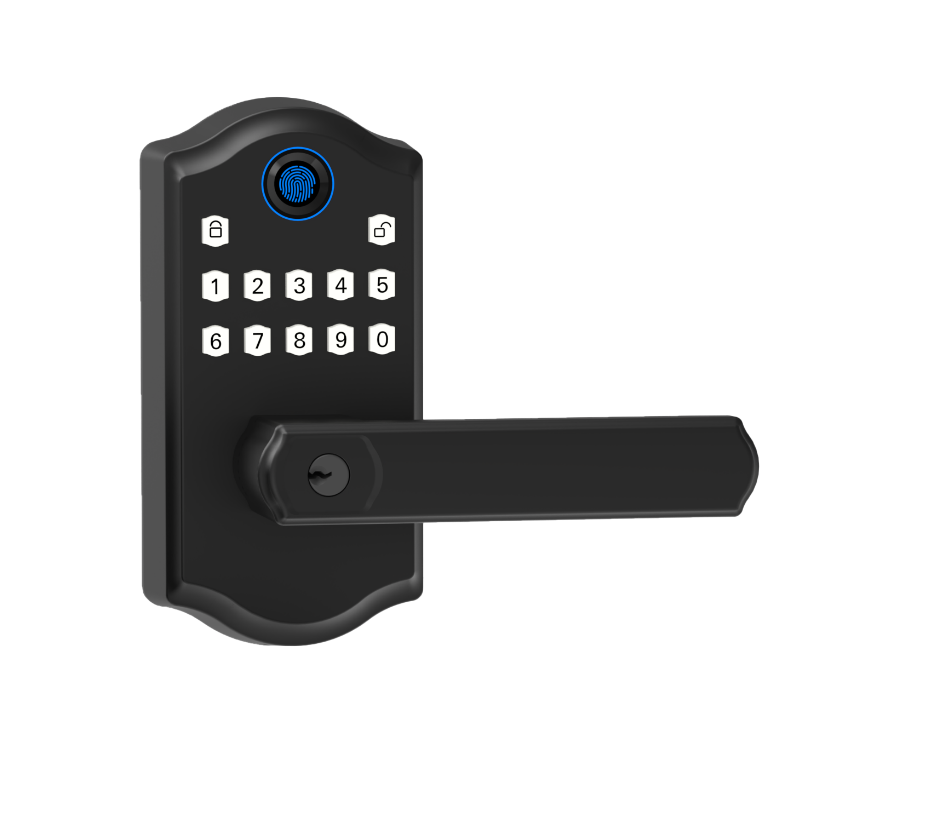
Flexible connectivity means every link in your security chain talks, no matter the door or network. That way, you stay in control, from the front gate to the back office.
You can choose a fingerprint reader (a reader that checks your unique fingertip pattern), a PIN keypad (buttons with a crisp click), and a mobile-app trigger (a tap on your phone screen). And it all fits behind a smooth metal faceplate with a soft LED glow.
Wi-Fi enabled locks join your home network for remote commands. They sip power and can run for six months on a single battery set.
Bluetooth auto-pairing wakes only when your phone is near, stretching battery life toward a year. Want to know a secret? Our auto-lock mode is a game-changer.
Ask Apple HomeKit to lock up at bedtime. Or whisper to Amazon Alexa to secure the porch.
Z-Wave and Zigbee models plug into bigger mesh networks, letting signals hop door to door. No more dead zones.
All signals ride on AES-256 encryption (top-level scrambling). Tamper sensors and door-ajar alerts let you know if someone’s fiddled at the latch.
That mix of speed, range, and power efficiency keeps your lock ready for guest codes, staff passes, or API hooks with your building management system.
- Biometric fingerprint access
- Touch-or-press keypad entry
- Wi-Fi remote control
- Bluetooth auto-pairing
- Voice commands (Alexa/Google/HomeKit)
- Z-Wave and Zigbee hub compatibility
- Tamper and door-ajar alerts
Starlight Smart Locks’ companion-app UI puts lock status, battery level, and user codes on one clear screen. You can schedule over-the-air firmware updates during low-traffic hours – no tech visits needed.
Color-coded activity feeds show who used which access method and when. Admins can export logs as CSV or sync them via API with their property systems.
Instant notifications flag low batteries or forced-entry alarms.
It’s like carrying a security control room in your pocket.
Installation and Integration Services for Custom Smart Locks
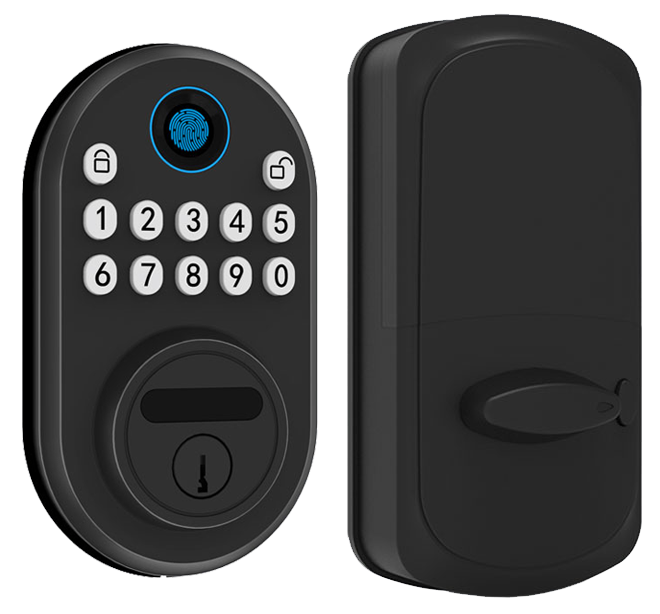
Most installs only need a trusty screwdriver and your smartphone. Our DIY custom smart lock installation guide walks you through each step: mount the latch, align the deadbolt adapter, and snap on the smooth metal faceplate. You’ll find clear tips for doors 1 3/4 to 2 1/4 inches thick, plus a demo on pairing the app. No extra tools or wiring if you’re swapping a single-cylinder deadbolt or using a mortise cavity adapter (a device that fits your door’s recessed lock space).
Scanning the QR code, downloading the companion app, and testing your first unlock feels as easy as hooking up headphones to your phone.
- Screwdriver-only DIY guides
- Professional door prep and wiring
- Mortise and deadbolt retrofit kits
- API and PMS syncing services
For larger property rollouts or tricky retrofits, Starlight Hardware’s pros step in. We handle precise door prep, wiring runs, and fitting of mortise smart lock adaptation kits (brackets for your lock’s door cutout) or deadbolt retrofit adapter kits. Service fees run $100 to $250 per door. We’ll tweak fittings for nonstandard thicknesses and sync each lock with your PMS (property management system) via full API integration (software link).
Remote setup? We’ve got you. Jump on live video guidance to map user codes, test geofencing triggers, and fine-tune auto-lock timing. As a trusted smart lock manufacturer China, our on-site and remote help keeps your locks seamlessly synced with your home-automation ecosystem.
Pricing, Certifications, and Support for Custom Smart Locks
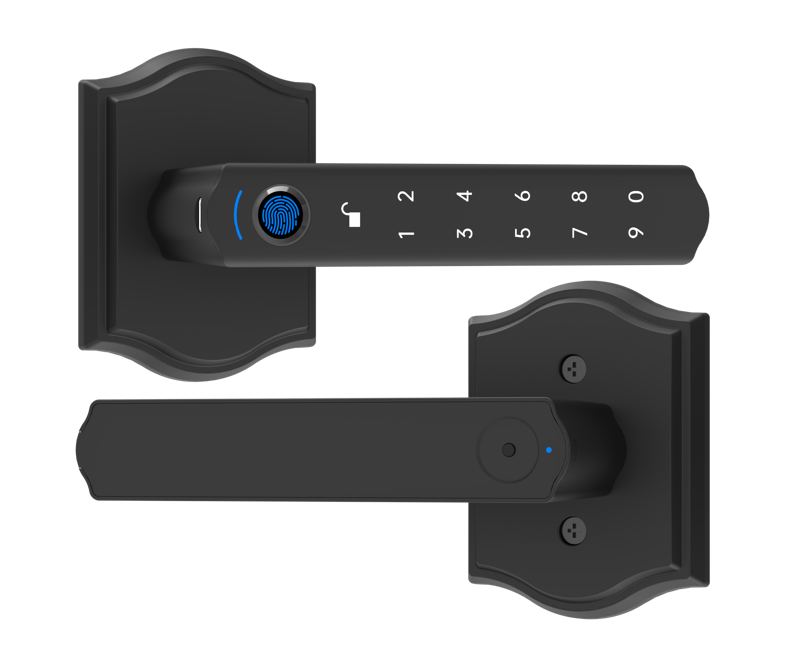
Let’s talk pricing for custom smart locks. A basic set with a keypad or just app control starts around $200. Need a biometric fingerprint sensor (a reader that checks your unique fingertip pattern), remote unlock, and a secure network module? That package climbs to about $600. Price also shifts with security ratings and design details.
You can pick UL certified (safety tested by Underwriters Laboratories) assemblies or upgrade to ANSI Grade 1 for extra strength. Adding an AES-256 encryption module (an advanced code that keeps signals secret) bumps up the sticker price. And if you want your lock to connect with property software via an API (a link for programs to chat), we’ll add a small service fee.
| Price Range | Certification | Warranty Length |
|---|---|---|
| $200–$300 | UL 294 | 1 year |
| $300–$450 | ANSI Grade 1 | 2 years |
| $450–$600 | UL 294 + AES-256 encryption | 3 years |
At Starlight Hardware, we offer extended warranties to stretch coverage past the initial period. Our maintenance plans include an annual check-up, remote OTA (over-the-air) security patches, and firmware updates (software fixes to keep your lock secure). You pick the support level that keeps your custom electronic deadbolt running smoothly, without surprises.
Real-World Applications of Starlight Custom Smart Locks
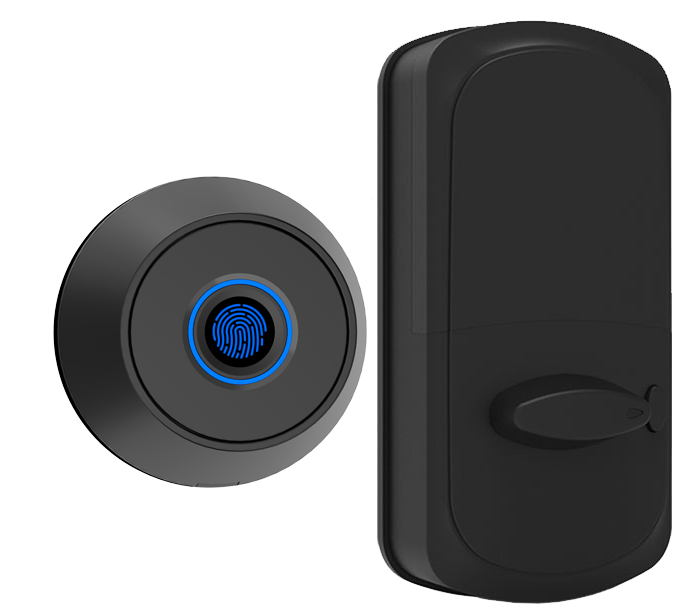
In Maplewood, a family turned their front door into a security showcase. They added a biometric fingerprint sensor (a reader that checks your unique fingertip pattern) and electronic-lock adapters for their basement storage and sliding glass door. The kids simply tap an NFC key fob (like tapping a credit card) to get in, and parents set daily access schedules in the companion app. No more frantic key searches before school.
And downtown vacation-rental hosts swear by our smart locks for Airbnb hosts to make check-ins a breeze. They issue temporary PINs (personal identification numbers) that expire right at checkout. Landlords manage all their units on one mobile dashboard. Guest turnover now takes minutes, not hours.
• Fewer lockouts
• Automated guest-code scheduling
• Centralized access logs
• Reduced maintenance calls
Custom Smart Locks FAQs and Best Practices
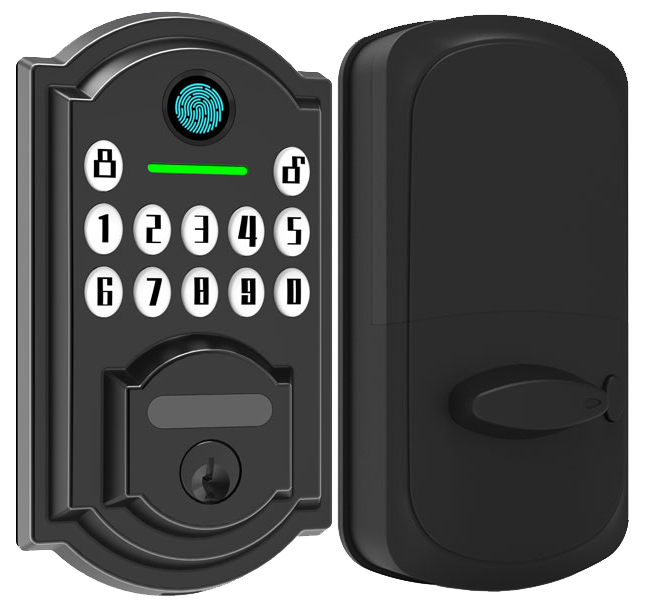
Got questions about custom smart locks? Here are the top ones, answered like a chat with a friend.
-
How long do batteries last and how do I replace them?
Most locks run six to twelve months on four AA batteries (standard size you find at any store). You’ll get a low-battery alert in the app. Slide off the smooth metal faceplate. Swap in fresh batteries and snap it back on. You’ll hear a reassuring click. -
What should I do if Wi-Fi or Bluetooth drops out?
If the connection cuts out, move closer to your router for Wi-Fi or to your phone for Bluetooth. Open the companion app and tap reconnect. Still no luck? Try rebooting your router or restarting your phone. Usually it sorts itself out in seconds. -
How are firmware updates handled?
We push over-the-air firmware updates (built-in software upgrades) every month. The app notifies you when one’s ready. Tap install and give it two minutes. A soft LED glow lets you know it’s in progress. -
Can I set up admin vs. guest code hierarchies?
Yes. The app supports up to 100 unique user codes. You can label each code as admin, guest, or staff. Admins can add, edit, or delete codes right from the dashboard. Solid. -
How does the mechanical key-override work?
If the electronics fail or the batteries die, lift the bottom edge of the faceplate to reveal the metal key slot. Insert your key and turn it like a regular lock. It bypasses the electronics for manual access. -
How do I fully reset the lock?
Press and hold the keypad reset button for ten seconds until the LED flashes red. That clears all codes and network settings. Re-pair via the app just like you did the first time.
Need more hands-on help? Starlight’s 24/7 support portal is in the app and online. You’ll find tutorials, videos, and live chat whenever you need it.
Final Words
In the action we saw why off-the-shelf locks miss the mark and how custom designs fill the gap. We explored material finishes, feature sets, installation paths, pricing tiers, real-life case studies, and FAQs.
We also saw how tailored solutions smooth guest check-in/out, cut unauthorized access incidents, and sync seamlessly with hotel management systems.
With two decades of hands-on expertise at Starlight Hardwares, you can trust the process. Here’s to a brighter, more secure tomorrow powered by Custom Smart Locks.
FAQ
How long do batteries last and how do I replace them?
The batteries in a custom smart lock last 6–12 months. Replace them by sliding off the battery cover, swapping in fresh AA batteries, then snapping the cover back until you hear a reassuring click.
What should I do if Wi-Fi or Bluetooth drops out?
If Wi-Fi or Bluetooth drops out, check your router or phone settings. Move closer to the lock, restart the app, then test the connection again. A soft LED glow confirms it’s back online.
How are firmware updates handled?
Firmware updates on a custom smart lock occur over-the-air (OTA) each month. The lock downloads new software via Wi-Fi then installs it automatically, giving you the latest security fixes without lifting a screwdriver.
Can I set up admin vs. guest code hierarchies?
Admin vs guest code hierarchies are managed in the mobile app. Assign full-access admin profiles, then create time-limited guest codes with start/end schedules. You’ll see each user’s entry log in the app.
How does the mechanical key-override work?
The mechanical key-override lets you spin a physical key cylinder when batteries die or signals fail. Just insert the included key, turn it like a traditional lock, and you’ll hear a reassuring click to unlock.
How do I fully reset the lock?
Fully resetting the lock requires holding the keypad’s reset button for 10 seconds until the LEDs blink red. After that, all codes erase and the lock reboots to factory settings, ready for new setup.
Need more help? Visit Starlight Hardware’s 24/7 support portal for step-by-step guides and live chat.

