
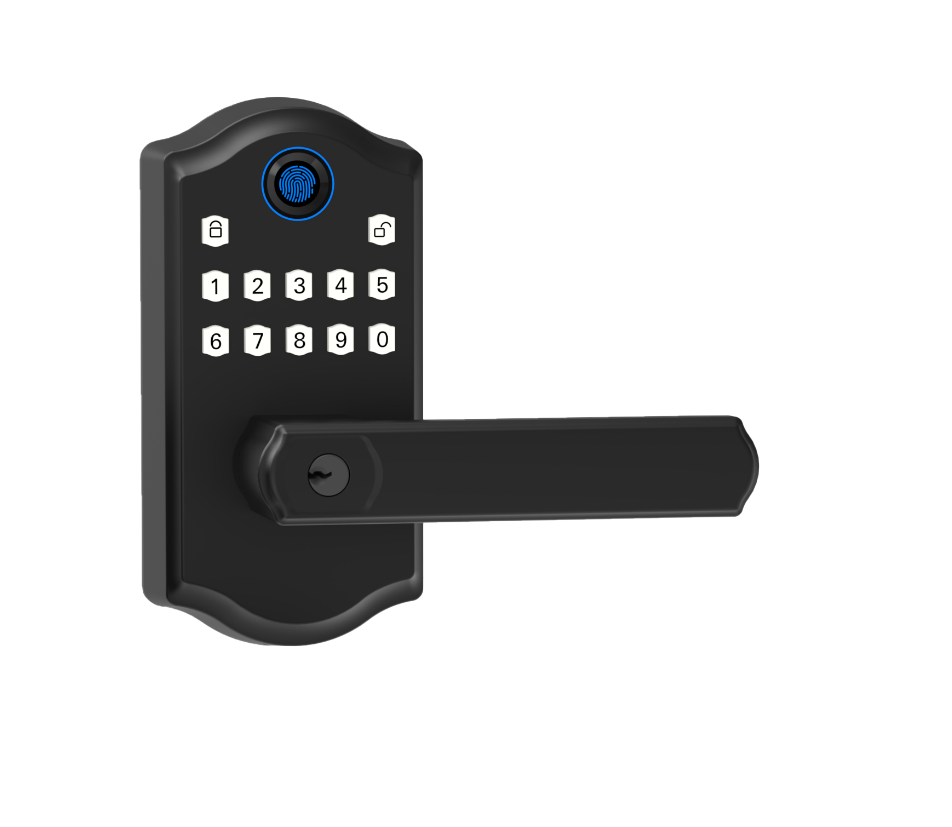
Ever stood at your front door juggling grocery bags while you dig for keys? It’s a tiny snag that can throw off your whole rhythm.
Bluetooth smart locks beam an unlock command from as far as 30 feet away. Think of it like swiping a credit card without even touching your pocket.
You unlock with a fingerprint scan (a reader that checks your unique fingertip pattern), a touchscreen keypad (where you tap in your code), or a quick tap in the app. Each method greets you with a reassuring click. It even has a soft LED glow to guide you at night.
Standard AA batteries power these locks. They run for months, no midweek battery scramble.
We’ve tested dozens. These five standouts blend instant convenience with ironclad protection.
Core Advantages of Bluetooth Smart Door Locks for Keyless Entry
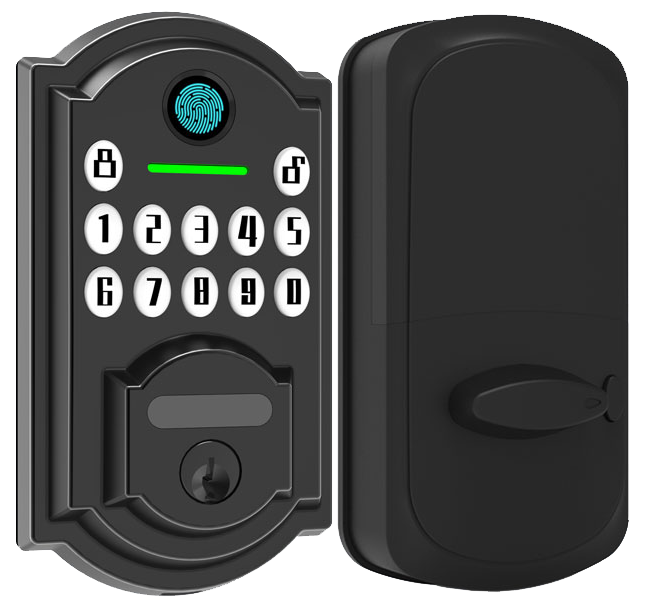
No more digging for keys. Bluetooth smart door locks let you walk right up and unlock with a fingerprint scan (a reader that checks your unique fingertip pattern), a touchscreen keypad (where you punch in your code), a tap in a mobile app, or even a quick voice command. It reacts almost instantly up to 30 feet away.
And the battery life is surprisingly long. Bluetooth uses far less power than Wi-Fi, so you’re not swapping batteries every week. Standard AA batteries can last for about six months before a soft LED glow warns you of low power.
Here are six reasons people pick Bluetooth smart locks:
- Multiple entry options – app, keypad, fingerprint scan, or voice command
- Wireless control up to 25-30 feet
- Geofencing (a location-based feature) for hands-free lock and unlock
- Long battery life – months on standard AA cells
- Fewer lockouts when Wi-Fi goes down
- Mechanical key backup for peace of mind
Starlight Smart Locks really shine in everyday use. We pushed through painted walls and still got a solid 30-foot signal. The smooth metal faceplate feels reassuring in your hand. You’ll hear a crisp click as it locks itself behind you.
Geofence auto-unlock feels like magic when your arms are full. Energy-saving circuitry and four AA batteries (standard cells) keep it powered for half a year. And a soft LED glow shows you right away if it’s locked or open.
Want a pro tip? Auto-lock mode kicks in seconds after you close the door – no extra steps.
Trustworthy sensors, clear LED feedback, and multiple entry methods let you focus on what matters – security.
Security and Encryption in Bluetooth Smart Door Locks
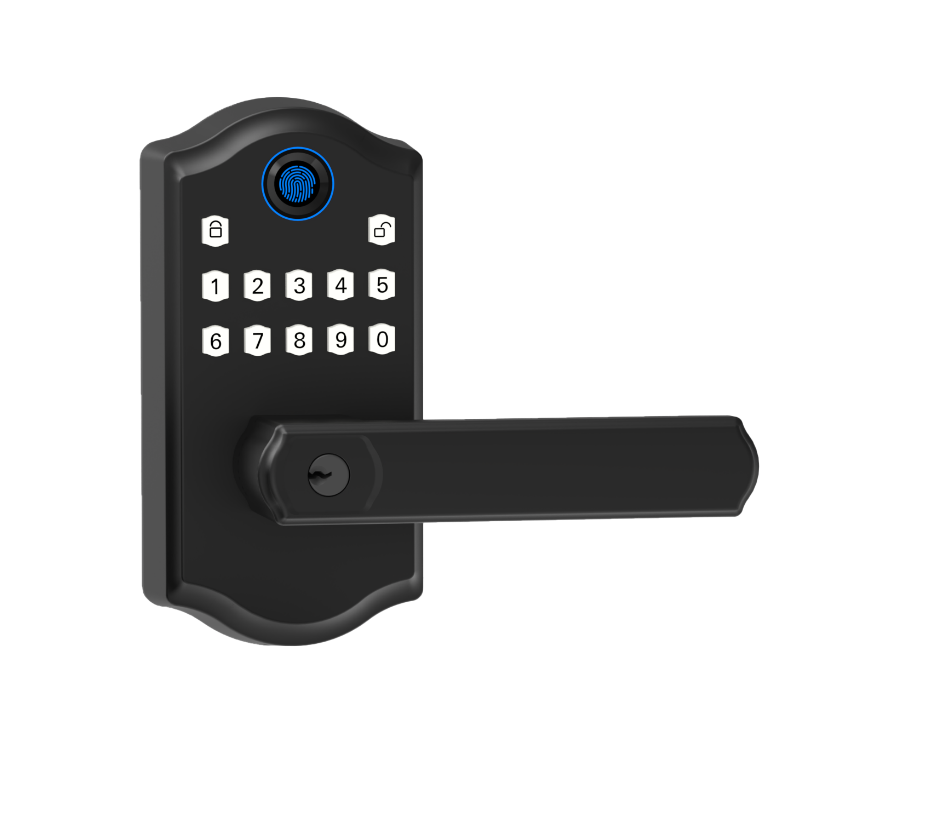
Let’s talk about how your Bluetooth door lock keeps sneaky hackers and nosy neighbors out. It uses AES-128 or AES-256 encryption (a strong code that scrambles every wireless packet) so your unlock command stays secret. You can also turn on two-factor authentication (2FA), which means entering a PIN plus tapping Approve on your smartphone before the bolt clicks open. Think of it like slipping on a spy-proof glove before you twist the doorknob. Each message even carries a checksum (a quick error check) that sounds an alert if anyone tries to mess with it. That layered setup keeps eavesdroppers and unwanted visitors at bay.
- AES-128 or AES-256 encryption (robust data scrambling)
- Two-factor authentication (PIN + phone approval)
- ANSI/BHMA Grade 1–3 ratings for physical durability
- Anti-pick and anti-bump cylinders (blocks lock-picking tricks)
- Tamper detection alarms with push alerts
Physical strength matters just as much as digital smarts. Grade 1 locks (ANSI/BHMA standard for heavy use) shrug off years of hotel-lobby traffic or busy office doors. Grade 2 is perfect for most homes, and Grade 3 handles lighter foot traffic. You’ll find anti-pick cylinders and anti-bump pins guarding the lock’s core, plus built-in tamper alarms that shoot push alerts to your phone if someone tries to force it.
Back to upkeep, keeping your lock in top shape is easy. Install firmware updates through your mobile app to patch any weak spots. Pick a strong app password and rotate PIN codes every few months. Glance at activity logs now and then to spot odd entries. And don’t forget to tighten loose screws and wipe contacts with a damp cloth. That simple routine keeps your lock feeling as fresh as day one.
Installing Bluetooth Smart Door Locks: DIY and Professional Guidance
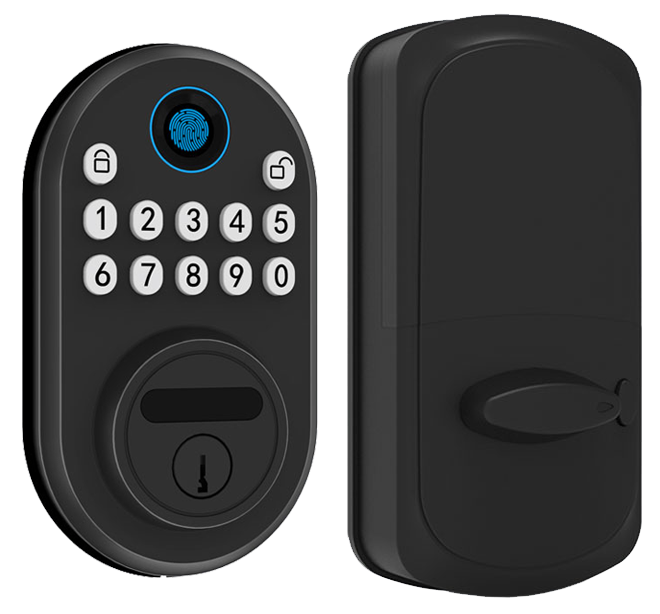
Retrofit smart lock kits slide right into your existing deadbolt hole, almost like swapping a watch band. You keep your old deadbolt and just swap out the thumb turn and the smooth metal exterior plate.
Or you can go full replacement. That means you pull out the old mechanism, line up the new latch and strike plate (the metal piece your latch clicks into), and swap both the inside and outside assemblies. You’ll hear a reassuring click when the latch engages.
Both options give you a sleek new look. Pick the one that matches your skill level and the tools you have on hand.
Here’s a simple step-by-step guide for most DIY installs:
- Measure door thickness (the door’s width) and backset (distance from door edge to hole center). Most locks fit 1¾″ to 2¼″ doors and have adjustable backsets to match your latch.
- Remove the old deadbolt. Unscrew the interior plate, pull out the latch, and wipe the cut edges clean.
- Drop in the new latch and align the faceplate flush with the door edge. Tighten the screws so it doesn’t rattle.
- Mount the exterior keypad or fingerprint reader (a reader that checks your unique fingertip pattern), feeding the cables through the door.
- Snap on the interior assembly, connect any wiring harnesses, and secure with the supplied screws.
- Check the Indoor Outdoor Use rating. Outdoor models often meet IP65 rating (dust and water resistant). Indoor locks skip extra weather seals for a slimmer profile.
Connecting over Bluetooth is like pairing your headphones to your phone. Look for a soft LED glow on the lock to know it’s ready.
If you hit a snag, doors thicker than 2¼″, misaligned strike plates, or messy wiring, calling a pro locksmith setup is wise. Labor costs usually run $100 to $200, depending on local rates and complexity. They’ll make sure everything clicks smoothly and spot hidden issues before they lock you out. Solid.
Feature Comparison: Bluetooth Smart Door Lock Models Side-by-Side
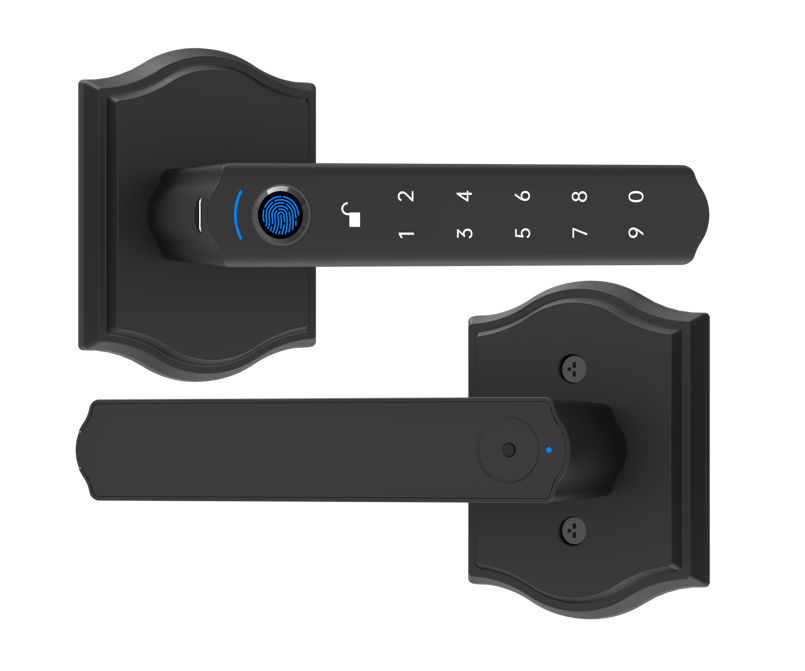
Looking for the right Bluetooth smart lock for your home or office? We laid out the top-rated models side by side so you can spot the features at a glance. You’ll see fingerprint sensors (a reader that checks your unique fingertip pattern), keypad options, smartphone controls, and voice assistant support.
We even note retrofit-friendly designs that fit over existing deadbolts. Prices are clear too, so you can weigh AES encryption (a strong digital lock method), HomeKit support for Apple users, local video storage, and battery backup against your budget. Think of it like comparing cars – just without the engine.
| Model | Key Features | Price |
|---|---|---|
| Ultraloq Bolt Fingerprint | 4.5 stars, Editors’ Choice, fingerprint scan, keypad, mobile app | Under $150 |
| Yale Assure 2 | Apple HomeKit support, keypad & app control, voice assistant ready | $200+ |
| August Smart Lock | Retrofit design, DoorSense notifications, rechargeable battery | $150–$180 |
| Schlage Smart Wi-Fi Lever | 100 user codes, real-time notifications, Alexa/Google support | $200+ |
| Eufy Video Smart Lock | 2K camera, fingerprint sensor, local video storage, doorbell chime | $250+ |
| Starlight SecurePro | AES encryption, ANSI Grade 1, dual-factor authentication, key backup | $180 |
Back to our SecurePro. It uses AES-encrypted Bluetooth (a secure wireless link) and beefy ANSI Grade 1 hardware to block both digital hacks and forced entry. Dual-factor authentication (two ways to prove it’s you) adds extra peace of mind.
Setup is a breeze. The lock snaps onto most standard doors without a fuss, and you’ll feel the reassuring click as you test it. You get mobile app control, voice assistant compatibility, plus a solid mechanical key backup. At about $180, SecurePro undercuts many rivals while still delivering top-tier security and user-friendly operation. Peace of mind never felt this good.
Mobile App Pairing and Access Management in Bluetooth Smart Door Locks
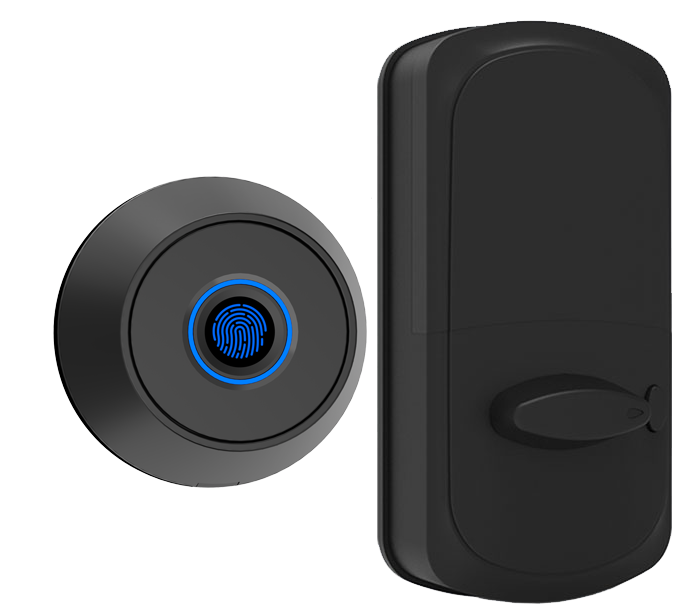
Pairing your phone is as easy as syncing Bluetooth headphones. Open the lock’s app, tap its pairing button, and watch the soft LED glow. Scan the QR code or type in the code by hand. In seconds, your phone and lock are best friends.
Then tap allow for notifications and location access. That way you get an alert whenever the door clicks open or shuts tight.
Go to the Access Management tab. Create temporary access codes (short number sequences that only work at your chosen times) or send digital keys (secure links sent by text or email). Time-based passes let dog walkers or cleaners in during approved windows. You got it!
Want to pause a pass if plans change? You can do that too, instantly.
Our Activity Log Tracking keeps a record of every unlock event with date, time, and user name. Left the door ajar? You’ll get a ping right away. Multiple User Profiles mean parents, roommates, and contractors each get their own login, permissions, and entry method. Lost a phone or need to tweak access? No problem. Edit or revoke on the fly to avoid a lockout.
The app also works with Alexa, Google Assistant, Apple HomeKit, IFTTT, and Matter. Some setups use a small hub or bridge (a mini Wi-Fi booster) for extra range. That way you can unlock and check status from wherever you have internet.
Battery, Firmware Updates, and Maintenance for Bluetooth Smart Door Locks

We already folded battery tips, app alerts, firmware update steps, and cleaning pointers into the maintenance & updates section above. Now, here are the last two bits you need to know.
-
Emergency USB terminal: A micro-USB port by the keypad gives your lock a quick power boost when your AA batteries (standard double-A cells) run out. Think of it like plugging your phone into a charger at the door. Quick tip: keep a spare micro-USB cable in your glove box.
-
Environmental operating range: Our lock works smoothly from 14°F to 122°F (minus 10° to 50°C) in normal humidity. So whether your porch feels like a freezer or your hallway’s a sauna, you’ll still hear that reassuring click.
Starlight Hardware: A Leading Manufacturer of Bluetooth Smart Door Locks in China
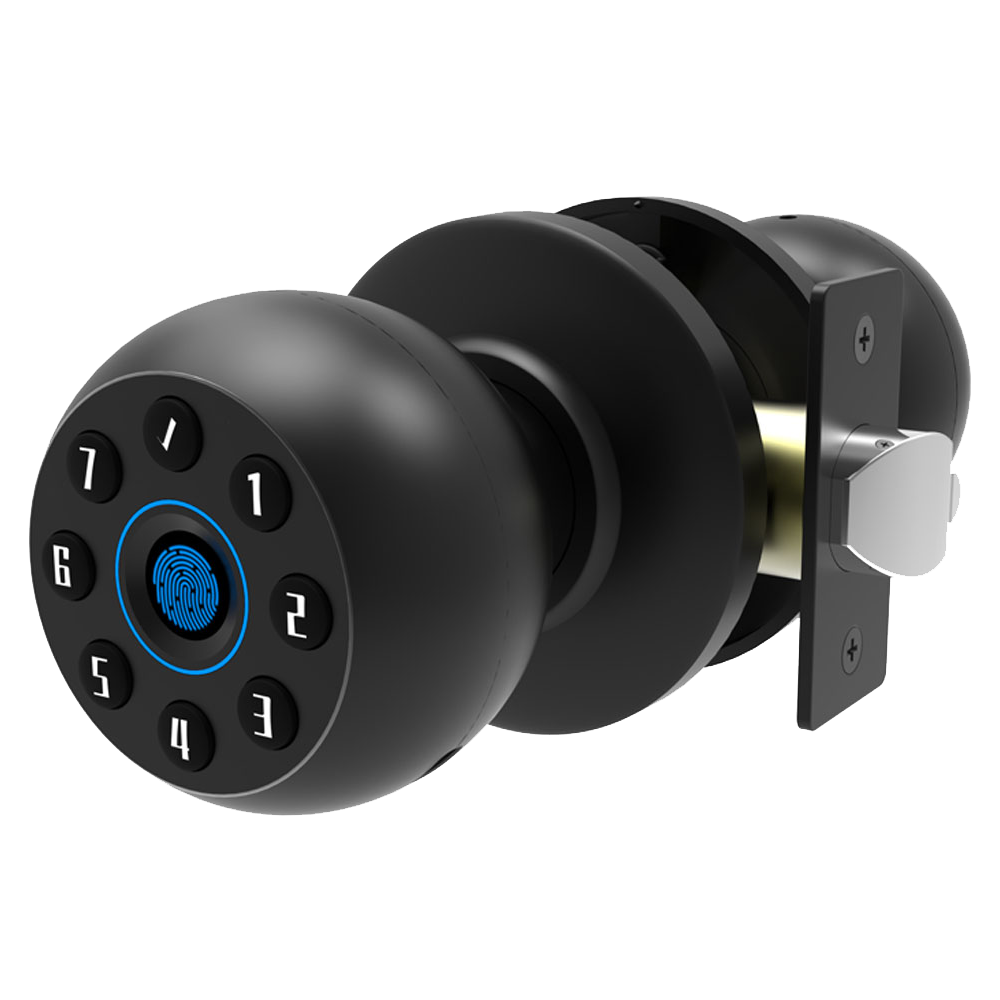
Starlight Hardware is based in Shenzhen, where we’ve spent two decades building smart locks that stand the test of time. Our ISO-certified production lines (a global quality badge) hum with activity. We like to think of each lock as a tiny piece of art. And every one ends with a reassuring click.
In-house engineers inspect every step. We test for CE Mark Compliance (safety in Europe), FCC rules (signal checks in the U.S.), and UL listings (a North American safety stamp). Our locks meet ANSI Grade 1 standards (heavy-duty strength).
Each Bluetooth module (the wireless chip) must hold a solid connection up to 30 feet, like pairing your headphones to a phone. Then the firmware (lock software) gets a security scan to catch any sneaky bugs. Before export, we do random sample audits, humidity and vibration tests, and a final function check.
Need a special finish or engraving? Our OEM/ODM options let you choose custom styles, from brushed steel to bold colors, and add features like a biometric fingerprint sensor (a reader that checks your unique fingertip pattern) or geofencing auto-locking (it latches the door when your phone drives away). That kind of attention to detail means your customers will feel secure night and day!
Our global logistics team handles sea, air, or rail shipping, and we wrap each lock in secure packaging to protect the delicate electronics. Ever raced against a delivery deadline? Our multilingual support squad is on standby to guide you through warranty claims, spare part requests, or even on-site training for your distributors. Whether it’s a home, office, or hotel project, Starlight Hardware delivers the consistent performance you can count on.
Final Words
in the action we’ve explored how Bluetooth-enabled smart locks bring keyless entry, robust encryption, easy installation, and seamless app pairing.
We compared top models, dug into battery upkeep, and saw Starlight’s manufacturing chops.
Our deep dive covered core convenience, security features, DIY versus pro setup, and real-world integration with hotel PMS for faster check-in, fewer unauthorized entries, and syncing systems.
Rest easy knowing Starlight’s Bluetooth Smart Door Locks deliver reliable performance and lasting peace of mind.
FAQ
Do smart locks use Bluetooth?
Smart locks often use Bluetooth to connect your phone directly and unlock the door within about 30 feet without needing Wi-Fi or extra hubs.
What are the downsides of smart locks?
Smart locks sometimes face battery drain, occasional software hiccups, and limited wireless range. It’s wise to keep a mechanical backup key and update firmware regularly.
What is the best smart lock with WiFi?
The best smart lock with WiFi offers direct cloud control, remote locking and unlocking, plus voice assistant support. Models like August Smart Lock Pro with built-in WiFi score high in user reviews.
Is there a door lock you can unlock with your phone?
You can unlock a door with your phone via Bluetooth smart locks. Just open the app and tap “unlock” when you’re in range for quick, keyless entry.
What are the top Bluetooth smart door locks?
Top Bluetooth smart door locks include Starlight SecurePro, Ultraloq Bolt Fingerprint, August Wi-Fi+Bluetooth, Schlage Sense, and Yale Assure. They offer varied price points and methods like fingerprint or keypad entry.
Can I get a Bluetooth smart door lock with a key?
Bluetooth smart locks with a key backup let you use a mechanical key if batteries die or electronics glitch. Many models include a smooth metal key slot on the faceplate.
Are there Bluetooth door locks with cameras?
Bluetooth door locks with cameras, like the Eufy Video Smart Lock, record visitors in HD and send real-time alerts to your phone. The lens sits behind a sleek metal faceplate.
Where can I buy Bluetooth smart door locks?
You can buy Bluetooth smart door locks on Amazon, in home improvement stores, or direct from brands like Starlight, August, Kwikset, and Yale. Shipping and return terms vary by seller.
What is the best WiFi deadbolt?
A top WiFi deadbolt like the Schlage Encode, August Smart Lock Pro, or Yale Assure WiFi offers remote access, sturdy build, and real-time app alerts without needing a separate hub.
How do Bluetooth smart door lock apps work?
Bluetooth smart lock apps pair your phone to the lock, sending encrypted commands when in range. They manage user profiles, log activity, and can trigger hands-free entry via geofencing.

