

Ever worry your house key might be the easiest way in for a burglar?
Wireless smart locks ditch that heavy, clunky key for a sleek code-and-fingerprint system. You’ll press smooth buttons on the keypad, see a soft LED glow, and scan your finger on a biometric fingerprint sensor (a reader that checks your unique fingertip pattern).
They lock themselves behind you with a reassuring click. Want to know a secret? Auto-lock mode is a game-changer. You get instant tamper alerts if someone tries to pry. And you can set visitor codes that expire on their own, so you never fret over old keys floating around.
It’s like teaching your front door a secret handshake and giving it a watchful eye.
In this post, we’ll walk through seven top wireless smart locks that boost home security and bring real convenience. Let’s dive in.
How Wireless Smart Door Locks Deliver Security, Control, and Convenience
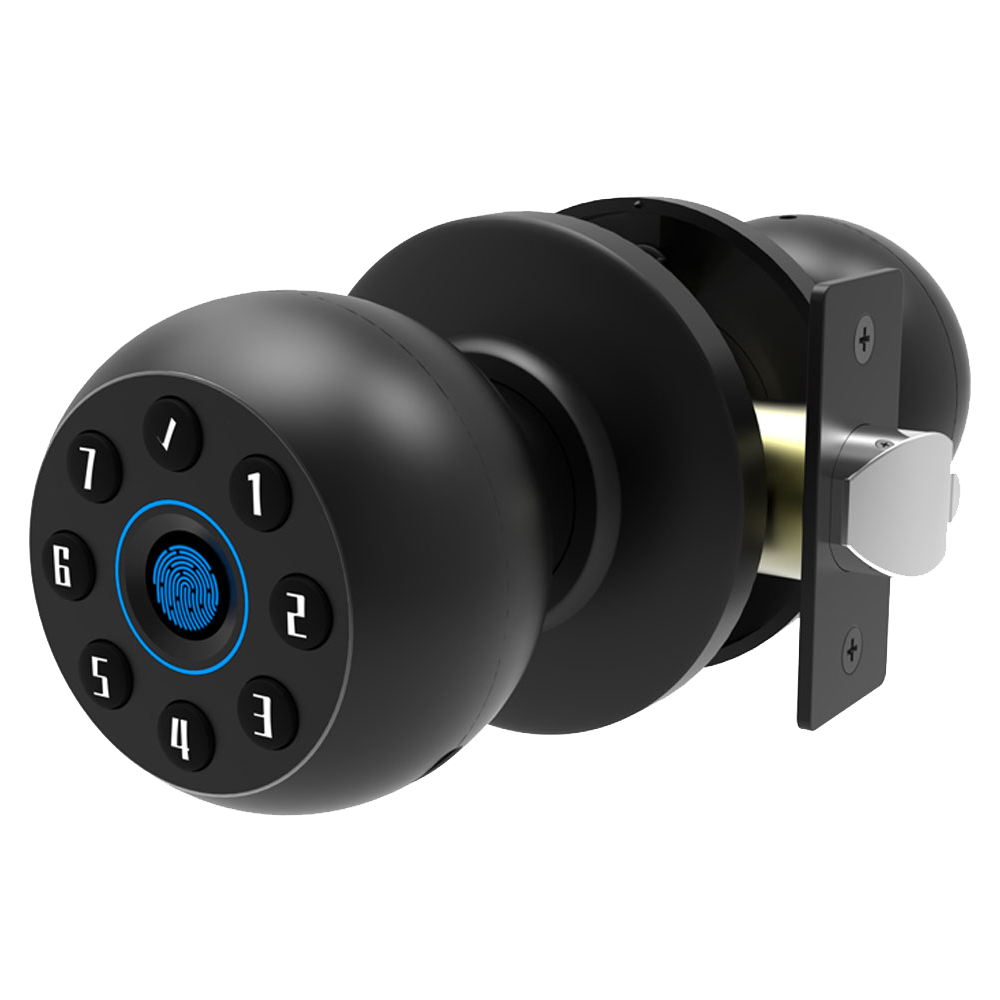
Wireless smart door locks swap out your old deadbolt for a sleek, metal faceplate equipped with Wi-Fi, Bluetooth, or Z-Wave. Instead of fumbling for keys, you tap a smooth keypad, glide your finger over a biometric fingerprint sensor (a reader that checks your unique fingertip pattern), or open a smartphone management app (an app that turns your phone into a digital key). It feels as easy as swiping a credit card, and it’s way more flexible than a standard lock and key.
Security steps up a notch with encrypted communications (think of it like sending secret code words) and tamper-alert notifications that ping your phone if someone tries to pry the lock open. Remote access control means you can lock or unlock your door from anywhere, on your couch, in the office, or halfway across the country. Peace of mind? You’ll get it every time you check your phone.
And when it comes to connectivity, choices matter. Some models include built-in Wi-Fi for a direct cloud link, no extra gear needed. Others lean on a Bluetooth bridge or hub to connect you to your lock. You’ll notice differences in battery life, encryption standards (AES-128 vs. AES-256, if you want the geeky details), and hardware ratings that tell you how tough the lock really is.
Convenience really shines with auto-lock schedules, geofencing auto-unlock (it’s like your phone says, “Hey, I’m home!”), and custom guest access permissions. Need to let the dog walker in between 2 and 3 PM? Issue a one-time PIN code or temporary mobile key that expires on its own. Families dodge the lost-key drama, and rental hosts breeze through check-ins without ever changing a physical lock.
In this guide, we’ll walk you through the must-have features for picking a wireless smart lock. We’ll compare connectivity options, explore home automation integration, cover DIY versus pro installation, unpack security standards and encryption, share battery care tips, and offer top recommendations for every budget and door type. So grab your favorite mug, let’s dive in.
Key Features to Compare in Wireless Smart Door Locks
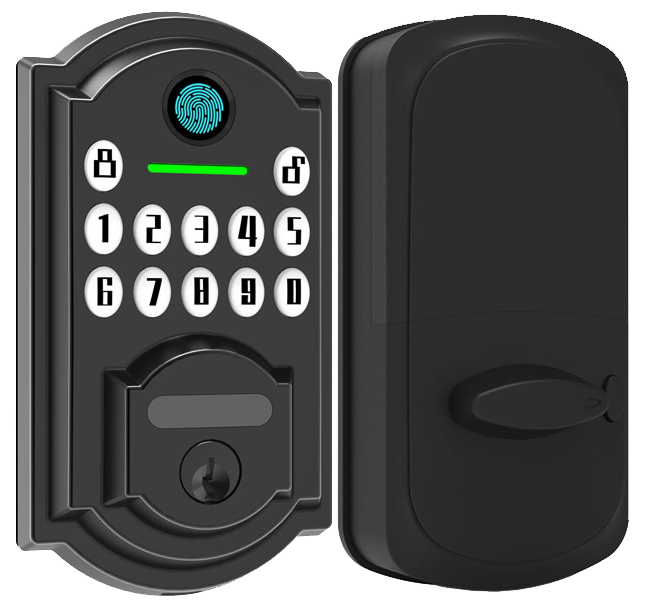
Multi-mode access
Pick the key that fits your day. Use our smartphone app (lock or unlock from anywhere, set guest codes, get live alerts), a numeric touchscreen pad (a screen you tap your PIN on), or a biometric fingerprint scanner (a reader that checks your unique fingertip pattern). It’s like having three keys in one.
Backup mechanical key
Batteries dead? Network down? Your old-school metal key still gets you inside. Simple. Reliable.
DoorSense door-ajar sensor
That soft ping you hear isn’t random, it means your door isn’t fully closed. It spots a door left slightly open and sends you an alert before you walk away.
Access-log history
Think of it as a lock diary. Every lock and unlock event is stamped with a time and user code. So you can always check who came in and when.
Comparing Connectivity Options for Wireless Smart Door Locks: Bluetooth, Wi-Fi, and Z-Wave
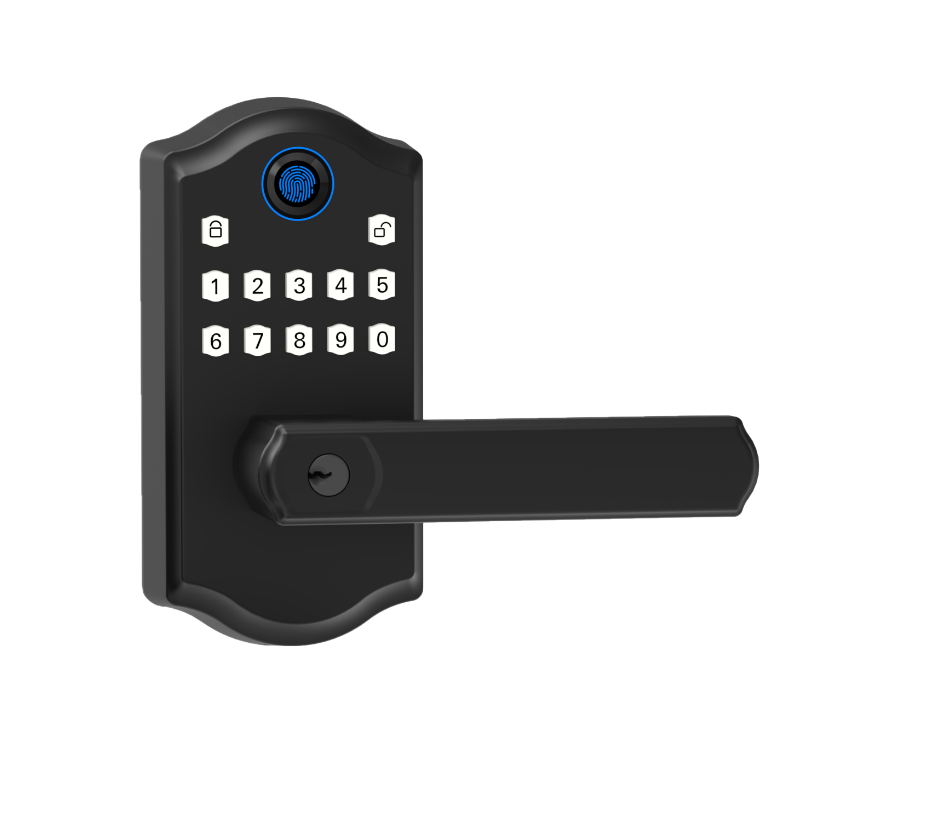
Choosing how your lock talks to your phone feels like picking the perfect handshake. You want a smooth metal faceplate and a soft LED glow when it responds. Let’s look at three popular options.
Bluetooth locks rely on BLE connectivity standard (low-energy radio). Think of it as a chat in a coffee shop up to about 30 feet. It sips battery power like a friendly guest, so your AA cells can last for months. But it only wakes up when you’re in range. Solid.
A Wi-Fi lock gives you remote access from anywhere – your office, the beach, you name it. Some models, like the Schlage Arrive and Encode, have built-in Wi-Fi. Others need a bridge (a small hub you plug into your router) to join your home network. It adds a step, sure, but tap your screen and hear that click at home. Exactly.
Z-Wave locks team up with hubs like SmartThings or Philips Hue. It’s a proven player in home automation, letting you control lights and locks from one dashboard. Range is solid, but you’ll need some patience pairing devices. Um, it’s worth it if you want an all-in-one smart home.
For a deeper look at how these protocols compare, check out The Difference Between WiFi, Bluetooth, and Zigbee Smart Locks.
If you crave hands-free comfort and simple setup, go Bluetooth. If remote control is your jam, pick Wi-Fi. And if you’re building a big smart-home network, Z-Wave might be your best fit. Let’s lock it down.
Home Automation and Voice Assistant Integration with Wireless Smart Door Locks
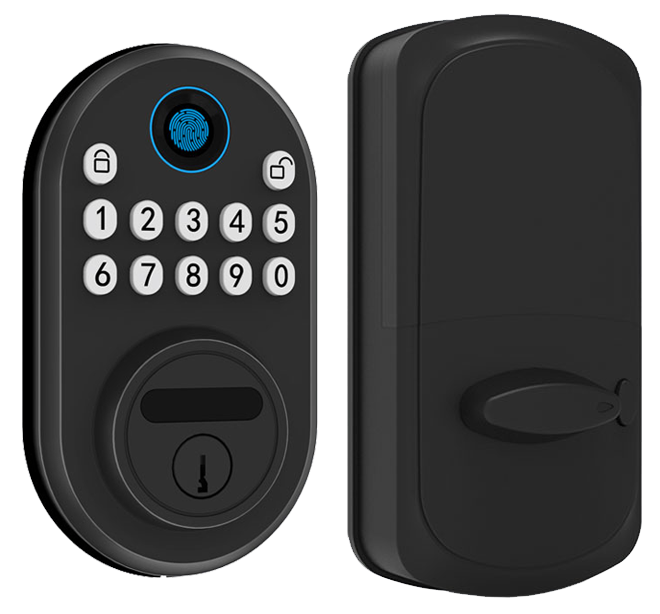
Wireless smart door locks slip into your home automation setup like a missing puzzle piece. They feel right next to your smart thermostat and motion sensors. Many even work with Apple HomeKit, often through a little bridge or a built-in chip. And they talk to Amazon Alexa or Google Assistant. You can say, "Hey Siri, unlock the door". Sorry, I mean "Hey Alexa".
Want to get more out of your smart lock? Link it to your smart lights or security camera with IFTTT automations. IFTTT is a service that connects apps, so you can set a routine to turn on your porch light when the door unlocks or have the lock pop open if a smoke alarm goes off. You can even pair it with your video doorbell to capture a clip and see a soft LED glow every time someone steps up to your door. It's handy.
Brands like Schlage, Yale, and August each handle integration a bit differently. Schlage’s app lets you launch Alexa unlock routines with a quick tap. Yale comes in clutch with Philips Hue lights and the Samsung SmartThings hub for broader control. And August’s lock will respond to a "Hey Google, unlock the door" from your couch, you're good to go.
Here’s a little secret: the Matter protocol is coming soon. It promises true plug-and-play control across brands. Perfect if you’re tired of juggling bridges and extra apps. For tips on tying your lock into property management systems or hotel-style PMS (property management software), check out Integrating Smart Locks with PMS / Smart Home Systems. You're covered.
Installation and Setup for Wireless Smart Door Locks: DIY vs. Professional
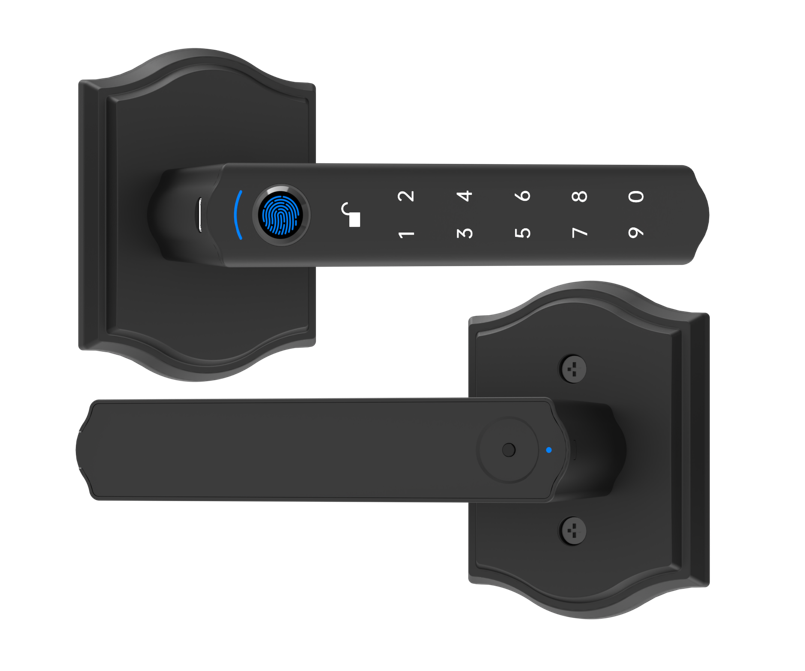
Installing a full digital deadbolt (a lock you open with a code) usually takes about 10 to 25 minutes. Then add 5 to 10 minutes to pair it with your phone. You’ll need a Phillips screwdriver and your smartphone. You might notice the smooth metal faceplate and hear a reassuring click when it locks in.
Some models, like the Schlage Encode, use small clips and wire guides to tuck cables behind the faceplate. Just slide in the parts, align the latch with the strike plate, and tighten the screws. It feels like fitting a puzzle piece.
A retrofit deadbolt kit (an adapter that slips over your existing lock) is even easier. The Yale Approach Lock is a good example. It fits on top of your current deadbolt and adds a tiny Wi-Fi hub inside the door frame. Make sure the adapter is flush against the door. A loose module can cause Bluetooth dropouts or auto-lock schedules to skip.
Retrofit overlays clamp around your old lock cylinder. The August Wi-Fi Smart Lock works this way. No drilling needed. You just tighten the clamp until it’s snug, like clipping on a bicycle light. Since you keep your original latch, misalignment errors are rare.
Most homeowners can nail these steps with a screwdriver and a quick-start guide in five minutes. Um, seriously. Common slip-ups include the latch binding against the frame or loose screws that let the lock wobble. If your door is thick, warped, or has a multi-point system, call a pro. A locksmith can ensure full weather sealing and set the backset (the gap from door edge to knob center) just right.
| Lock Type | Tools Needed | Average Installation Time |
|---|---|---|
| Full digital deadbolt | Phillips screwdriver, smartphone | 15 to 25 minutes |
| Deadbolt adapter kit | Phillips screwdriver, smartphone | 10 to 20 minutes |
| Retrofit overlay | Phillips screwdriver, smartphone | 10 to 15 minutes |
| Professional installation | All tools provided by installer | 30 to 60 minutes |
Whether you tighten the screws yourself or hire a locksmith, you’ll have secure, keyless entry in under an hour. Solid.
Security Standards and Encryption in Wireless Smart Door Locks
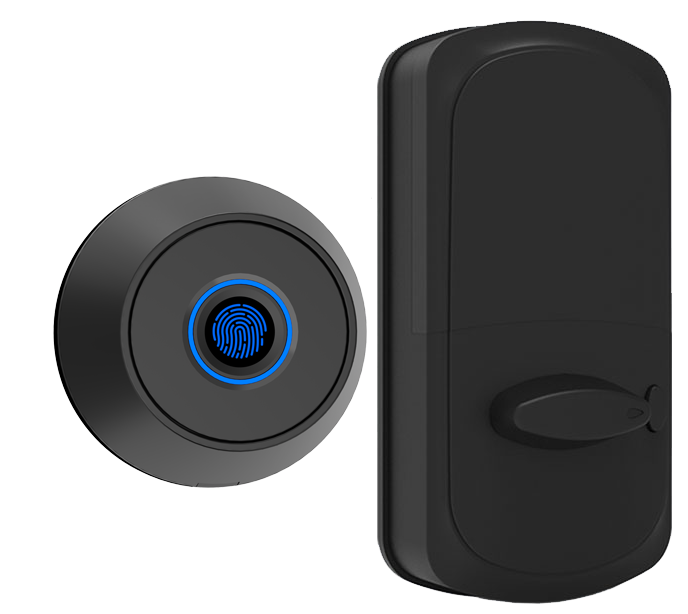
Keypads are just the start with today’s smart door locks. They go through tough tests to keep you safe.
The ANSI grade certification (it tells you how well a lock resists physical attacks and long-term wear) shows if a lock can take a punch. And look for CE/FCC certified smart locks, so you know they clear global tests for electrical safety and radio interference.
But the Schlage Encode series is a real heavyweight. It’s ANSI Grade 1 (top-level strength) and BHMA AAA (it laughs off kick-in attempts and brute-force attacks). Yale Assure 2 comes in at ANSI Grade 2, solid for most homes. The Aqara U100 hits ANSI Grade 3, giving basic residential security. Our Starlight Smart Locks meet CE/FCC and ANSI Grade 1 too, so they’re built to last.
Over 10,000 locks installed worldwide.
Every time you tap a PIN or press a button, an AES encryption (advanced encryption standard, a secret code system) scrambles the signal, so eavesdroppers hear only gibberish. You can add two-step authentication (another code or a fingerprint check) for extra peace of mind. Firmware updates (software tweaks that boost security) roll out new protections without swapping any hardware.
Real-time tamper alerts ping your phone at the first sign of forced entry or a pried latch. And you can see a detailed access log, who used which PIN and when.
Here’s what you get:
• A soft LED glow and an instant ping on your phone when someone tries to force the door.
• A diary of every unlock and lock event right in the app.
It’s peace of mind you can actually see.
Maximizing Battery Life and Maintenance for Wireless Smart Door Locks
Wireless smart door locks run on AA batteries that usually last six months or more. To stretch battery life, turn on low power mode (a setting that uses less energy) if your lock has one. Keep an eye on the app for low battery alerts, and swap in fresh cells before they dip below 20%. We’ve found name-brand lithium batteries drain slower, so stick with those.
If you ever miss a low battery alert, don’t panic, use the emergency USB power port (a backup plug) or external terminal to keep your lock alive. You can also turn off features you don’t use, like auto-unlock (automatic door opening), to save juice. Watch the small LED (light-emitting diode) blinks; they let you know about battery health and connection. And for steady performance, update your firmware (lock software) through the smartphone app every three months.
Here’s a quick maintenance routine:
- Clean sensor contacts (where your lock reads your code) with a dry cloth every six months
- Tighten the mounting screws so your lock stays snug and aligned
- Check the weather seal around the bolt for dirt or debris
- After any firmware (software) update, run a lock/unlock cycle to make sure everything connects
- Swap out all the batteries at once, fresh lithium AA cells work best
Why Starlight Smart Locks by Starlight Hardware Are the Best Wireless Smart Door Locks
And hey, we get it. Keys are clunky.
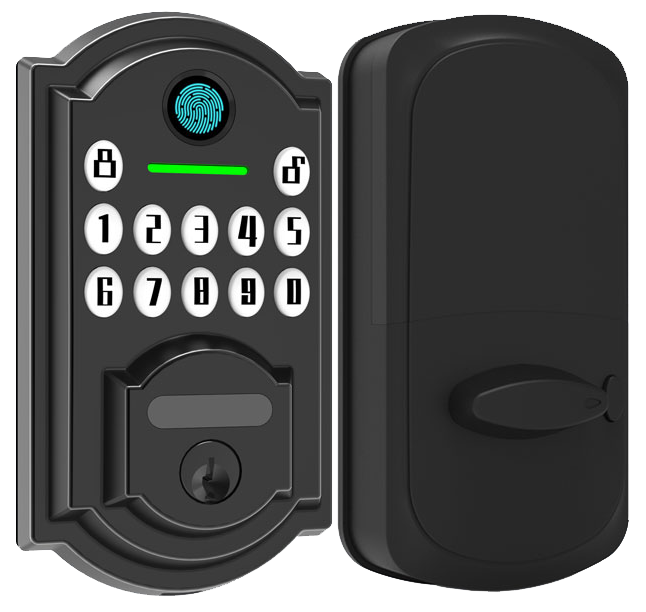
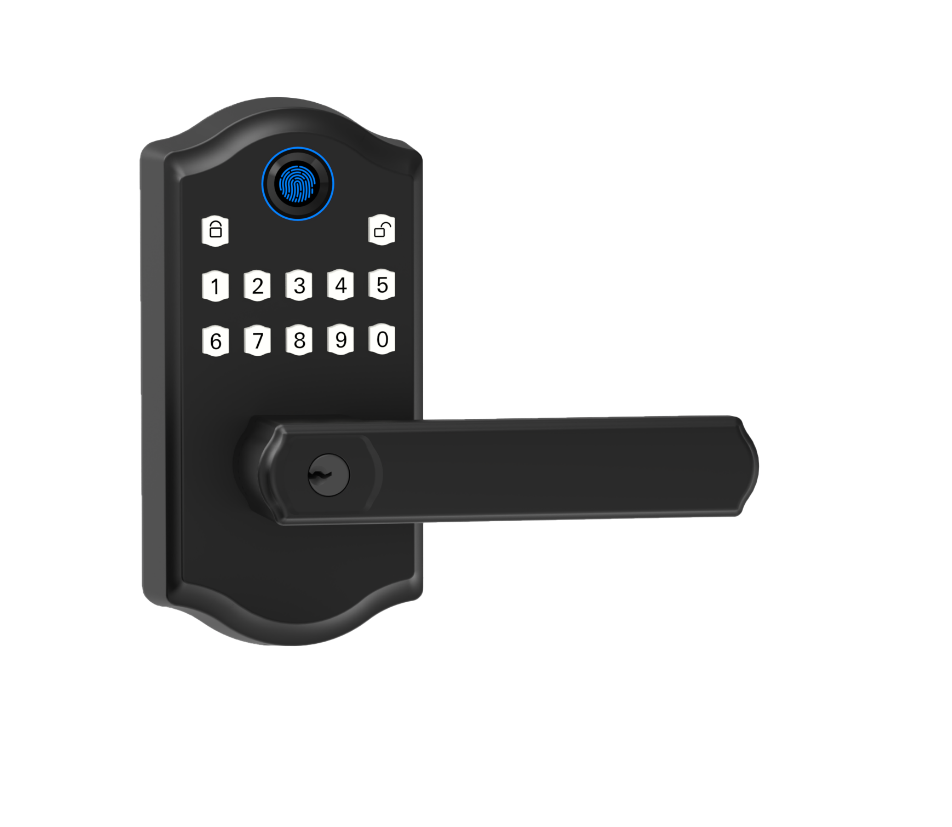
With our Starlight Smart Locks, you just tap a sleek keypad that lights up with a soft LED glow (little guiding light).
It’s like swiping a credit card instead of fumbling in your pockets. The smooth metal faceplate feels solid and reassuring under your fingertips.
We don’t just sell locks. We’ve backed every model with a two-year warranty covering all parts and any performance hiccups.
Got a question at midnight? Our global technical support team is ready 24/7. Um, seriously, we mean it.
Solid. Our locks last an estimated five years (learn more in the Durability & Lifespan section). That’s thanks to CE certification (European safety seal) and rigorous testing in dusty construction sites and snowy mountain lodges.
Here’s the best part: our customers can’t stop praising them. With top scores in customer satisfaction (see Customer Feedback reviews), you’ll join a community that trusts Starlight to keep their doors firmly closed.
Final Words
in the action we showed how wireless smart door locks bring security, remote management, and everyday convenience. We walked through key features like biometric readers, connectivity choices, smart-home pairing, DIY versus pro setup, encryption standards, maintenance tips, and why Starlight Smart Locks shine.
We highlighted frictionless guest check-in, robust tamper alerts, and seamless PMS integration. A reassuring click, a soft LED glow. Solid.
Now it’s your turn to upgrade with Wireless Smart Door Locks from Starlight Hardwares, your blueprint for peace of mind. Bright days ahead.
FAQ
What are the best wireless smart door locks?
The best wireless smart door locks combine built-in Wi-Fi or Z-Wave, ANSI Grade 1 certification, multiple entry methods (touchpad, fingerprint), app control, auto-lock and reliable battery life of six months or more.
Where can I find deals on wireless electronic door locks?
You can find deals on wireless electronic door locks during holiday sales and online marketplaces. Look for limited-time discounts on Amazon, Home Depot, or Starlight Hardwares’ clearance section for popular models.
How do wireless smart door locks with keys differ from keyless entry locks with an app?
Wireless smart door locks with keys add backup mechanical entry alongside touchscreen or fingerprint, while keyless models rely on a smartphone management app for PIN-pad, remote unlock, and guest access without physical keys.
What features does the August Smart Lock offer?
The August Smart Lock offers retrofit installation over existing deadbolts, Wi-Fi via bridge, Apple HomeKit and Alexa compatibility, auto-unlock geofencing, and customizable guest codes—all without removing your current hardware.
How does a smart door lock with camera work?
A smart door lock with camera integrates a built-in video lens that begins recording on doorbell press or lock events. It streams live feed to your smartphone app and stores clips for guest access and security logs.
What features define a commercial smart lock?
A commercial smart lock supports high user capacity, 24/7 access logs, ANSI Grade 1 certification, integration with access control systems, emergency egress compliance, and robust metal hardware built to withstand heavy daily operations.
How does a Bluetooth door lock with handle operate?
A Bluetooth door lock with handle pairs your smartphone via BLE within 30 feet. It unlocks with a tap in the app, fingerprint sensor, or PIN-pad, and often auto-locks when you walk away—no Wi-Fi hub needed.
What should I know about Google Smart locks?
Google Smart locks support Google Assistant voice unlock, NFC keycards, and guest codes through the Nest app. They offer optional Wi-Fi bridge for remote access, DoorSense sensor alerts, and Home/Away detection.
Where can I find reliable smart lock reviews?
You can find reliable smart lock reviews on tech blogs, security forums, and consumer sites like Wirecutter. Look for tests on lock durability, encryption standards, battery life, and app usability before you buy.
How does a Wi-Fi door lock with camera differ from Bluetooth-only models?
A Wi-Fi door lock with camera offers remote live video streaming without a bridge, instant push notifications, and cloud storage. Bluetooth-only models need a nearby hub or phone and can’t stream outside local range.

