
Ever feel like your front door lock belongs in a museum? Like a rusty padlock instead of a sleek digital guardian?
Pairing a WiFi enabled door lock (a lock that connects to your home network for remote access) is as easy as pairing wireless headphones to your phone. A quick Bluetooth handshake (a short-range signal exchange) and you’re on the 2.4 GHz WiFi band (your router’s go-to channel).
Pretty neat.
Our app guides you step by step. It wraps your signal in AES-128 or AES-256 encryption (secure codes only your router and phone can solve). Then it pushes over-the-air firmware updates that seal any security gaps.
Below are seven WiFi door locks that deliver rock-solid peace of mind, one tap at a time.
How WiFi Enabled Door Locks Operate and Secure Your Property
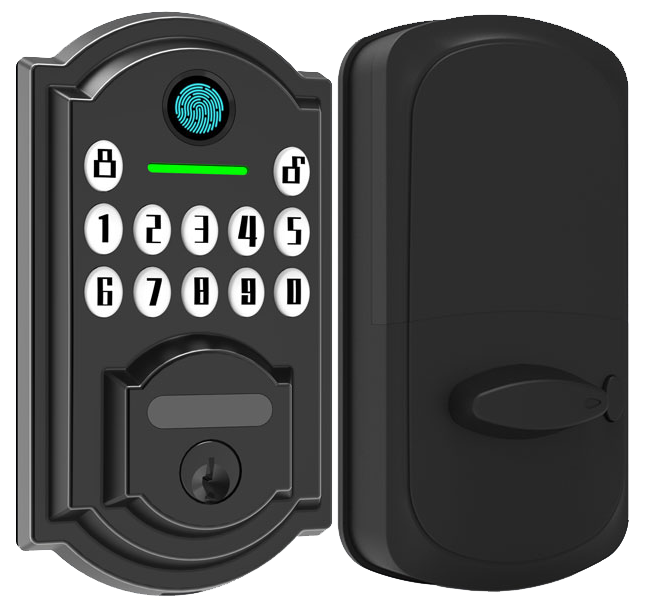
So, pairing your WiFi enabled door lock starts on the 2.4 gigahertz band for a wider reach that keeps it online at your front gate. You open the app, tap your network name (SSID), type the password, and hit connect. Some models need a Bluetooth handshake (like pairing headphones) before jumping into WiFi setup, so only you can link them. Many models from Starlight Hardware as a reliable smart lock manufacturer in China add a soft LED glow and a reassuring click with every step, and you can even group multiple locks under one account for your office or rentals.
Once on your local network, these locks wrap your signal in AES-128 or AES-256 ciphers (strong math puzzles only your router and phone can solve). That encryption keeps eavesdroppers from reading codes or replaying commands. And if you choose a WPA3 compatible model, you get unique encryption plus tougher handshake guards. That makes brute force hacks far less likely and keeps your remote control safe from miles away.
Before any unlock command leaves your phone, the lock and app run an SSL/TLS 1.2 or 1.3 handshake, just like a bank’s website. A public key infrastructure (PKI) issues and checks digital certificates so you only ever talk to the real lock. If something doesn’t add up, the session drops and you get a quick alert.
When researchers find a new flaw, over-the-air firmware patches arrive automatically to seal the gap. Built-in intrusion sensors keep watch for forced-entry attempts or repeated wrong codes and trigger tamper alerts in real time. You’ll see a timestamped log or even a photo on your phone, so you can act fast.
CE certified and tested in sandy deserts and snowy peaks.
Key Features of Leading WiFi Smart Lock Devices
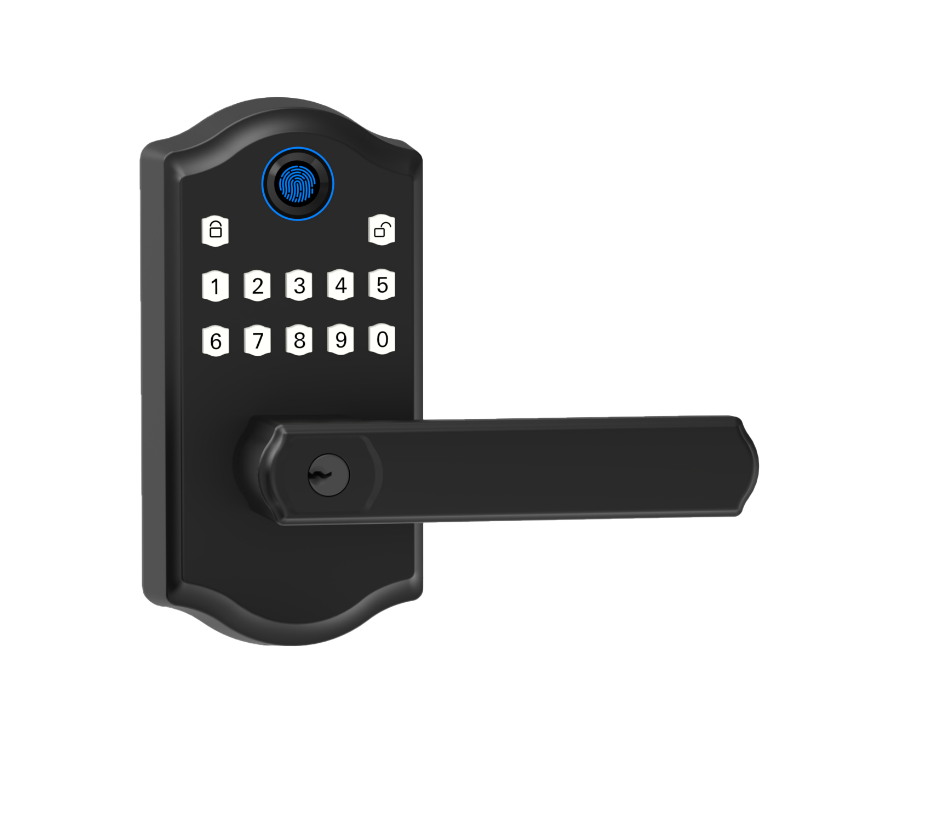
Choosing the right WiFi smart lock feels like carrying peace of mind in your pocket. It’s all about solid security and real simplicity.
Picture pressing a smooth metal faceplate and hearing a soft click. The lock syncs with your phone in real time and logs every entry.
These devices shine with flexible access and clear alerts. They add a few perks that smooth your daily routine. We’ve got models for front doors, side entries, even interior offices. All managed in one friendly app.
- Remote access control: get real-time notifications and a full audit trail (a record of every entry).
- Guest keys: send permanent or scheduled digital keys via smart locks for Airbnb hosts.
- Temporary codes: set one-off PINs for deliveries or houseguests.
- Auto-lock: the deadbolt clicks shut after you walk away or after a set time.
- Voice commands: ask Alexa or Google Home to lock up hands-free.
- Biometric checks: use a fingerprint (your unique fingertip pattern) or facial recognition (a quick face scan) for extra security.
You can grant your pet sitter an afternoon PIN. You get a ping when the kids walk in. And you can ask your smart speaker to lock up before bedtime.
Safe. Simple. Always in control.
Starlight Smart Locks: Best WiFi Enabled Door Locks for 2025

We’ve rounded up the best WiFi door locks for 2025. Whether you’re on a tight budget or aiming for a high-end setup, there’s a smart lock that fits.
Entry-level WiFi locks cost about $150 to $300. They are perfect for apartments or rental flats when you need budget-friendly security. Premium models climb to $300 or $400 if you want extra tamper alerts or weatherproof ratings.
Most of these locks run 6 to 12 months on four AA batteries. A few add an emergency USB-C port (a charging jack you plug in when batteries run low).
You’ll also find locks with no monthly fees. You pay once and manage your own network. Or you can link into a cloud ecosystem.
Some favorites include Schlage Encode at about $280, with built-in WiFi and tough tamper resistance. August Smart Lock Pro runs $230 and works with an optional hub for easy setup. Yale Assure 2 Touch costs around $280 and lets you swap WiFi or Z-Wave modules without taking down the lock.
| Model | Price | Connectivity | Battery Life |
|---|---|---|---|
| Starlight Smart Lock Pro | $299 | Built-in WiFi | 6 to 12 months + USB-C |
| Schlage Encode | $280 | Built-in WiFi | 6 months |
| August Smart Lock Pro | $230 | WiFi (hub optional) | 6 to 12 months |
| Yale Assure 2 Touch | $280 | WiFi/Z-Wave modules | 6 to 12 months |
Starlight Smart Lock Pro really stands out. Its built-in WiFi uses AES-256 encryption (strong code to keep hackers out) and meets ANSI Grade 1 security standards. Batteries last about ten months, and a USB-C port is there if you ever run low. No hub is needed and there are no monthly fees.
Solid.
Installation Guide for WiFi Enabled Deadbolts and Keypad Locks
Let’s kick off by gathering your tools. You’ll need a Phillips screwdriver, a tape measure, and the new lock kit. Want a pro tip? Lay everything out on a soft towel so screws don’t roll away.
Solid.
Next, check your door’s thickness and backset (the distance from the door edge to the center of that round hole). Most lock kits slip right onto a standard 1¾-inch door without extra hardware. But if you have an older door, you might need a little chiseling, think of it like giving your door a tiny haircut. This step usually takes 5–10 minutes and saves headaches later.
Time to remove the old deadbolt. Unscrew the interior faceplate and pull out the latch assembly. You’ll feel the smooth metal faceplate come free. Now slide the new latch (the part that clicks into the frame) into the door’s edge, making sure its angled bolt points toward the strike plate. That crisp, reassuring click means it’s seated right.
Now let me rephrase that…fit the exterior keypad (with its soft LED glow) or faceplate on the outside. Feed the cable through the hole, then snap on the interior mounting plate. Tighten the screws until you feel a gentle resistance, don’t overdo it. This mechanical step usually takes 15–45 minutes.
Finally, pop in fresh batteries. You’ll find the compartment behind the interior cover. A weak battery can cause hiccups, so I always use name-brand AAs.
Time for the app handoff! Open the manufacturer’s app on your phone and follow the on-screen prompts to pair via Bluetooth or Wi-Fi. Think of pairing like connecting your headphones, you’ll see a success message in seconds. Test the thumbturn or PIN-pad press in the setup screen. If the bolt doesn’t slide smoothly, use the app’s troubleshooting tips to recalibrate the latch or adjust the strike plate. Once the app shows a successful pairing and bolt cycle, you’re ready to lock and unlock straight from your phone.
Enjoy that new peace of mind!
Advanced Security Recommendations for WiFi Enabled Door Locks
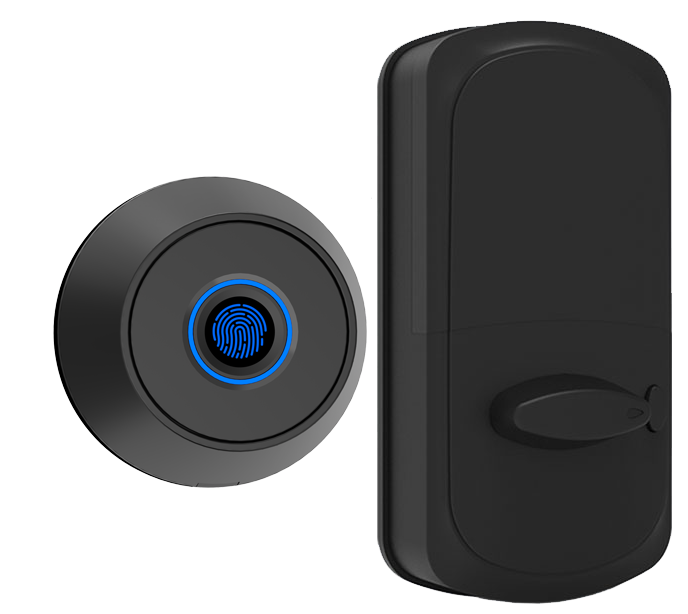
Put your smart locks on a dedicated VLAN (virtual local area network). That keeps any hackers on your guest or IoT network from touching sensitive doors. Think of it as parking your lock in its own driveway. Private. Secure.
Ask everyone to set passwords at least 12 characters long with a mix of letters, numbers, and symbols. Then schedule a monthly reminder to change codes. A small nudge helps you avoid old passwords hanging around. Simple.
Turn on multi-factor authentication in your lock’s app. Combine something you know (a PIN) with something you have (a mobile push notification) or something you are (a biometric fingerprint sensor (a reader that checks your unique fingertip pattern)). Um, you can add a hardware token too if your phone ever goes missing. Solid.
Disable WPS (Wi-Fi Protected Setup) on your router to close an easy backdoor. Isolate your guest network so visitors can’t wander into your smart lock controls. And keep your router firmware up to date. Those updates seal fresh software holes.
Pick a log review schedule that works for you. Check lock events daily for the first week, then switch to a weekly look. Export your logs every month and archive them for at least six months. That way, you’ll have records for audits or just to rest easy.
Troubleshooting and Maintenance Tips for WiFi Enabled Door Locks
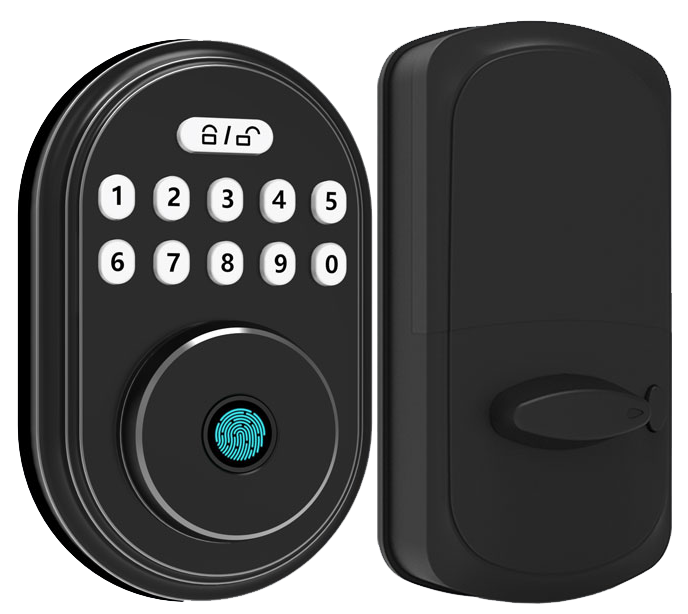
Wi-Fi dropouts and app delays can spoil the fun. Try moving your router closer to the door or adding a mesh node (an extra Wi-Fi extender). If the lock still shows offline, open the app, force-close it, then relaunch. That quick reset often fixes most hiccups.
And if that doesn’t help, reset the lock. Press and hold the reset button on the smooth metal faceplate for 10 seconds until the soft LED glow flashes. Then open the app and follow the on-screen steps to re-pair your lock, just like on install day. You’ll know it’s done when the bolt cycles smoothly.
Let’s talk batteries. Swap out AA cells every 6 to 12 months, brand-name alkaline ones work best. Wipe the battery contacts with a dry cloth to cut down on corrosion. Your keypad and the app will warn you weeks ahead with low-battery alerts. No panic. In a pinch, clip on a 9-volt or plug in via USB to keep the lock humming.
Door ajar warnings happen when the latch isn’t fully seated. Peek at the app’s status screen for an open-door notice, then close the door firmly until you hear that reassuring click. If it still nags you, tweak the strike-plate alignment or tighten the screws on the latch assembly. Once it stays shut, clear the alert in the app and carry on.
Choosing the Right WiFi Enabled Door Lock for Home and Business
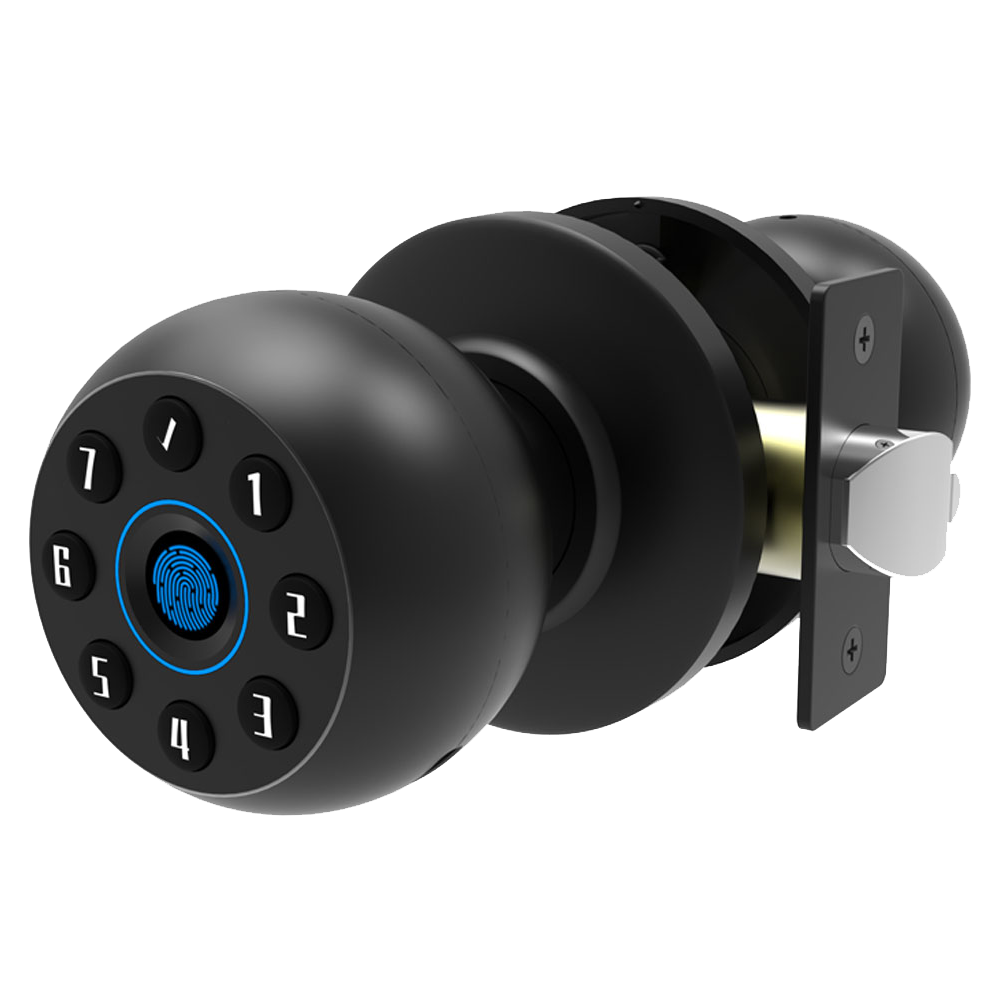
Let’s start with compatibility. You need a lock that talks to your phone, iOS or Android, and joins your 2.4 gigahertz Wi-Fi (that’s the common home band). Then peek at your door. Most locks fit a 1¾-inch thick door and a backset (the space from the edge to the deadbolt hole) of 2⅜ or 2¾ inches. Getting those right feels like matching puzzle pieces. And it means a snug fit: no rattles, just a smooth metal faceplate and a reassuring click.
| Feature | Details |
|---|---|
| Smartphone OS | iOS & Android |
| Wi-Fi Band | 2.4 GHz only |
| Door Thickness | 1¾” (1.75 inches) |
| Backset (edge to hole center) | 2⅜” or 2¾” |
Next, let’s look at cost. Entry-level Wi-Fi locks go for about $150 to $300 with no monthly fees. Nice, right? But some brands offer extra perks, like advanced alerts or remote unlocking, through a cloud subscription. That could be five or ten bucks a month. Run the numbers. You might pay $200 up front and nothing after, or $150 plus $5 monthly. Which suits your budget in the long haul?
For a home, ANSI Grade 2 locks with weather-resistant finishes usually do the trick. They shrug off rain, heat, even a stray snowflake. But if you’re fitting an office or retail spot, aim for ANSI Grade 1, IP65 water and dust protection, and UL 437 attack-resistance ratings (that’s lab-tested toughness). Commercial locks often handle 1,000 users, keep audit trails, and let you manage multiple admin accounts. Homes might just need a friendly PIN-pad or a biometric fingerprint sensor (a reader that checks your unique fingertip pattern).
Now, installation. Thinking of DIY? Great way to save up to $100 if you’re handy with a screwdriver and a level. It’s a quick weekend project. But remember, a pro installer can nail perfect alignment, smooth latch action, and keep your warranty valid. Plus, if your door specs are off, they’ve got you covered. So, do you trust your tools, or want a security expert on call?
Final Words
Sealing up our discussion, we covered pairing locks to a home network, strong AES and WPA3 encryption, SSL/TLS handshakes, and automatic firmware patches.
We walked through must-have features like remote guest access codes, auto-lock timers, voice assistant support, plus top models in 2025 and a quick install guide.
We shared network segmentation tips, reset steps, battery care, and factors for choosing the right lock.
Now you’re ready to streamline guest check-in, cut unauthorized entries, and sync smart locks with hotel systems, all powered by WiFi Enabled Door Locks.
FAQ
What is the best WiFi-enabled front door lock?
The best WiFi front door lock offers built-in WiFi, AES-256 encryption, and easy guest-code management. Models like Starlight Smart Lock Pro and Schlage Encode score high for reliable access and simple setup.
What types of WiFi-enabled door locks are available?
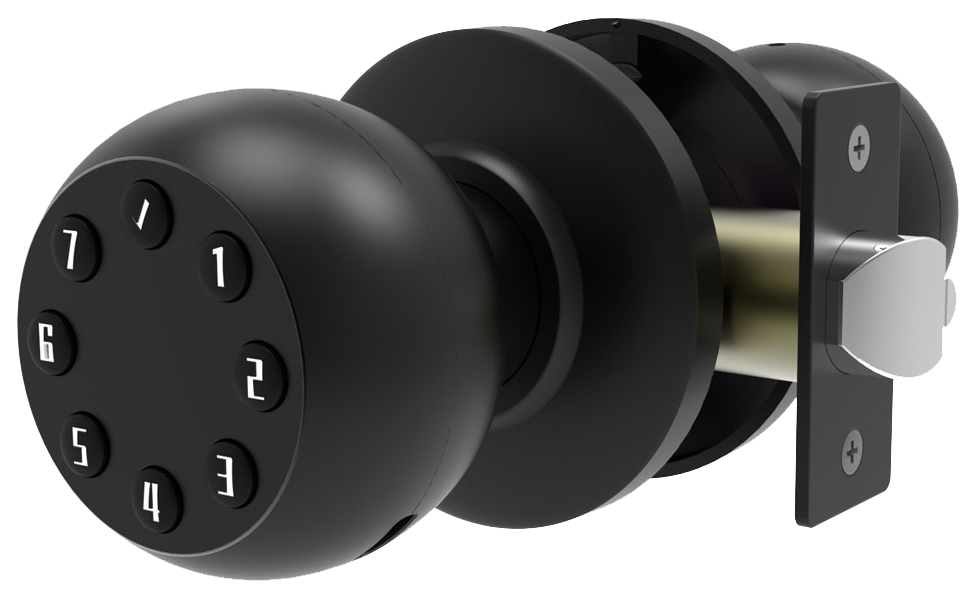
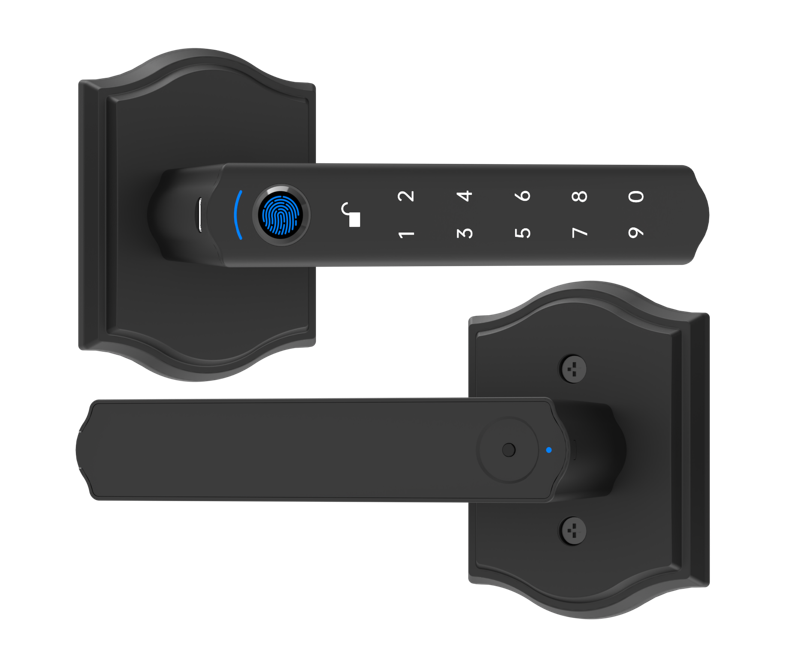
WiFi door locks come in keypad deadbolt, handle-set, and smart knob styles. Some add biometric fingerprint readers or camera modules. You can find models with backup keys sold on Amazon or in hardware stores.
How does a WiFi door lock work?
A WiFi door lock works by joining your home’s 2.4 GHz WiFi network using SSID and password, then uses AES-128 or AES-256 encryption to secure commands between the lock and its app.
Is it safe to have a WiFi door lock?
Having a WiFi door lock is safe when you use AES encryption, regular firmware updates, and strong unique passwords. Enabling multi-factor authentication adds another layer against unwanted access.
What are the disadvantages of a smart door lock?
Smart door locks can lose battery power without warning, suffer WiFi dropouts, or need periodic firmware patches. Relying on digital access may feel less sturdy than a traditional deadbolt at times.
Which WiFi door lock is best for Airbnb?
The best WiFi door lock for Airbnb offers time-limited pin codes, an audit trail log, and remote control via app. Models from Starlight or Schlage let you set check-in schedules without swapping physical keys.
Which brands of WiFi-enabled door locks are most popular?
Popular WiFi-enabled door lock brands include Schlage Encode, August Smart Lock, Yale Assure 2 Touch, and Ring Alarm Lock. They offer user-friendly apps, solid encryption, and smooth mechanical backing.
Do any WiFi door locks include cameras?
Some WiFi door locks include a built-in camera that records motion-triggered clips, offers two-way audio, and sends live video to your phone for real-time entry monitoring.
Can WiFi door locks still use keys?
Many WiFi door locks still use a traditional key cylinder or backup key slot. That gives you manual entry when batteries die or the network goes down, so you never feel locked out.

