
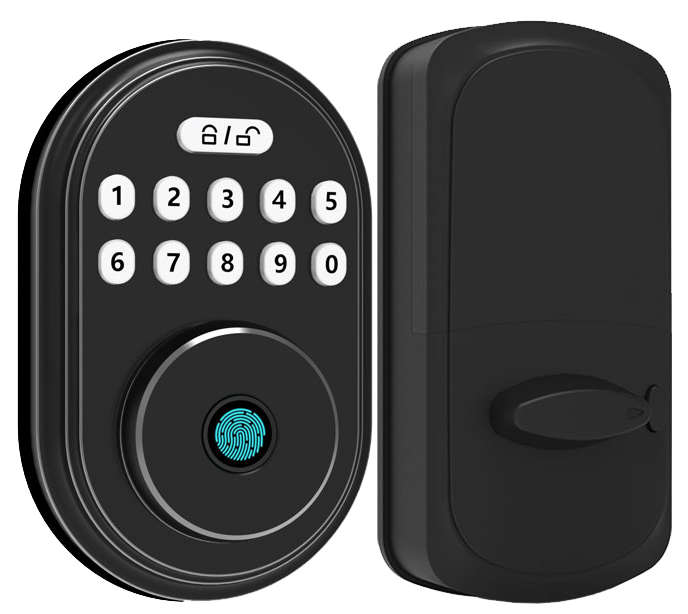
Ever wrestled with a heavy key ring under a rain-soaked porch light? It feels like an eternity just to unlock the door and get inside.
Bluetooth smart door locks let you leave the keys behind. Your phone becomes the key (a secure digital pass) from up to 25 feet away. Just tap your app, feel the smooth metal faceplate, hear a soft click, and see a reassuring LED glow.
These locks wrap your entrance in AES-128 encryption (a secret code that scrambles signals). They even lock themselves when you step away. No fiddling required.
We’ve tested dozens of models under scorching sun and freezing snow. We even tried them in busy office lobbies.
Our five top picks deliver unbeatable security. They guard your home like a digital shield.
Understanding Bluetooth Smart Door Locks: Core Features and Performance
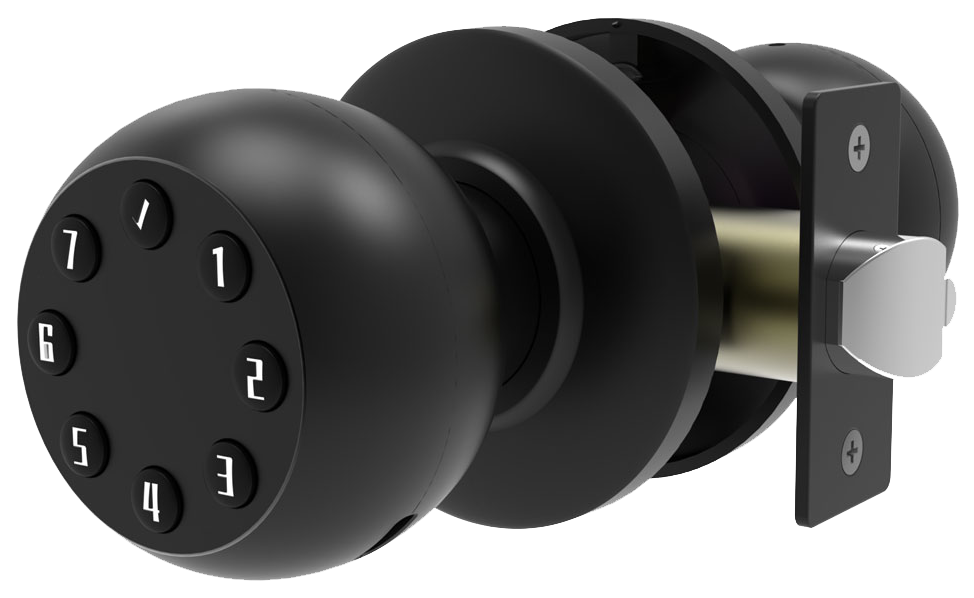
Bluetooth smart door locks use Bluetooth Low Energy (BLE) (a low-power wireless tech) to connect up to about 25 feet. They pair with your smartphone app, a Bluetooth key fob, or a security token, and don’t need internet or a hub. It’s instant and intuitive, tap a button, wave a fob, or use a token to step inside.
With keyless entry you get hands-free access when your phone’s in range. You can even set time-based access for guests or service workers. The low power draw helps batteries last up to six months on four AA cells. The trade-off? You won’t get Wi-Fi distance, and your phone battery ticks down if Bluetooth stays on.
Features you’ll love:
- Bluetooth 5.2 support – faster pairing and a stable link within its 25-foot range.
- AES-128 encryption (a secret code that scrambles signals) for secure pairing.
- Auto-lock scheduling – locks doors at the times you pick for consistent security.
- Proximity unlock sensors – sense you coming and unlock as you approach.
- Low-battery alerts – a soft LED glow and phone notification warn you well before replacement time.
- Backup mechanical key slot – a physical key for when electronics take a nap.
- Motorized bolt operation – drives the deadbolt smoothly, ending with a reassuring click.
- Tamper-detection alerts – ping your phone if someone tries to force the lock.
Ever juggle groceries and keys? Proximity unlock to the rescue. Back to our motorized bolts: they tested these in sandy deserts and snowy peaks. Over 10,000 locks installed worldwide. Solid peace of mind, every time.
5 Bluetooth Smart Door Locks Provide Unbeatable Security
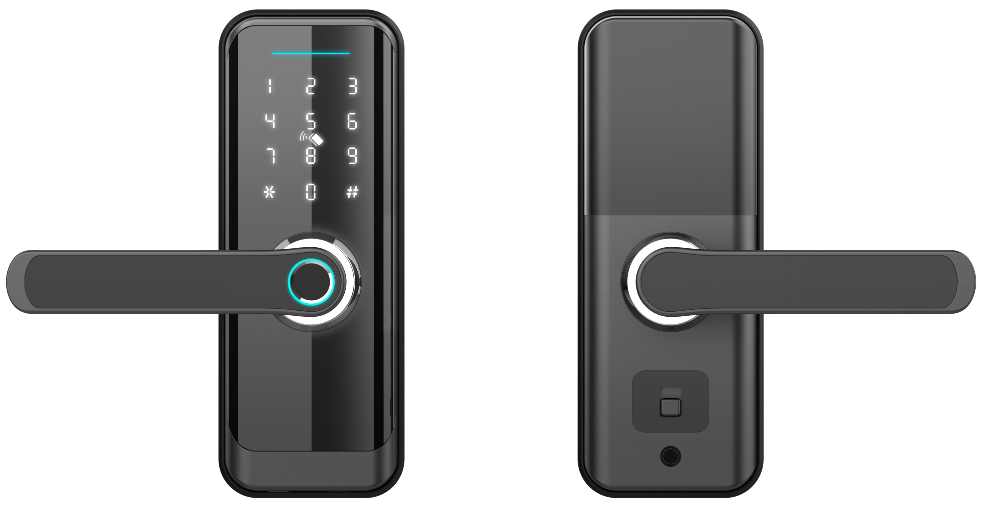
Bluetooth smart locks block digital snoopers with AES-128 encryption (a secret code that scrambles your lock’s signals) or even stronger codes. It’s like wrapping your door in a digital shield. Plus, many models add two-factor authentication, asking for both an app PIN and a biometric scan (a reader that checks your unique fingertip pattern). So even if someone guesses your PIN, they can’t slip inside.
And on the physical side, tamper-detection built right into the lock senses forced entry or twisting of its body. It sends a real-time alert to your phone, like a tiny alarm bell. Some models hit ANSI/BHMA Grade 2 for residential toughness (meaning they resist brute-force hits and drilling attempts). Jiggle the deadbolt? You get an instant ping.
To keep that fortress humming, install firmware updates as soon as they pop up. Top Bluetooth locks send over-the-air updates so you never have to crack open the lock. Then add a strong Wi-Fi password on your home network and check app permissions every now and then. You’ll keep trouble on your doorstep, literally.
Mobile App and Voice Control for Bluetooth Smart Door Locks
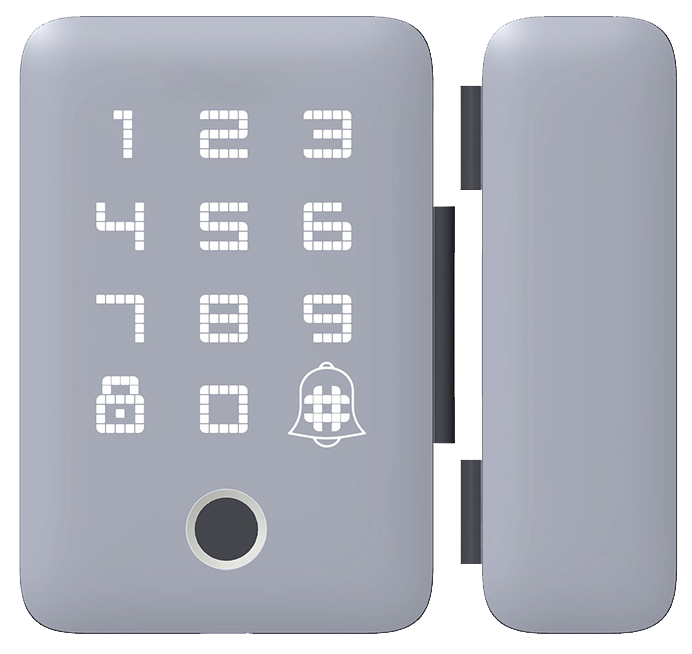
Most Bluetooth locks come with a smartphone app for iPhone and Android. The dashboard shows a big lock/unlock button, a user list, custom schedules, and activity logs (records of who’s opened or closed the door). Tap to lock the deadbolt (the strong metal bolt) with a satisfying click. Want a little secret? You can set custom schedules so your door locks itself at bedtime.
You’ll get a phone alert when someone comes or goes, and you don’t need an extra hub.
Setting up Alexa is easy. In the Alexa app, go to Smart Home > Add Device. Pick your lock’s brand, authorize the skill, then name it “Front Door.” Then say, “Alexa, lock the front door,” or ask, “Alexa, is the porch locked?”
Google Home follows the same flow. In the Google Home app, tap + > Set up device > Works with Google. Find your lock’s service, sign in, and assign it to a room. Then just say, “Hey Google, lock the side entrance,” or “Hey Google, is the back door locked?”
If you use Apple HomeKit, make sure your lock model supports it. In the Home app, tap Add Accessory, scan the QR code on your lock, and choose a room. Now you can say, “Hey Siri, unlock my front door,” or include the lock in an Automation (a saved routine).
Matter compatibility is coming soon for even tighter cross-platform control.
DIY Installation and Pairing of Bluetooth Smart Door Locks
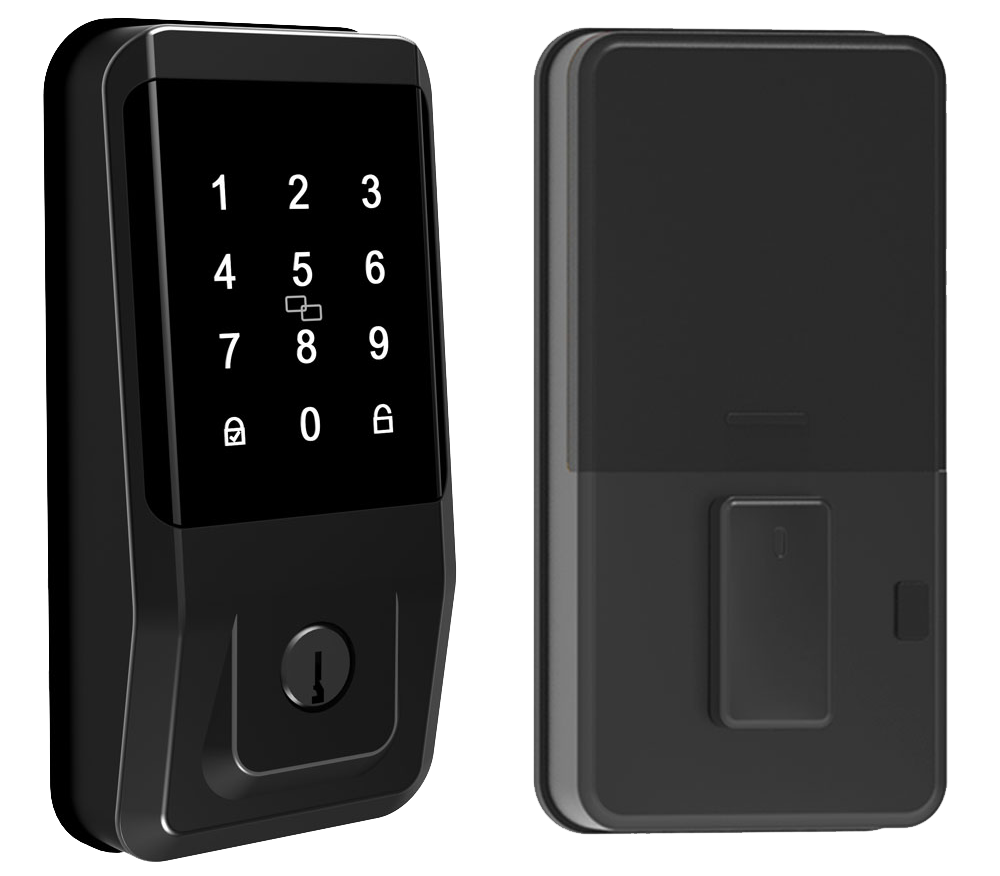
Grab your screwdriver and the paper mounting template. Most people finish it in 10–25 minutes with just basic tools. First, check your door’s backset (distance from the edge of the door to the hole center) and thickness. Most locks fit standard pre-drilled holes, and renter-friendly retrofit brackets slide right over your old deadbolt.
If your lock has a DoorSense sensor (a reader that tells you if the door is open or closed), you might need to drill a tiny hole in the frame.
Lay out all the parts on a flat surface. Pop fresh batteries into the lock. Remove the old deadbolt, clean up the area, and hold the new lock’s smooth metal faceplate against the door. You want a snug fit, no wobble. Keep the mounting screws and the strike plate (the metal piece that sits in the door frame) close by.
Aligning and Mounting the Lock
Hold the mounting template up to the door edge and mark the screw spots with a pencil. Fit the strike plate into its recessed spot on the frame and secure it with the supplied screws. Then slide the exterior unit’s spindle (the bar that turns the lock) through the hole. You’ll hear a reassuring click when it’s seated just right.
Next, hold the interior assembly in place. Push screws through its backplate and tighten until the lock sits flush against the door. Follow your template marks exactly. That way the bolt won’t go in crooked.
Pairing via Bluetooth
Open the companion app on your smartphone and tap Add Device or Pair New Lock. Press the lock’s Bluetooth button until its soft LED glow starts blinking. The app will prompt you to scan the QR code on the lock face. Once the app finds your lock, tap Confirm. You’ll see a success message and your lock’s name in the device list.
Finally, check for over-the-air updates. Updating the firmware (the lock’s internal software) fixes bugs and keeps everything running smoothly from day one.
Troubleshooting Bluetooth Smart Door Lock Issues
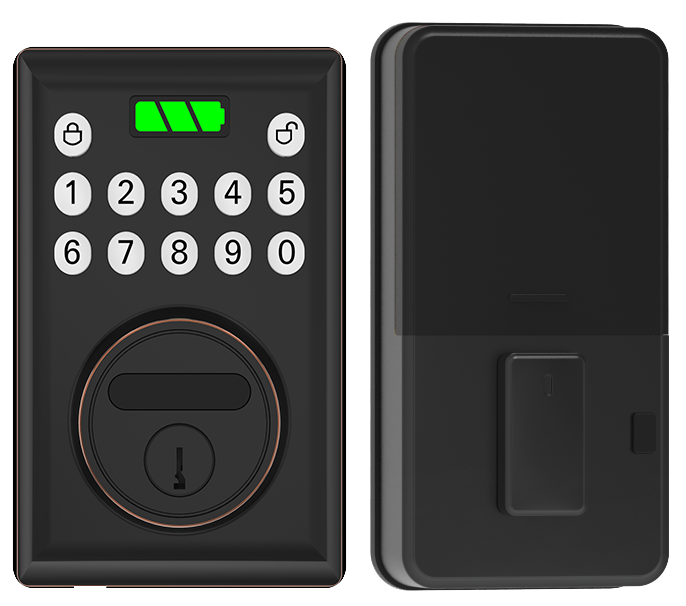
Pairing troubles can feel like you’re chasing a ghost. Think of pairing like connecting your headphones to your phone, simple in theory, tricky in practice. First, make sure your phone’s Bluetooth is on and the lock’s Bluetooth button is softly blinking.
Try toggling Airplane Mode on and off, then open the companion app again. And if that doesn’t budge, uninstall and reinstall the app to clear any corrupted data.
If your lock’s battery drains too fast, run a battery health diagnostic (a quick check inside the app) to spot odd readings. Low signal strength or a firmware glitch could be the culprit, you know.
Dealing with a jammed bolt? Grab your manual key override (the backup key slot) and insert then turn it a few times until you hear a reassuring click. Next, drip a bit of graphite-based lock lubricant onto the bolt to smooth out any sticking parts.
When nothing else works, a factory reset can bring you back to square one. Press and hold the reset button for at least ten seconds until the soft LED glow flashes, that kicks the lock back to factory defaults. Then open the app, set a new admin code, and follow the pairing tutorial to reconnect.
Want to know a secret? A fresh firmware update often fixes odd Bluetooth bugs. If quirks persist, repeat the reset and update right away.
Comparing Bluetooth Smart Door Locks vs. Wi-Fi Models
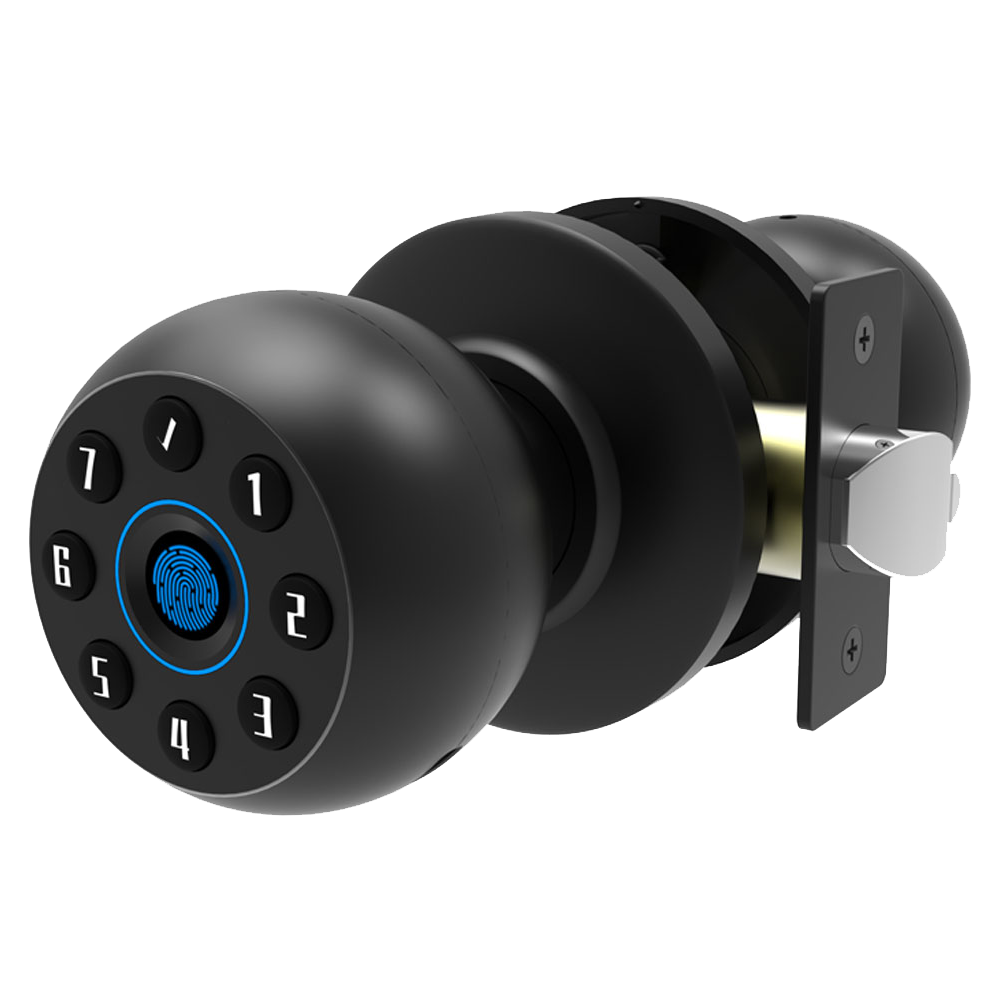
Bluetooth smart locks rely on Bluetooth LE (a low-power wireless tech) to chat with your phone. They work up to about 25 feet, so your phone battery stays happier. This keeps power use low enough for two AA batteries to last six months. Solid.
Wi-Fi locks latch onto your home network to push real-time alerts, stream video or audio from a built-in camera, and link with voice assistants or smart-home scenes. But that high-data use drains batteries in a few weeks. Exactly.
And here’s the trade. Bluetooth locks skip the hub and tap your phone directly, easy setup, low power. But once you leave the 25-foot zone, you can’t check if the door’s locked. It’s local simplicity versus global control.
Want both? A Wi-Fi bridge add-on pairs with your Bluetooth lock so you can still unlock nearby, while the bridge sends alerts over your network. Think of it like a translator between short-range Bluetooth and long-range Wi-Fi. You keep your existing hardware and get remote access without empty battery alerts. Peace of mind.
Leading Bluetooth Smart Door Lock Brands and Starlight Recommendation
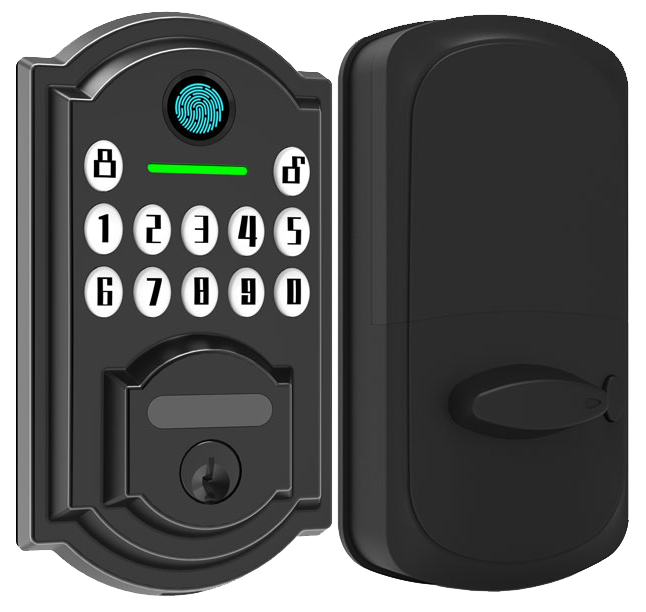
Ultraloq, Lockly, August, Yale, and Eufy are front-runners in Bluetooth smart door locks. Ultraloq’s Bolt Fingerprint often tops premium deadbolt lists. It has a biometric fingerprint sensor (a reader that checks your unique fingertip pattern), a backlit keypad, and an IP65 weather rating. Lockly shakes things up with a shifting touchscreen (a screen that moves its number layout) and extra biometric checks.
August takes a retrofit route. You just clip it over your existing bolt for a quick upgrade. Yale Assure 2 brings a slim keyless design, digital access codes, and support for your favorite voice assistant. Eufy combines a built-in video camera with fingerprint scanning in one neat package.
Each brand stakes its claim as the best choice for different needs – budget, ruggedness, or bonus features.
Features can vary as much as price tags. Some locks run on Bluetooth LE (low energy) alone. They give you about 25 feet of range and up to six months of AA battery life. Others need a Wi-Fi hub so you can get remote alerts and real-time status updates.
Many offer both a keypad and fingerprint option. That way you can punch in a PIN code or just tap your finger. If you rent your place, a retrofit kit is super handy. But if you want max strength, go for a full-deadbolt replacement that meets ANSI/BHMA Grade 2 standards (a rating for strong residential locks).
A few models let you use voice control – though you’ll have to add a separate bridge first. At the end of the day, picking the right lock comes down to the mix of keypad, fingerprint, remote access, and battery runtime that fits your routine.
Starlight Smart Locks shine in value and support. Built by a trusted security smart door lock supplier with over twenty years of know-how, they pack AES-128 encryption (a code that scrambles your signals), a motorized bolt for that smooth, reassuring click, and custom auto-lock schedules – all for under $160.
They work straight out of the box with Apple HomeKit and Amazon Alexa. No extra hubs needed. Plus every unit carries a three-year warranty and CE certification thanks to rigorous testing.
Want peace of mind? Starlight’s blend of top-tier security, solid performance, and clear support outpaces the rest.
Bluetooth Smart Door Lock Price Comparison and Warranty Table
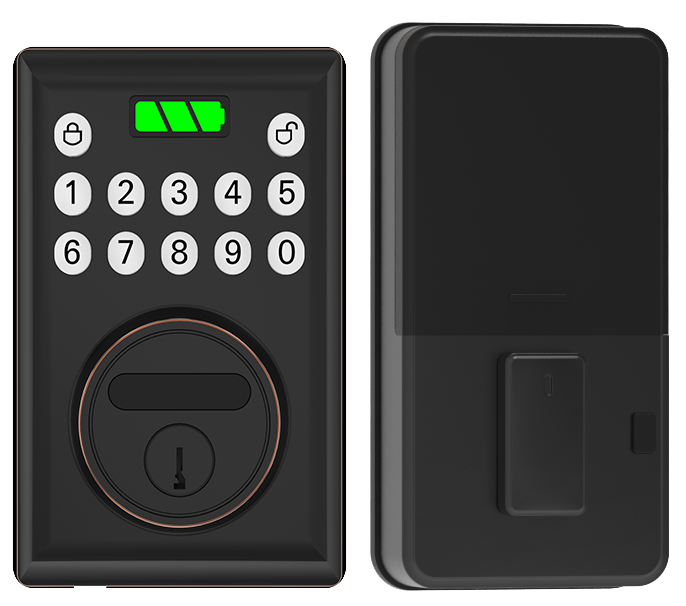
When you shop for Bluetooth smart door locks, you’ll see three price levels.
Under $100, models give you basic lock and unlock with your phone. They feel light in your hand and have a simple metal faceplate. No extra bells, just a smooth metal cover and a reassuring click.
Mid-range locks priced between $150 and $200 add more entry choices. You get a biometric fingerprint sensor (a reader that checks your unique fingertip pattern) or a keypad with crisp button presses. They often glow with a soft LED to guide your hand. It feels more refined and gives you extra peace of mind.
Top-tier smart deadbolts cost over $200. They blend Wi-Fi and Bluetooth so you get remote alerts on your phone. Think of it like always having a front door camera and lock in one. Want to know a secret? These units even hook into smart home hubs for seamless automation.
Warranties also follow the price curve. Entry-level locks come with one-year coverage for parts and labor. Mid-range models step up to two years. And premium brands like Starlight stand behind their locks with three-year warranties. They do this because they trust their battery life, build quality, and firmware updates.
Solid.
| Brand/Model | Price Range | Key Features | Warranty |
|---|---|---|---|
| Starlight Bluetooth Smart Deadbolt | $120 – $160 | AES-128 (encryption standard), Auto-Lock, HomeKit/Alexa | 3 years |
| Ultraloq Bolt Fingerprint | Under $150 | Keypad, Biometric fingerprint sensor (a reader that checks your unique fingertip pattern), IP65 (dust and water resistance) | 2 years |
| August Smart Lock | $150 – $180 | Retrofit design, DoorSense (door position sensor), App logs | 1 year |
| Yale Assure 2 | $160 – $200 | Programmable codes, Digital PIN code pad, Alexa/Google | 2 years |
User Experiences with Bluetooth Smart Door Locks
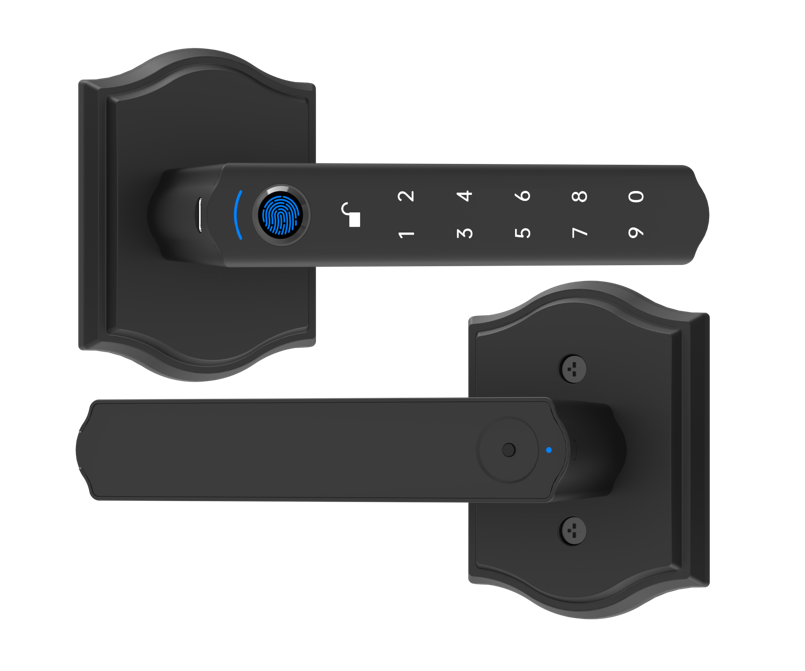
One homeowner said she used to fumble for keys in the dark. Now, that smooth metal faceplate lights up as her car pulls into the driveway, and the door clicks open. She gave it 4.8 out of 5 for ease of use. Solid.
Another user loves the geofencing feature. It auto unlocks right on time. No more rushing around looking for keys. Peace of mind.
On reliability, customers rate battery life at 4.6 stars. A few mention the app lagging or a low battery alert. But most agree a quick firmware update cleared any hiccups in minutes. One reviewer said, “After updating, notifications pop up instantly.” Exactly.
Airbnb hosts rave about guest access. They set up timed codes and temporary keys in seconds. One host says check-in delays dropped by nearly 70 percent. Now they spend less time at the door and more time helping guests. Want to learn more? Check out smart locks for Airbnb hosts for detailed smart-access tips.
Final Words
in the action, we explored how Bluetooth smart locks operate, protect your space, and manage access. We kicked off by explaining basic operation and range expectations. Then we covered encryption, voice and app control, DIY install, and troubleshooting.
We compared Bluetooth vs. Wi-Fi models and highlighted top brands, with a clear nod to our Starlight lineup. You’ve got pricing insights, warranty details, and real user feedback to guide smart choices.
Armed with these insights, your path to seamless security is set. Enjoy the peace of mind only Bluetooth Smart Door Locks can bring.
FAQ
What are the top Bluetooth smart door locks and where can I find reviews and purchase options?
The top Bluetooth smart door locks include Starlight Bluetooth Deadbolt, Ultraloq U-Bolt Pro, and August Wi-Fi Bridge model. You’ll find hands-on reviews at Amazon, smart-home blogs, and YouTube, then purchase via major online retailers.
What features do Bluetooth smart door locks with handles and keys offer?
Bluetooth locks with handles add a built-in grip for easy entry, while models with mechanical key slots let you use a traditional key as backup. Many combine both for flexible, secure access in any situation.
How does the Bluetooth smart lock app work?
The Bluetooth lock app lets you lock or unlock your door from up to 25 feet away via Bluetooth LE. You can set user codes, view activity logs, and receive battery or tampering alerts.
Do smart locks use Bluetooth?
Bluetooth smart locks use Bluetooth LE to communicate directly with your phone or fob without internet. They work within about 25 feet, so you don’t need a hub unless you want remote access.
What is the difference between a Bluetooth and a Wi-Fi smart lock?
Bluetooth locks link straight to your phone for close-range entry and save battery life. Wi-Fi locks stay online for true remote control and real-time alerts but drain power faster and often need a hub or bridge.
What is the best smart door lock to buy?
The best smart door lock fits your setup: choose a pure Bluetooth model like Starlight for easy, battery-saving entry, or pick a Wi-Fi lock with a bridge for full remote control and real-time alerts.
What is the weakness of a smart door lock?
A smart door lock’s main weakness is range: Bluetooth-only models work up to 25 feet. They can also drain your phone battery when always-on, and firmware bugs may cause occasional glitches if not updated.

